Sponsored by

Our top 5 tools that benefit from NVIDIA RTX hardware

NVIDIA boldly asserts that “the best AI PCs have NVIDIA GeForce RTX™ GPUs inside". They back this up by stating that the same hardware that is found powering AI super machines is “built into every NVIDIA RTX GPU”. So, if you thought you were getting second-rate AI technology when you purchased an NVIDIA RTX GPU, think again.
With AI entering into the heart of almost every piece of software, application, and workflow, it really does pay to buy the very best hardware. The difference between running AI tools on a dedicated processor versus a standard chip is like night and day.
If you’re using an integrated graphics card on an older GPU but you’re finding yourself using more and more AI tools and features, then it’s well worth your time weighing up whether an NVIDIA RTX card is worth it.
Maybe you already own an NVIDIA RTX card and are wondering which software features you could benefit from using. With that in mind, here are our top five tools and features that benefit from NVIDIA RTX hardware.

1. Adobe Premiere Pro
One of the best AI tools to have emerged in recent years is Premiere Pro’s video-to-text transcription tool, which generates captions, subtitles, and video transcripts with Speech to Text. It’s easy, powerful, and one of the best ways of quickly creating a transcript of your video.
With a transcript generated, it’s then possible to edit your video using text rather than scrubbing through the video footage itself, which can be laggy and frustrating. Transcript-driven editing saves a huge amount of time and energy and is superb for creating a rough edit before fine-tuning things with the actual footage.
In addition, the Speech to Text feature automatically adds captions and subtitles, improves accessibility, boosts viewer engagement and enables you to reach a wider audience. Captions can also be translated into 27 languages.

2. Photoshop
In Adobe Photoshop, one of the best RTX-accelerated features is Super Resolution, which upscales images while keeping precious details intact. This performs a similar function to the popular On1 Resize software but natively inside Photoshop.
To perform the upscaling, you first have to convert your image layer into a smart object. This enables the filter to be applied non-destructively. From there, open the Camera Raw Filter from the filters menu and enable Super Resolution. All that’s left to do is tweak a few settings and click Enhance.

3. Topaz Photo AI
Topaz Photo AI is a dedicated tool which was built from the ground up with AI at the very heart. This tool features AI-powered sharpening, noise reduction, and upscaling, and if you’ve never used it, then I’d highly recommend giving it a go.
I spent a lot of time testing Photo AI 3 and concluded that the software’s “denoising and upscaling deliver unbelievable results”. I also loved how intuitive the interface was. “If noise removal and upscaling are a large part of your creative workflow, then Photo AI is worth its weight in gold.”
4. DaVinci Resolve
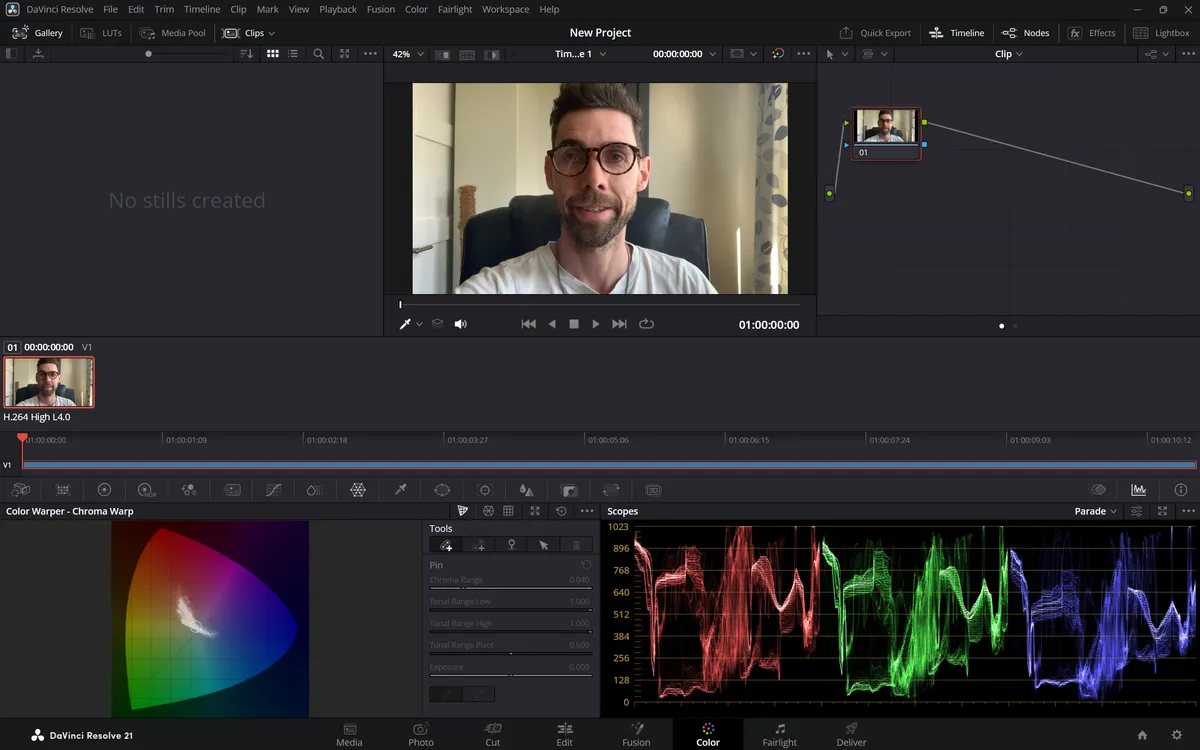
DaVinci Resolve is easily the best free video-editing application that I have ever had the pleasure of using. It’s solid and easy to use and, more recently, has benefitted from a new set of AI tools. These include AI Colour, Smart Reframe, and Audio Isolation.
I prefer to keep as much control over colour corrections and reframing, but it doesn’t hurt to get a little helping hand. DaVinci Resolve gives that leg up and rough colour edit, although it’s still possible to fine-tune those edits with your eyes before wrapping the colour edit up.
I’m not an expert sound editor or sound engineer, and so I benefit a lot from built-in audio tools like Audio Isolation. This enables editors to isolate voice from all those annoying background sounds that you couldn’t eliminate during shooting. Think of car noise, the hum of a fan, or people talking in the distance. Audio Isolation takes care of this for you.

5. NVIDIA Broadcast
NVIDIA Broadcast is found inside the NVIDIA app, although you’ll also find it as a standalone app called, you guessed it, Broadcast. The tool itself is designed for creatives who stream a lot of content.
It features AI tools for turning your room into a fully fledged studio. This is the perfect software solution for creatives who can’t afford lots of expensive lights, microphones, and cameras but who still want a high level of production quality.
Features include Noise and Echo Removal, Studio Voice, Virtual Background, Virtual Key Light, and Auto Frame. Being able to make voice and image improvements on the fly puts you in total control of your output. It really is amazing what is possible with this 100% free-to-use software.
Upgrading to NVIDIA RTX
Those are a whole lot of reasons to consider upgrading to an NVIDIA RTX GPU. Sure, they’re not the cheapest cards on the market, but they are some of the best, especially if you’re using a lot of AI-powered tools.