
The best graphic design laptops do two jobs at once: look after your eyes with a display you can trust, and keep pace with increasingly AI-hungry creative software, without ever stuttering, slowing or crashing completely.
Over the years, we've tested hundreds of laptops to find the ones that deliver. Our pick for heavy workloads remains the MacBook Pro 14, but the field remains super-competitive, and there a lot of great options on our list.
If your creative work involves digital retouching or photographic work, manewhile, explore our round-up of the best laptops for Photoshop.

Erlingur has personally tested and overseen the testing of more than 100 laptops, PCs and tablets over the last two and a half years. He has worked on extensive testing and benchmarking processes to ensure we are putting the laptops through tests that truly nail what creatives need to do their best graphic design work. His favourite laptop brand is ASUS because they push the envelope, and led the charge for OLED touchscreens on laptops.
The best laptops for graphic design work
Why you can trust Creative Bloq Our expert reviewers spend hours testing and comparing products and services so you can choose the best for you. Find out more about how we test.
Best Apple laptop for graphic design


30-second review: The latest Apple MacBook Pro 14 (M5, 2025) is a big leap forward for creative computing. This well-built, efficient laptop delivers outstanding performance for graphic designers. The M5 chip features exceptional GPU architecture with Neural Accelerators in each core, providing up to 3.5x faster AI performance and 1.6x faster graphics compared to the M4.
Price: The MacBook Pro M5 base model starts at $1,599/£1,599, with prices increasing for upgraded RAM, storage configurations or the nano-textured display option. Build-to-order configurations can become expensive quickly, particularly when adding memory or storage upgrades.
Design: Maintaining Apple's signature aesthetic, this MacBook is sleek, svelte and securely built, with a robust frame and premium aluminium construction. Available in space black and silver finishes, it offers a premium feel whilst remaining lightweight and portable. The beautiful and vibrant Liquid Retina XDR display is exceptionally well-suited to design work, with excellent colour accuracy and optional nano-texture glass to reduce glare.
Performance: The M5 chip delivers exceptional CPU performance, with impressive multi-core results that place it amongst the fastest laptops available. The revolutionary 10-core GPU features dedicated Neural Accelerators in each core, dramatically accelerating AI-driven workflows like running diffusion models and large language models on-device. Memory bandwidth has increased nearly 30% to 153GB/s, enabling seamless multitasking with demanding creative applications. The new faster SSD technology provides speeds exceeding 6,000MB/s (nearly twice as fast as the M4) dramatically improving performance when importing RAW image files or exporting large projects.
Battery life: Apple claims up to 24 hours of battery life, and real-world testing confirms exceptional endurance. The MacBook Pro M5 easily handles a full working day of demanding design tasks, and in lighter workloads can genuinely approach the advertised figure. This represents a significant advantage for professionals who need reliable all-day performance without constantly seeking power outlets.
Read more: MacBook Pro (M5, 2025) review

"The MacBook Pro is the go-to laptop for creatives, and it remains that way in 2025. It’s a wonderful thing to use, and is unlikely to be beaten until the M5 Pro and Max versions appear."
Best Windows laptop


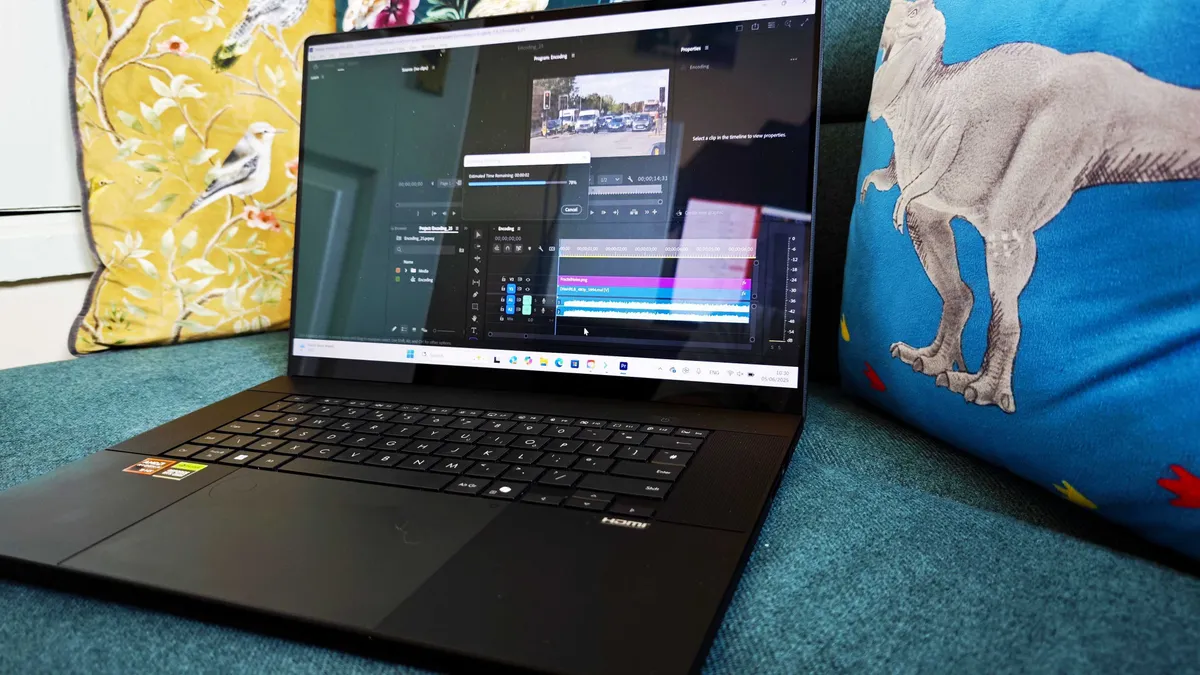


30-second review: The Asus ProArt P16 is a beast of a laptop, the flagship of ASUS' new ProArt range for creative professionals, and it proudly succeeds last year's mighty Studiobook as a powerful, feature-rich, studio-ready leader to rule the varied laptop tribes beneath it. It can handle any creative task you throw at it, but I believe that this laptop is the mightiest among laptops, even beating out Apple's MacBook Pro. It wins against the Lenovo Yoga Pro Gen 9 (our best AI laptop pick) thanks to its better screen, and the ProArt Creator Hub software suite, which, while it won't replace your software of choice, is a nice addition.
Price: You won't find a more capable pro-level laptop for graphic design work under £/$3,000 than the ProArt P16. We found that its benchmark scores in many cases rival (and sometimes outdo) the near-$4,000 MacBook Pro M3 Max.
Design: The ProArt P16 is near-identical to the previous year's Studiobook but not quite as pretty as other ProArt models we've reviewed. It has a 16-inch OLED screen, a large touchpad and a well-spaced, responsive backlit keyboard, and of course the the ASUS Dial which is integrated into the pad now instead of being a separate physical dial, used as a programmable function. Note: It's 300 grams lighter and got a more powerful AMD NPU than the Lenovo model, plus it's got better Bluetooth, an SD Express card reader and it's lighter.
Performance: Our benchmarks show P16 is capable of effortlessly loading and running several demanding creative software and applications at the same time, and the OLED touchscreen also performed impeccably during our testing as well, providing 396 nits of whole-screen brightness. Though we did find that the touchscreen is very smudge-prone, so keep your fingers clean!
Battery life: ASUS has improved the battery life dramatically with this latest model, and we managed to get 10 hours and 23 minutes out of it during our video loop test. Pretty impressive.
Read more: Asus ProArt Studiobook P16 review
The ProArt P16's amazing display will be perfect for graphic designers (touchscreen and lots of grunt inside). I spent three weeks with one, putting it through heavy benchmark tests so I should know.
Best budget Apple laptop for graphic design
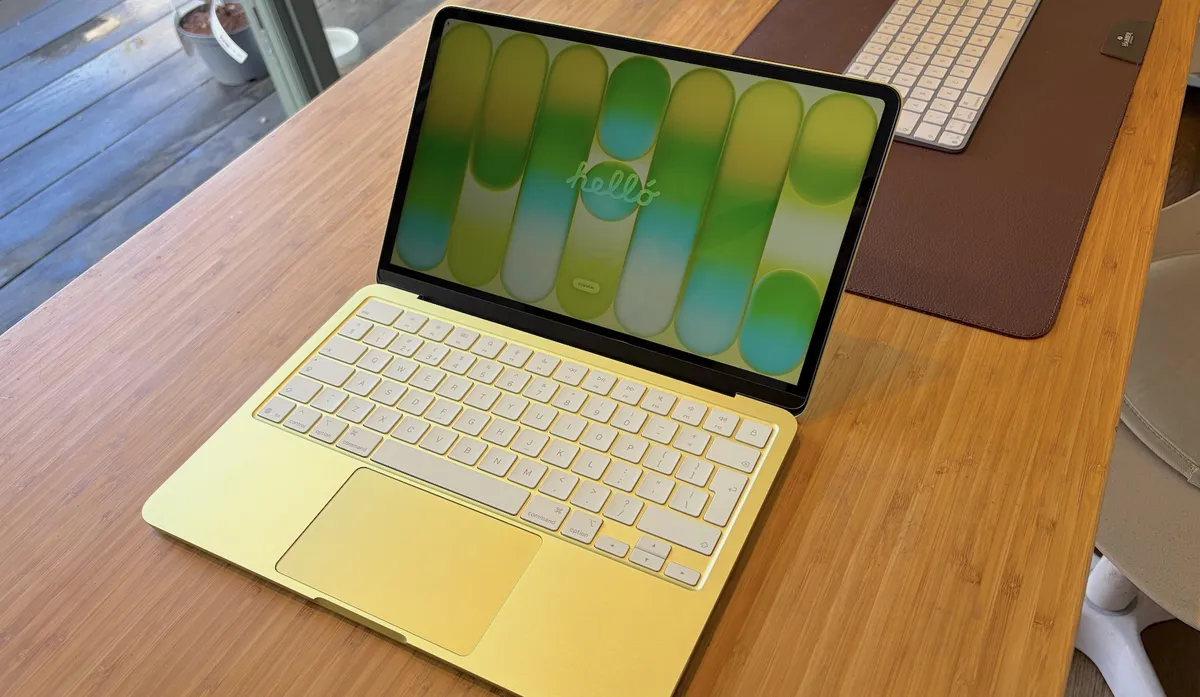

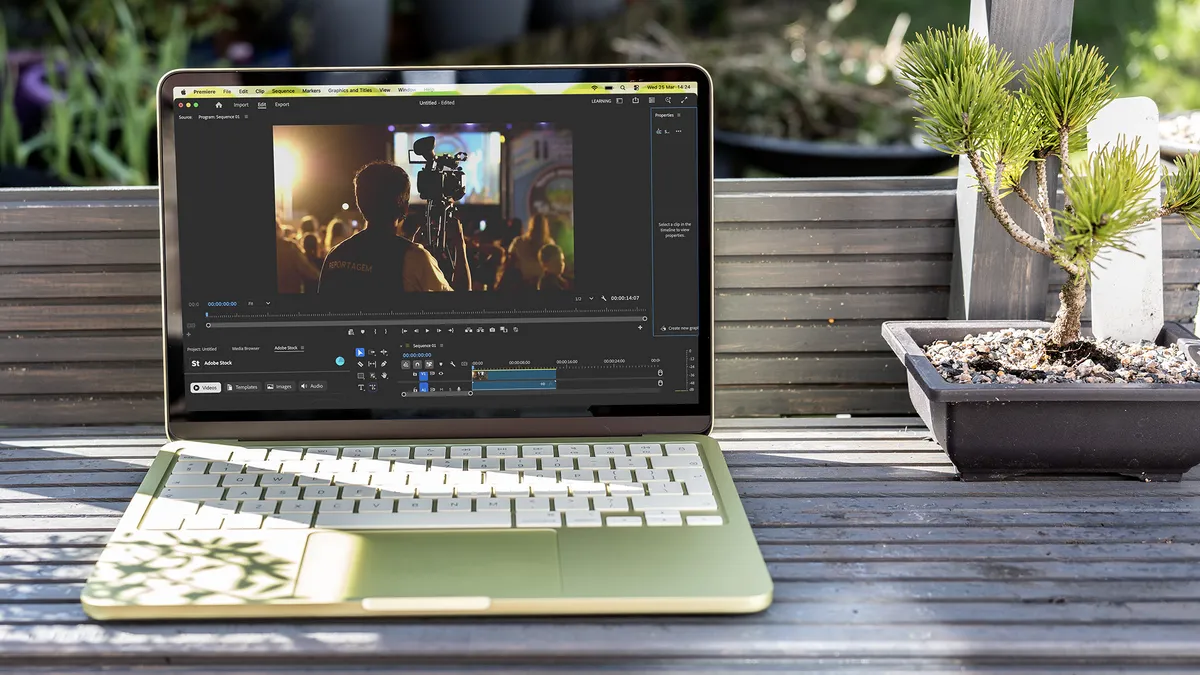


30-second review: The recently released MacBook Neo is the most affordable entry point into Apple's laptop ecosystem in history. While the 8GB RAM is modest, Apple's efficiency handles Photoshop and Illustrator branding work far better than a budget Windows laptop stuck behind a dull 1080p screen.
Price: At $599/£599, this is hands-down the best-value entry point in the Macbook ecosystem. For students or early-stage freelancers working on brand identity, social graphics or print layouts, this is the pick that makes pro-grade colour accuracy genuinely accessible.
Design: The Neo comes in four vibrant colours (Silver, Blush, Indigo, and Citrus), with colour-coordinated keyboards, making it the most visually playful MacBook lineup Apple has ever offered. At 1.23kg and 1.27cm thin, it's genuinely compact and bag-friendly. On the downside, the 13-inch Liquid Retina display is sRGB only, not the wide P3 gamut found on MacBook Air and Pro models, and there is no backlit keyboard on the base model. For colour-critical work, this matters; but for branding, social graphics and layout work where print accuracy isn't essential, it's a compromise worth making for the price. Note that ports are minimal, with just two USB-C ports. Also, only the left port (USB 3, 10Gbps) supports external display output; the right port runs at USB 2.0 speeds only.
Performance: The A18 Pro chip, which is also found in the iPhone 16 Pro, is a first for any Mac laptop, and it handles everyday creative applications well. The chip is completely fanless, meaning the Neo runs in total silence under all workloads. For Photoshop, Illustrator, and branding work, it is vastly more capable than any similarly priced Windows alternative. The 8GB RAM is the one genuine constraint: large multi-layered Photoshop files or complex Illustrator documents with many linked assets will feel tighter than on a MacBook Air.
Battery life: Apple claims up to 16 hours, with real-world usage for documents, web browsing and light creative work comfortably delivering a full working day. The fanless, power-efficient A18 Pro is well suited to sustained productivity. Fast charging is not supported on the base model, though.
Best budget Windows laptop for graphic design

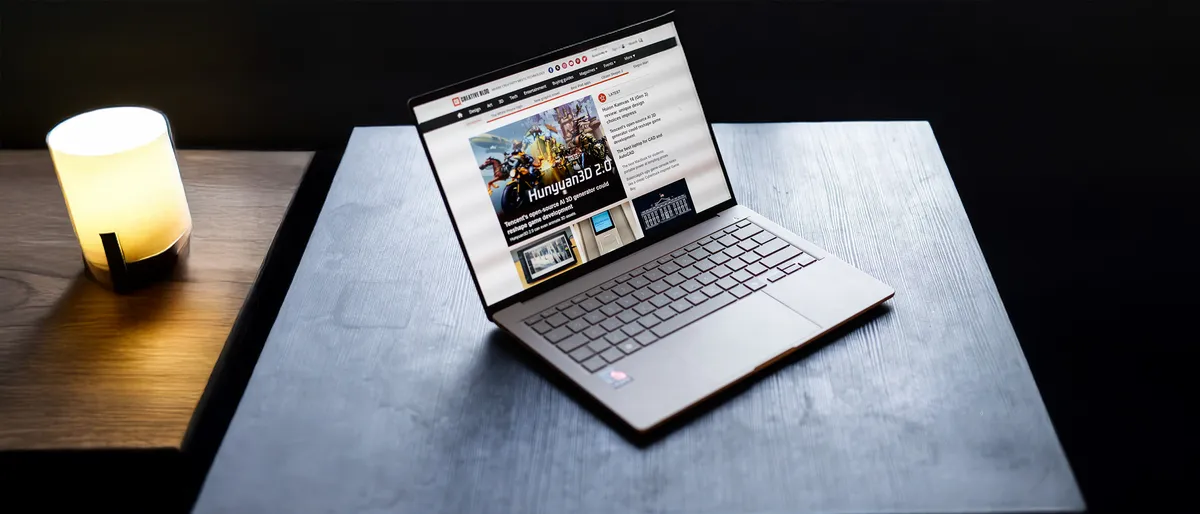


30-second review: The ASUS Zenbook A14 is one of the lightest 14-inch laptops we've ever tested, at under 1kg, and it backs that up with a lovely OLED screen and battery life that stretches over two working days. It's not a laptop built for power, but if you're working mainly in 2D, vector or layout software, it's a superb budget pick.
Price: ASUS lists the Zenbook A14 at £1,099.99, but on retailers like Back Market, refurbished and open-box units have appeared for as little as £699, comfortably undercutting colour-accurate Windows rivals.
Design: This laptop trades premium materials for weight savings, and at 0.98kg it's one of the lightest 14-inch laptops around, though the plastic chassis does feel a little less special than the aluminium ASUS uses in other laptops. Port selection is decent for a design workflow, with full-size HDMI, a fast Type-A port and two USB4 Type-C ports.
Performance: The Snapdragon X1's CPU performance lands in similar territory to Apple's M1 and M2 chips, which makes it perfectly capable for Illustrator, InDesign, Affinity work and everyday Photoshop editing. The Adreno GPU is the weak point, though, and 3D rendering or GPU-accelerated video work isn't its strong point. The 16GB of RAM, also, is the Copilot+ minimum and can feel tight with large, layered files.
Battery life: ASUS claims up to 32 hours of battery life. Our real-world video-loop test landed at a still-excellent 20 hours and 39 minutes. That's enough for two full working days between charges, which you can't complain about at this price.
Most portable laptop for graphic design


30-second review: While Apple’s MacBook Pro models offer more raw power, the M5 Air provides a near-perfect balance of weight and performance for 2D design. The Liquid Retina display covers the full P3 wide colour gamut, ensuring high colour accuracy for branding and illustration projects, while fanless architecture and the power of the M5 chip means you can work in complete silence while manipulating complex Illustrator files or multi-layered Photoshop documents.
Price: The MacBook Air M5 starts at $1,099/£1,099. If you work with large or multi-layered files, it's a good idea to invest in more RAM.
Design: Apple might not have cracked the sub-1kg weight of competing laptops, but its fine-tuned balance, tapered profile and rounded corners conspire to make it feel slim and light. The MagSafe 3 charging port frees up Thunderbolt ports so you can add USB drives and graphics tablets as you recharge, while the tactile Magic Keyboard is perfect for one-person design agencies who also take on copywriting and coding tasks.
Performance: The M5 chip's updated Neural Engine is the star here, making AI-intensive tasks such as Photoshop's Generative Fill and Object Selection feel near-instantaneous. For vector-based work in Affinity Designer or Adobe Illustrator, the GPU effortlessly handles complex paths and effects without stuttering. Video editing in Premiere is a weak spot, but for standard graphic design work the performance is consistently snappy and more than adequate for high-end professional use.
Battery life: Apple continues to lead with 18 hours of battery life. In a real-world design environment, with tunes on Spotify, work in the Creative Cloud suite, and ignoring your boss in Slack, you can easily clear a 10-hour workday without plugging in.
Best laptop for sketching


30-second review: The GoPro Edition PX13 is a capable creative workstation squeezed into a 13-inch chassis, and its OLED touchscreen is perfect for illustrators who like to sketch and annotate directly on the glass. The ASUS Dial is useful too, letting you adjust brush and tip sizes in Photoshop without lifting a hand from the trackpad.
Price: The GoPro Edition PX13 launched in the US at $2,999.99, available exclusively through Best Buy, $200 more than the standard 64GB ProArt PX13's $2,799.99. That premium covers more than the extra memory: it also bundles an ASUS Pen 3.0 with wireless charger, a hardshell carry case with a belt-mount system, a protective sleeve, and a year of GoPro Premium+.
Design: The PX13 carries over the standard model's solid metal frame and compact 13-inch footprint, making it easy to work from a sketchbook-style angle on a desk or draw across your lap. It's a well-built, portable machine, even if the oversized GoPro packaging suggests otherwise.
Performance: The 40-core integrated GPU is very capable for illustration and touch-based work, and in our testing it comfortably kept pace with laptops using discrete graphics. The 128GB of RAM means you can keep vast reference libraries, multiple brush libraries and layered files open simultaneously. The OLED touchscreen covers 99% of DCI-P3, so colours in finished illustrations translate reliably, though the 60Hz refresh rate means fast pen or finger strokes aren't quite as fluid as on higher-refresh rivals.
Battery life: In our tests, the GoPro Edition managed close to six and a half hours of constant use, which is pretty decent for a machine with this much processing power, though not class-leading.
Best 2-in-1 laptop


30-second review: The Dell 16 Plus 2-in-1 strikes an impressive balance between versatility and performance for graphic designers who need the flexibility of a convertible laptop. With its stunning 16-inch Mini-LED touchscreen offering 99.2% DCI-P3 colour coverage and 552 nits brightness, this machine delivers excellent colour accuracy for photo editing and design work. The Intel Core Ultra 7 258V processor paired with 32GB of LPDDR5X RAM provides smooth performance for Adobe Creative Suite applications, whilst the 2-in-1 design makes it equally capable in laptop, tent, or tablet modes.
Price: The base model starts under $1,000 / £1,000, whilst the top-specification model with 32GB RAM and Mini-LED display retails for £1,299 in the UK and $1,399 in the US. For a convertible laptop with these display credentials and build quality, this represents excellent value for graphic designers.
Design: The sturdy midnight blue chassis is undeniably business-focused in its aesthetic. Whilst it may lack the design flair of competitors, the build quality is excellent with no flex in the body or lid. The convertible hinge is impressively robust, allowing smooth transitions between modes whilst staying firmly in position. At 2.05kg, it's heavier than many laptops. The port selection is solid, including a welcome Thunderbolt 4 connection alongside USB-C, USB-A, and HDMI 2.1 ports.
Performance: The standout feature is the 16-inch Mini-LED touchscreen, which measured an impressive 552 nits peak brightness with 99.2% DCI-P3 and 96% sRGB colour coverage; making it genuinely suitable for colour-critical pro design work. The Intel Core Ultra 7 258V processor delivers solid performance for creative tools, whilst the generous 32GB of LPDDR5X RAM handles large Photoshop files and multitasking with ease. However, the Intel Arc integrated graphics limit performance in 3D applications and video rendering compared to discrete GPU alternatives.
Battery life: Our reviewer enjoyed approximately 8 hours and 39 minutes for general productivity tasks, though intensive creative work will drain it more quickly. Dell has released software updates specifically aimed at improving battery efficiency, suggesting they're actively addressing any power management concerns.
Read more: Dell 16 Plus 2-in-1 review
"One thing to note is that if you're in the market for a Dell laptop in particular, the 16 Plus almost matches the much more expensive Dell Pro 13 Premium in most CPU and GPU tests, and actually beats it in a few."
Best workstation





30-second review: Gamers and graphic designers share a lot of commonality in terms of their computing needs – plenty of power, and a great display with high colour accuracy. As such, a big old gaming laptop like the Gigabyte Aorus Master 16 can be just the thing for any designer who doesn't mind something hefty. It weighs twice as much as a MacBook Air, but its computing and graphical horsepower are top of the pile.
Price: Get one with 32GB of RAM (not the maximum) and the 5080 graphics card and you're looking at spending around $3,099.99 in the US or £2,799 in the UK. That's about what you'd expect for a gaming laptop of this calibre, and as such it's probably only going to be of interest to pro designers.
Design: With a 16-inch OLED Screen, the Aorus offers no shortage of space to work, and many creatives will especially appreciate the 16:10 aspect ratio. The look of the laptop is fairly unremarkable – though you do have to deal with RGB lights (laptop makers will probably never shake off the conviction that gamers are mutually exclusive with good taste – and they may be right). However, in terms of functionality, it gets a lot right, particularly with the inclusion of Thunderbolt 5 connectivity.
Performance: The powerful CPU smashed through our Geekbench and Cinebench tests, while the new NVIDIA GeForce card did well in our AI tests. I did all sorts of obnoxious things like running Photoshop at the same time as a video editor and a 32-tab Chrome window, and the laptop handled the multi-tasking adroitly. It's a hard one to fault.
Battery life: Very good. The Intel NPU and the intuitive GiMate software can sensibly switch power modes depending on what you have running, helping conserve energy and eke the power out for longer.
Read more: Gigabyte Aorus Master 16 review
"The Gigabyte Aorus Master 16 is a powerful gaming laptop with all the latest kit on-board, so any serious creative pro will find plenty to like here."
FAQs
What laptop specs do I need for graphic design?
Aim for a modern Intel Core Ultra, AMD Ryzen AI, Qualcomm Snapdragon X, or Apple M-series chip; at least 16GB RAM; and a display covering 100% sRGB or DCI-P3. A discrete or high-end integrated GPU helps for 3D and video work but isn't essential for everyday 2D design.
Are laptops for graphic design expensive?
They can be, but our list includes options from $599, and even colour-accurate options with OLED screens can now be found well under $800 with the right deal. You pay more for a better display, more RAM, and stronger graphics performance, all of which make a real difference to workflows.
What operating system is best for graphic design?
Both work well. macOS integrates tightly with Adobe Creative Cloud and colour management tools; Windows offers more hardware variety, including ARM-based ultraportables and powerful integrated-graphics chips, alongside stronger discrete GPU options at a given price.
How much RAM do I need for graphic design?
16GB is the recommended minimum, though it can feel tight with large, layered files. 32GB is a comfortable sweet spot, and anything from 64GB up is really only necessary for video-heavy or AI-intensive workflows.
What display resolution and color accuracy should a laptop have for graphic design?
At minimum, 1920×1080 with 100% sRGB coverage. For colour-critical work, look for 100% DCI-P3 and a Delta E below 2. Most OLED panels on this list meet that standard, and several now do so at budget-friendly prices.
What we look for
Any graphic designer will know that the three pillars of success for a laptop are a glorious display, enough RAM and decent battery life. Those are the three elements we start with when selecting laptops for this list. How much power you actually need will be down to workflow. If you are working solely in vector software, even if you add in some photo editing you're unlikely to need all the power the most powerful laptops have to offer. But we know creative workflows are getting broader, and with AI capabilities entering even the lightest software now, you might need more than the basics from a laptop.
See more display and power specifics in our how we test section below.
We also know budgets are a big deal. So we've included options at a range of price points and suiting different workflows. You won't find a decent graphic design laptop for the price of a true budget laptop, and we're not here to pretend any of those are suitable. So you'll need to spend a bit more than the lowest on the market – or go refurbished.
How to choose
When choosing a laptop for graphic design, you’ll want a laptop with a lot of power. Graphic design work can be pretty intensive and so you’ll need a laptop that can properly support that and run your host of creative tools.
If you’re frequently on the go and do your work outside the home, you’ll want to strike that proper balance between power and portability. You may have to sacrifice some power to get a laptop that is thin and light enough to throw in your backpack. If you plan to rarely or never tote your computer then we recommend focusing on purchasing a heavier, more powerful laptop.
The next thing you’ll want to consider is what operating system you prefer. MacOS used to be the staple of creative professionals, but nowadays it really doesn’t matter if you use Mac or Windows - both can do the job for graphic designers just fine. It’s up to personal preference, and that shows among the Creative Bloq team, where some of us prefer Mac laptops, while others lean towards Windows.
Finally, budget can be a huge factor in laptop purchases. Many of the laptops in this guide can be quite expensive. If budget is no constraint we recommend the MacBook Pro (M4 Pro), but if you’re a student or just starting out, the the MacBook Air (M1) will give you the most bang for your buck.
How we test
Benchmarking
✅ We are solely focused on what creatives need
✅ Benchmark tests based on real workflows
✅ We consult actual designers and creative pros
✅ Over 100 laptops tested over 10,000 hours in the last two years
As explained in our how we test laptops for graphic design article, we run extensive benchmark tests, which include using real graphic design software to run real projects such as Adobe Photoshop, Cinema 4D, Adobe Illustrator and more, depending on the reviewer, their specialism and the laptop's intended user base.
The minimum laptop specs we look for across tests are as follows:
Geekbench 6
- CPU multi-core: At least 10,000
- GPU OpenCL: At least 70,000
Cinebench 2024
- CPU multi-core: At least 800
- GPU: At least 7,500
PugetBench
- Photoshop: 6,000
- Premiere Pro: 6,000
PCMark 10:
- Main test: 6,500
- Digital Content Creation: 7,500
Handbrake: Encoding a 10-minute, 34-second animated 4K video: Under 5m30s
But choosing the laptops for this guide is about so much more than benchmarking – it's hard to put a firm number due to factors like workflow and app use. We put our laptops through real world tests, and make sure every single one is fully tested by our expert reviewers.
Displays
When it comes to testing laptops for graphic design, we look for a good, high resolution screen, assessing pixel density, colour accuracy, contrast and more, to decide how well it performs for graphic design.
As a guide, for colour we're looking for 100% Adobe RGB and DCI-P3 accuracy. Resolution should be a minimum of a Full HD 1920x1080 display – lower resolution paired with larger screens will make your display look blurry. We love OLED screens, but high res IPS screens are great for graphic designers as they can be super- colour accurate. See more about displays in our laptop display explainer guide.
On the occasion we have been unable to run a specific test (because we reviewed the laptop at a time when our process was slightly different), we look to our sister sites for their results.
Storage. build and battery life
Storage is arguably a little less critical, as well-specified laptops now come with fast PCIe SSDs. But we still test sequential throughput and random access to make sure that nothing unusual is going on.
We also assess ergonomics, build and usability, including keyboard quality, chassis rigidity, trackpad response and more to build up a practical picture of how well a laptop performs in the real world rather than merely benchmarks.
Battery life is important for any laptop and it's also a metric by which different models can differ dramatically, both from each other and from the manufacturer claims. It's also not equally important to all creatives depending on where they do most of their work. We test battery by running creative apps, streaming, changing the brightness on screen and more to see how long the battery will last. A reasonable amount is about a work day (eight hours), but this is effected by power and more so you'll need to balance your preferences (the MacBook Pro and Air are particularly impressive for battery, with the Pro lasting 10 even with a super-heavy workload).
