
Video editing is one of the most punishing things you can ask a computer to do. Multiple 4K or 8K streams, colour grading, effects layers and AI-powered tools all compete for CPU, GPU and memory at once, typically while you're trying to hit a deadline. Buy the wrong machine and you'll feel every one of those demands as a stutter, a spinning cursor or a render that ties up your desk for the afternoon.
That's exactly why we test so thoroughly at Creative Bloq. Our team puts every desktop PC on this list through the same battery of industry-standard benchmarks, then follows up with real-world editing in Premiere Pro, DaVinci Resolve and Final Cut Pro, timing everything from 1080p timeline scrubbing to 8K RED footage processing. We're looking for machines that don't just win on paper, but that hold up over a full day's work.
What follows is a spread rather than a single answer, because there isn't one machine that suits every editor. Some of you need Apple's ecosystem and colour accuracy, others need Windows for plugin compatibility, and a growing number need serious power in a case small enough to live on a crowded desk. That said, my number one pick overall is the Mac Studio (M4 Max, 2025). Also read our guide to best laptops for 3d modelling.

Having written for a number of publications such as PC Plus, PC Format, T3 and Linux Format, there's no aspect of technology that Matt isn't passionate about, especially computing and PC gaming. Ever since he got an Amiga A500+ for Christmas in 1991, he's loved using (and playing on) computers, and will talk endlessly about how The Secret of Monkey Island is the best game ever made.
The best video editing computers in full
Why you can trust Creative Bloq Our expert reviewers spend hours testing and comparing products and services so you can choose the best for you. Find out more about how we test.
Best Apple computer for video editing


30-second review: The Mac Studio M4 Max is designed with creative pros in mind, and it's perfect for complex video editing workflows. With an M4 Max chip delivering up to 16 cores of CPU power and 40 GPU cores, it's one of the most powerful computers Apple has made yet and can easily cope with editing high-resolution footage with graphically demanding effects. You'll need to buy a monitor separately, but the ability to choose the screen you want will appeal to video editing pros with specific needs.
Pricing: The Mac Studio with M4 Max starts at $1,999 / £2,099 and can rise significantly with higher-spec configurations, making it a big investment. If you're not performing such demanding video editing, it's likely to be more computing power than you will need and at a higher price tag than you need to pay. But if your video editing workflow is intensive, we'd recommend Mac Studio without hesitation. A more affordable option would be the Mac mini (M4, 2024).
Design: At 9.5cm tall and 19.7cm square, the Mac Studio has a minimalist aluminium design and is compact enough to fit into tight workspaces, yet heavy enough (2.74kg) to feel robust. Front-facing USB-C ports and an SDXC card slot add convenience for photographers and designers frequently working with external drives and SD cards. At the rear, you get four Thunderbolt 5 ports (a significant upgrade), two USB-A ports, HDMI 2.1, and 10Gbps Ethernet. The M4 Max can support up to five external displays simultaneously.
Performance: The M4 Max chip delivers extraordinary processing power with up to 128GB of unified memory and excellent memory bandwidth. The Mac Studio excels in multitasking and handling graphically intensive tasks, running multiple processor-intensive programs together without blinking. It performs exceptionally well across benchmark tests, including with 8K in Final Cut Pro and demanding 3D applications, all whilst remaining near-silent in operation. The built-in speakers could be better, so you'll likely want to invest in headphones or speakers of your own.
Read more: Mac Studio M4 Max review

"If you’re video editing, rendering, using AI or perhaps doing all three things at once, the Mac Studio is one of the best desktop PCs around."
Best Windows comptuer for video editing

30-second review: The Acer Predator Orion 7000 is a rendering powerhouse that dominates our video editing benchmarks. Despite its gaming-focused branding, this tower delivers exactly what video editors need: a 20-core Intel Core Ultra 7 processor, RTX 5080 graphics with 16GB GDDR7, and liquid cooling that keeps everything running smoothly and quietly.
Pricing: At £3,299, the Predator Orion 7000 sits in premium territory: the same price as two M5 MacBook Pros. You'll also need to factor in display costs, though a keyboard is included. However, for video editors who can monetise the extreme performance in reduced render times and faster project turnarounds, it represents a worthwhile investment.
Design and build: This is unapologetically a large tower PC. The case houses the graphics card mounted vertically, with an extended front section to accommodate the extensive cooling system. Three fans at the front, three on top for the CPU's 360mm liquid cooling radiator, and rear intake ensure excellent airflow. RGB lighting throughout can be customized or disabled entirely in software. The all-black exterior works better under a desk than on top of it, and at 16.16kg, you'll want to carefully consider placement before moving it. The power button on top is well-shaped and easy to locate, with convenient USB 3.2 and audio ports alongside it for quick access.
Performance: This is where the Orion 7000 truly excels for video editors. It sits at the top of our Premiere Pro benchmark charts, breaking the 10,000-point barrier and leading in both GPU Effects and Raw Video Processing sections. The 20-core Intel Core Ultra 7 delivers second-place performance in Cinebench multi-core rendering (beaten only by the 24-core Alienware 16 Area-51), while the RTX 5080 dominates our Geekbench OpenCL tests. Most impressively, it's the first system to score over 1,500 points (and indeed over 2,000 points) in our demanding Topaz Video AI benchmark.
Connectivity: Port selection is comprehensive with two USB 3.2 Type-C, four USB 3.2 Type-A, two USB 2.0 Type-A, HDMI, three DisplayPort outputs, five 3.5mm audio jacks, and Ethernet. However, there's only one Thunderbolt 4 port located at the back, so plan your cable routing before final placement. Wi-Fi 7 and Bluetooth 5.3 provide cutting-edge wireless connectivity. The removable M.2 SSD caddy accessed via a top latch offers a clever storage expansion solution; simply slide it out, add an M.2 drive with a screwdriver, and slide it back in.
"If you're looking for a PC that can power its way through creative tasks, the Acer Predator Orion 7000 stands tall. It flies through tasks like rendering and video editing, and while it's large and expensive, there's lots of room inside for upgrades."
Best mid-range PC for video editing





30-second review: Sitting more in the mid-range than the Omen 45L, the HP Omen 35L is otherwise a similar deal in a lot of respects. It's a very powerful desktop PC, boasting the latest Intel processors and NVIDIA GPUs, which allow it to make mincemeat of intensive creative tasks, including video editing. Nicely designed, with a stylish white case and lots of bits that light up (if you like that sort of thing) it's a gaming machine that's great for multiple applications.
Pricing: With the RRP of the lowest configurations starting at $1,800 / $2,500, this isn't the most expensive PC in the world... but it's also a long way from being the cheapest. You'll also need to factor in the cost of a good monitor. However, the speed with which it can handle rendering tasks and the like does make a case for its value for money – for video editors, time is money.
Design and build: Overall I was impressed. The design of the Omen 35L is not going to be to everyone's tastes, but if you're a sucker for a transparent panel and light-up components, you're going to be in heaven here. Cooling is also sensibly managed, with good airflow thanks to the relatively small motherboard.
Performance: This is ultimately where the HP Omen 35L really shines. It absolutely crushed the majority of our benchmark tests, and thanks to that discrete NVIDIA graphics card, its performance for visual creative work was particularly impressive. Our benchmark video tests use Topaz Video AI to test a system's ability to upscale video and convert video to slow-motion, and the Omen 35L ripped through these tasks without issue. It's very hard to imagine any video editor who would find this PC insufficient for their needs.
Connectivity: The various ports are generally sensibly placed, though you might need a long cable to reach the sole Thunderbolt 4 port located at the back – and some may be disappointed not to see more than one of these ports.
Put this on a desk with a pair of 5K monitors and you’ll make video editors very happy indeed.
The best budget computer for video editing


30-second review: The Geekom A9 Max packs AMD's powerful Ryzen AI 9 HX 370 processor into a palm-sized chassis, delivering impressive CPU performance for video editing at a sub-£1,000 price point. In our testing, it handled video editing benchmarks admirably, with particularly strong results in CPU-intensive tasks. The integrated Radeon 890M graphics provide capable performance for 1080p and moderate 4K editing, though heavy 3D rendering and 8K workflows will expose its integrated GPU limitations.
Pricing: The Geekom A9 Max retails at £999 in the UK and $949.90 in the US (reduced from $1,199.99 RRP). This makes it a great choice for video editors on a budget, offering desktop-class performance at mini-PC pricing. Remember, though, to factor in monitor, keyboard and mouse costs if you don't already own them.
Design and build: Geekom has crafted a remarkably compact machine measuring just 135 x 132 x 46.9mm that fits in your palm. The sturdy metal and plastic construction feels reassuringly solid, with thoughtful touches like anti-slip feet and VESA mounting compatibility. The silver finish echoes premium design aesthetics while maintaining professional appeal. Port placement is sensible, with an extensive selection including dual HDMI 2.1, dual USB4 Type-C with DisplayPort support, five USB-A ports, dual 2.5Gb Ethernet, and crucially for video creators, an SD card slot for quick footage transfers without needing adapters or docks.
Performance: The AMD Ryzen AI 9 HX 370 delivers outstanding CPU performance that belies the A9 Max's compact size and budget-friendly pricing. Our benchmark testing showed exceptional multi-core results, placing it competitively against enthusiast-class laptops. Video editing workflows benefit from the responsive CPU, particularly in timeline scrubbing, effects processing, and export tasks. The integrated Radeon 890M graphics handle 1080p editing smoothly and manage moderate 4K projects, though sustained GPU rendering and heavy 3D work will reveal the limitations inherent to integrated graphics. The IceBlast 2.0 cooling system maintains stable performance under prolonged editing sessions with minimal throttling, though the fan becomes slightly audible under heavy loads.
Connectivity: Outstanding connectivity for a mini-PC, featuring dual USB4 Type-C ports, dual HDMI 2.1 outputs for multi-monitor setups, five USB-A ports, dual 2.5Gb Ethernet for fast network transfers, SD card slot, 3.5mm headphone jack, and Kensington lock support. Wi-Fi 7 and Bluetooth 5.4 ensure future-proof wireless connectivity. The port selection eliminates the need for additional USB docks, saving money and desk space.
Read more: Full Geekom A9 Max review

The Geekom A9 Max delivers impressive CPU performance in a remarkably compact package. It's ideal for video editors working with 1080p and moderate 4K footage who need a space-saving solution, though the integrated GPU means it's not suitable for heavy 3D work or 8K editing.
Best compact Windows PC for video editing

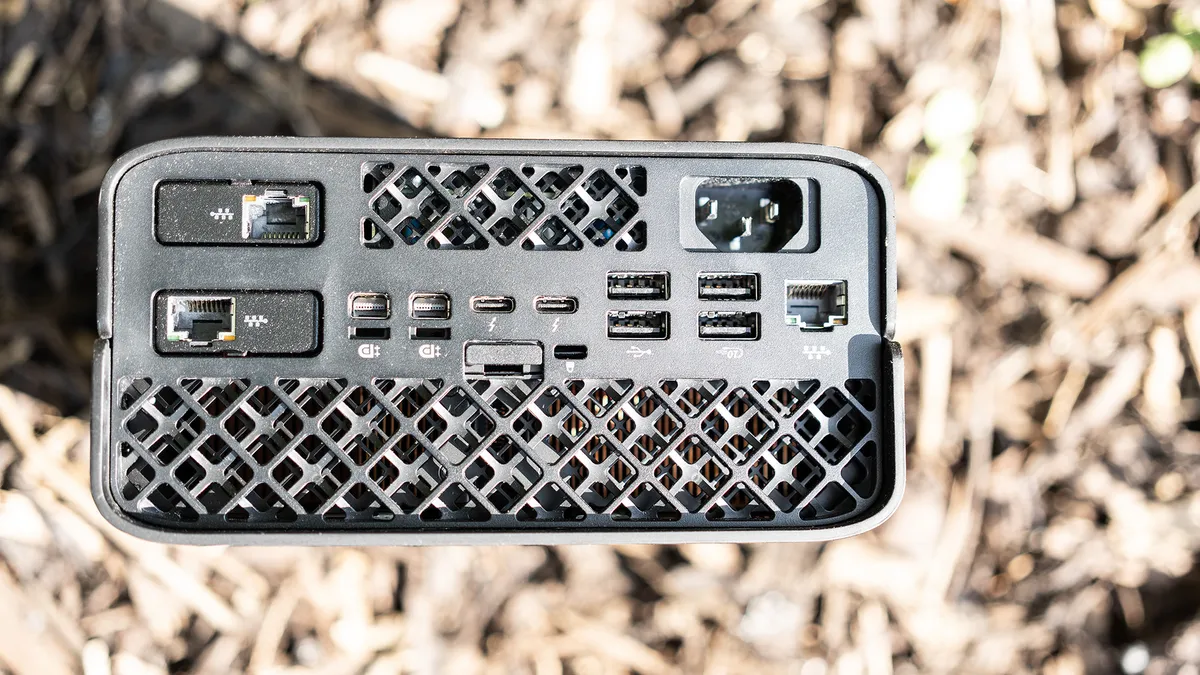
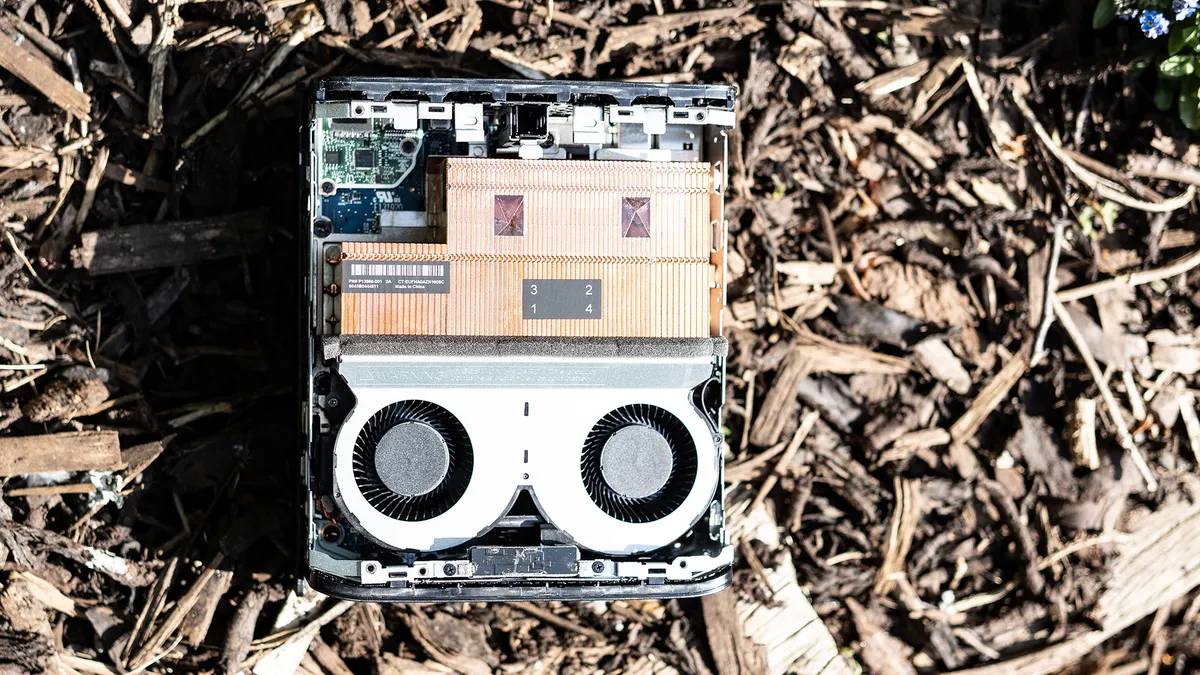
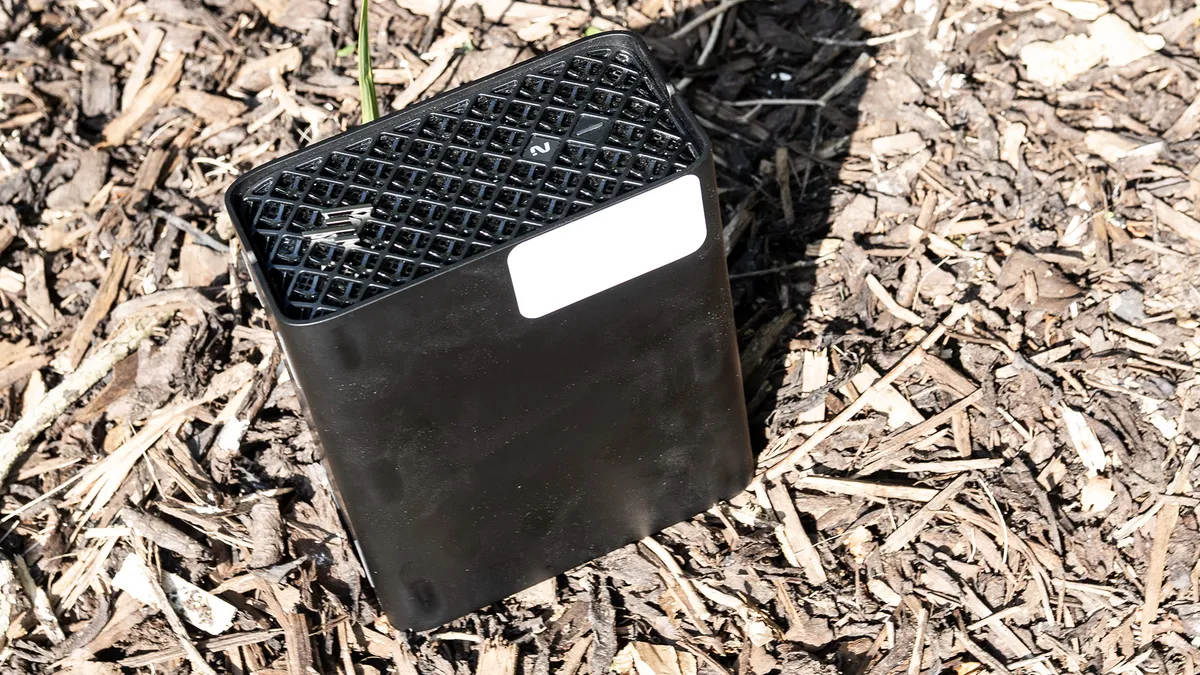

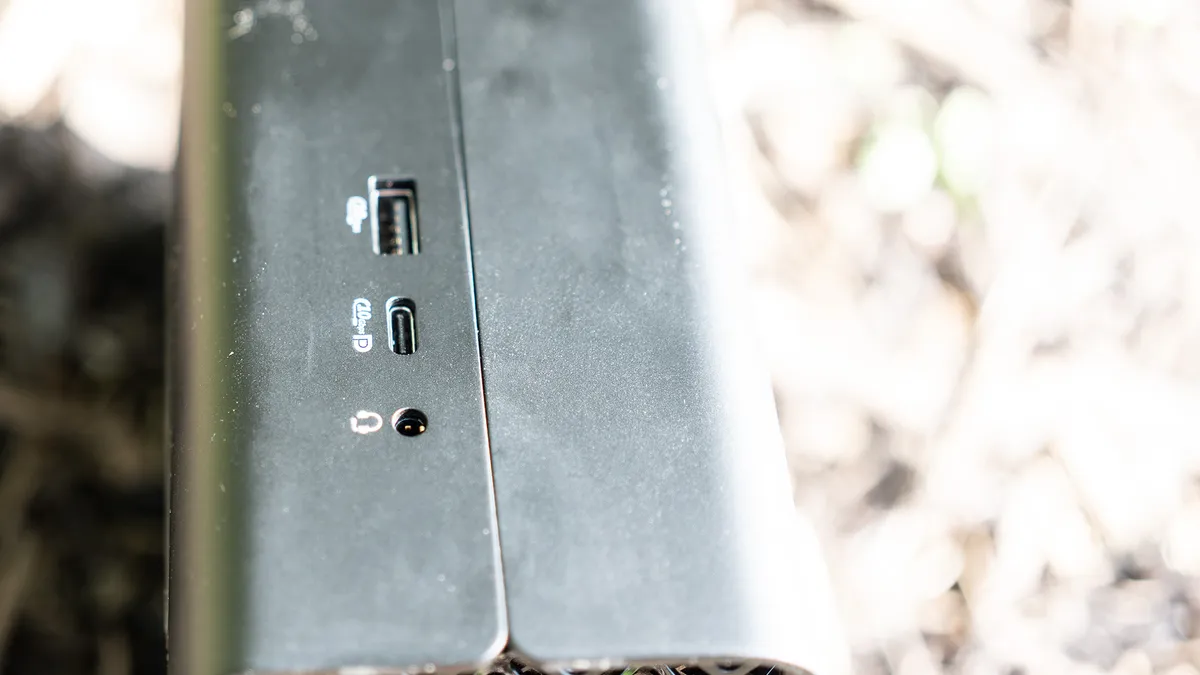
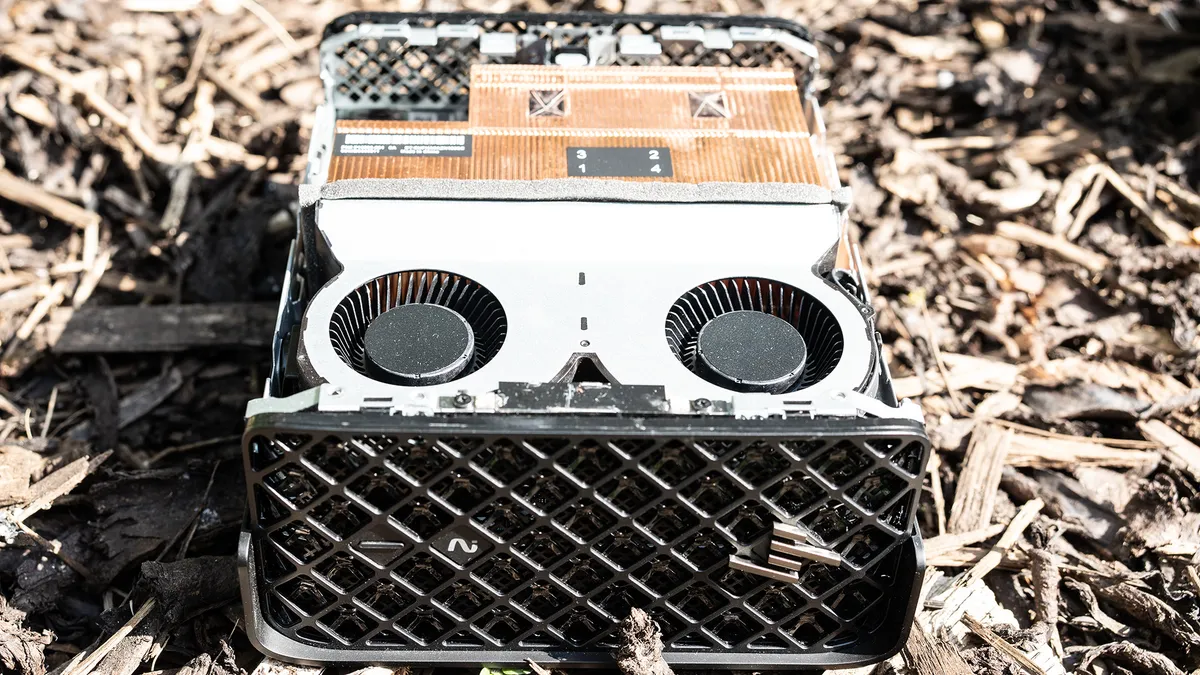


30-second review: The HP Z2 Mini G1a squeezes desktop-workstation power into a case barely bigger than a Mac mini. Built around AMD's Ryzen AI Max+ PRO 395, with 40 integrated GPU cores and a hefty 128GB of shared memory, it's a strong rival to the Mac Studio for editors who need Windows and don't have much desk space to spare. HP has thrown in its Wolf security software too, aimed squarely at studios and IT departments that need endpoint protection as standard.
Pricing: It's not cheap, coming in at $5,021 / £5,519.99 as tested. That's a tough sell next to a similarly specced Mac Studio, which costs less for the same amount of RAM, or the Geekom A9 Mega, which uses the same AMD chipset. You're paying a premium for HP's enterprise security and support, so it's worth shopping around if that isn't a priority for you.
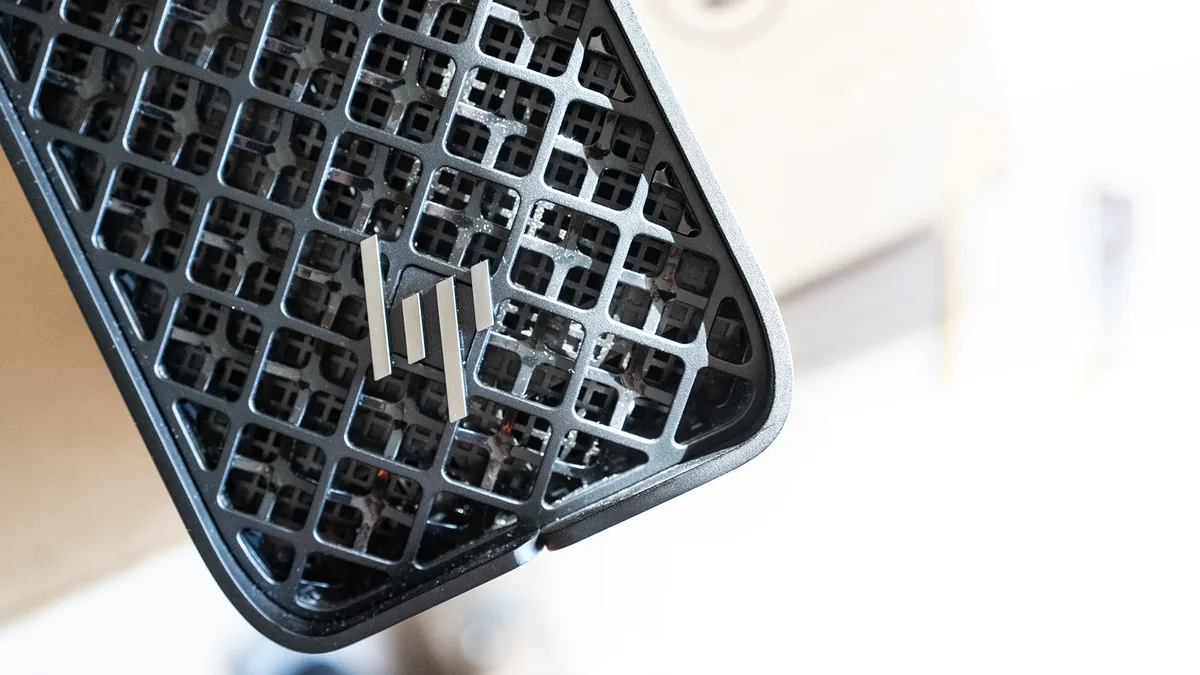
Design and build: The squat black case with its perforated front hides two fans that pull air through the chassis, and they do a good job of cooling, though the G1a can get noisy when it's working hard. Fast ports live around the back, so this isn't a machine you'll want to be reaching behind often, but it's compact enough to tuck under a monitor or slide under a desk, and it's rack-mountable too, with room for five units in a 4U rack. Pop the lid and there's a single spare M.2 slot for extra storage, but that's the limit of its upgradability.
Performance: The 16-core Ryzen AI Max+ PRO 395 boosts up to 5.1GHz, and its 40-core Radeon 8060S graphics hold their own against mid-range Nvidia cards like the RTX 5060 in rendering tests. Because the GPU shares that huge 128GB memory pool with the CPU, the G1a also makes a strong case as a local AI workstation, much like a well-specced Mac Studio. In our Premiere Pro benchmarks it lands ahead of the M5 MacBook Pro, though behind the beefier M5 Max model, and Photoshop performance comfortably beats a fair few gaming laptops and desktop PCs alike.
Connectivity: Round the back you'll find two Thunderbolt 4 ports and two Mini DisplayPort 2.1 outputs for driving up to four displays, plus a USB-C port on the side for quick access. Two of HP's Flexible I/O module bays add further options, including extra Ethernet, Thunderbolt or even legacy ports if your studio needs them. Wi-Fi 7 and Bluetooth 5.4 round things out.
HP has built a serious rival to the Mac Studio here: it's small, it's noisy under load, and it will happily chew through effects, 3D and AI workloads all day long.
Best budget Apple device for video editing
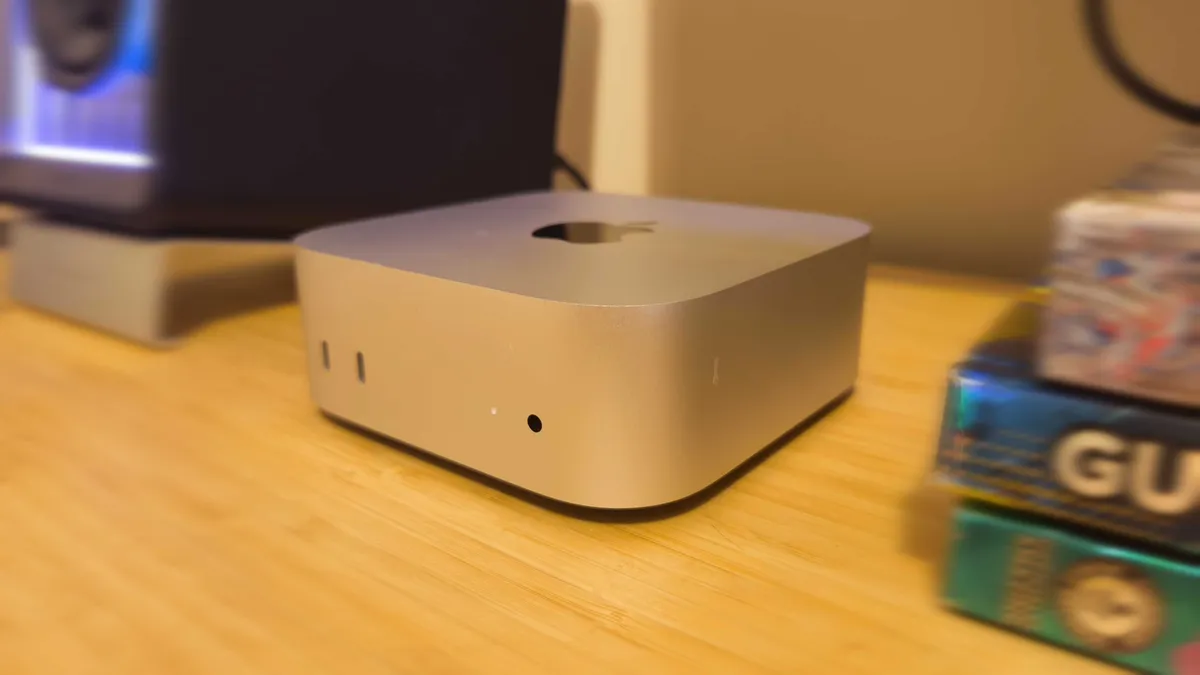
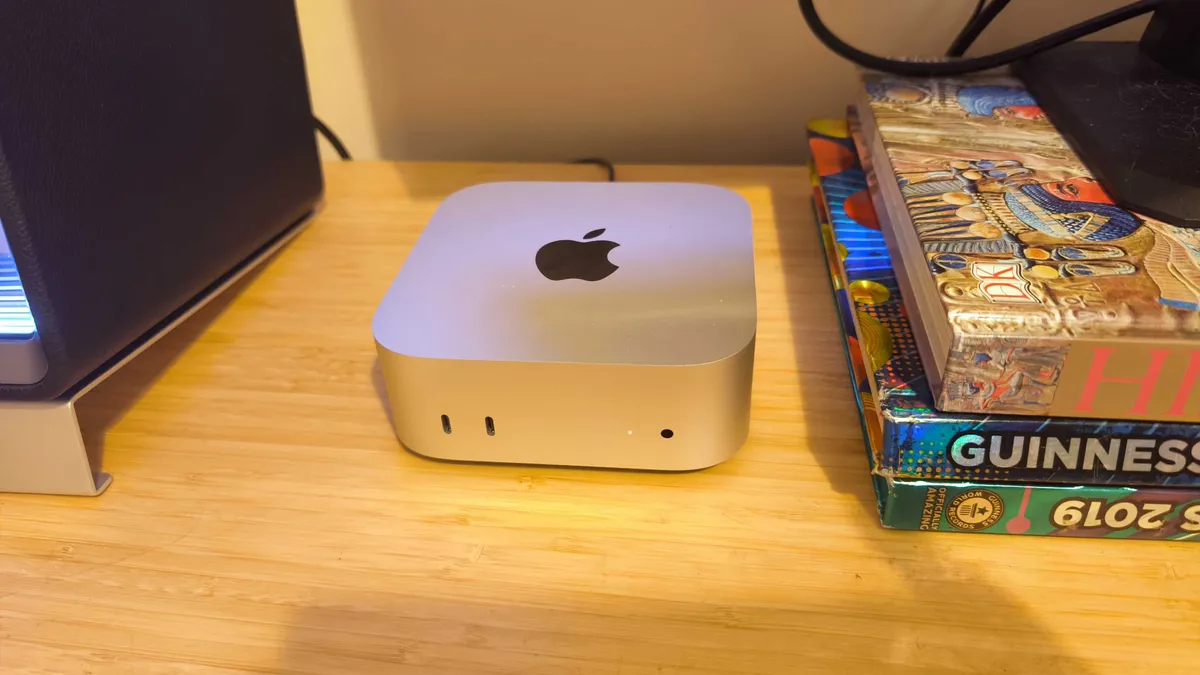


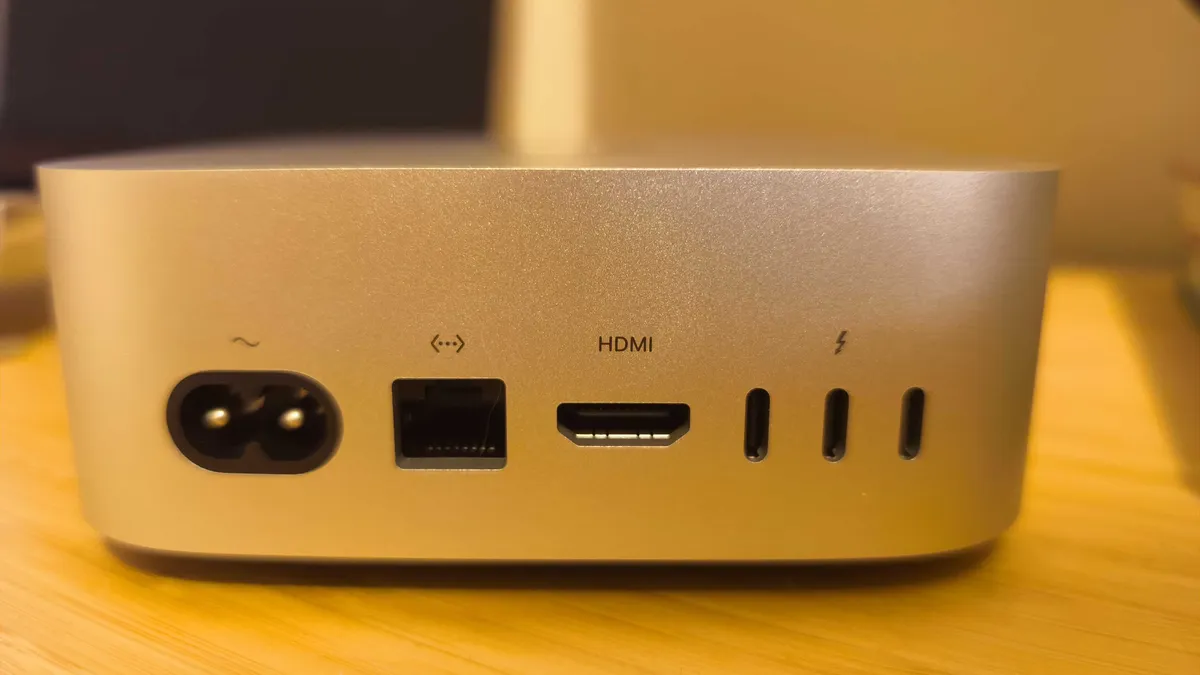
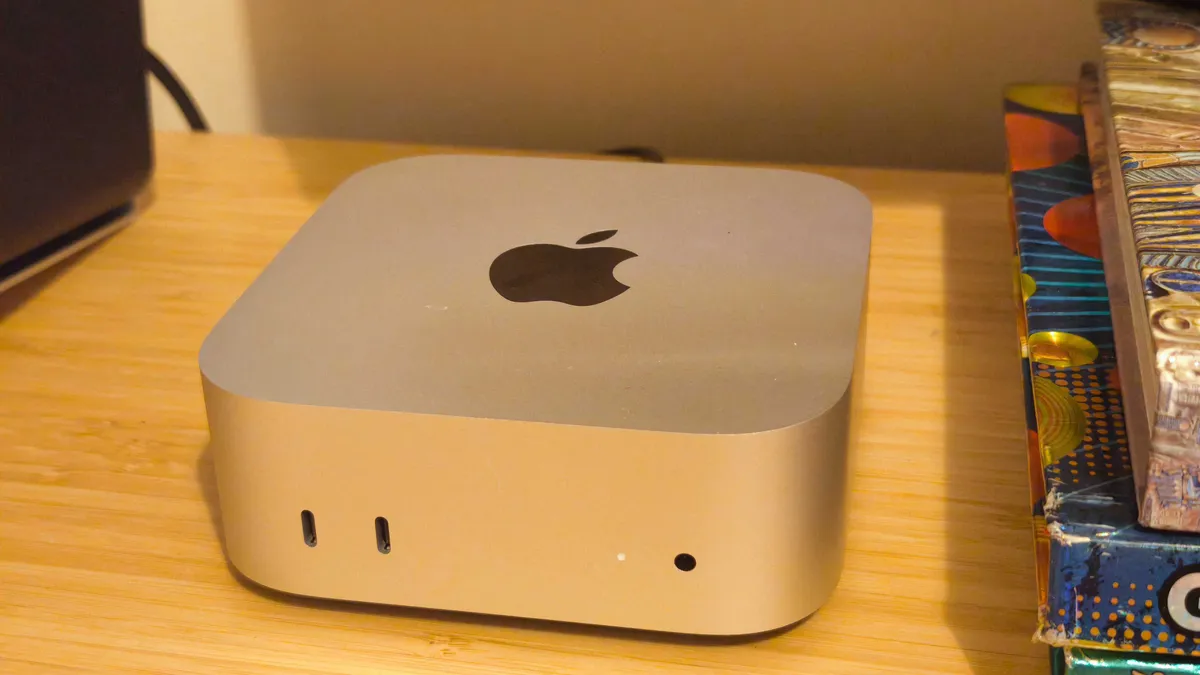


30-second review: The 2024 Mac mini delivers better-than-ever performance in a smaller-than-ever body, and for our money it continues to deliver some of the best value for money across Apple's whole portfolio. The new M4 chip delivers around 20% better CPU performance than its predecessor, and as I found in my testing, it chops and shreds its way through video editing tasks. The base model now includes 16GB of unified memory as standard, which is crucial for smooth video editing performance.
Pricing: Starting at an official Apple price of $599 / £599, the Mac mini represents exceptional value for video editors, offering professional-level performance at a fraction of the cost of larger workstations. The base model's 16GB RAM makes it viable for serious video work without requiring immediate upgrades. This is some of the best value for money that Apple offers right now.
Design and build: The new Mac mini is remarkably compact, yet maintains excellent build quality with its aluminum enclosure. Front USB-C ports are a welcome addition for connecting temporary devices, though they're slower than the rear Thunderbolt ports. We found the power button placement on the bottom to be somewhat awkward but rarely needs accessing in daily use. It trumps the Khadas Mind's impressively small scale by a few centimeters, but it's also a whole lot less fiddly, if you excuse that bottom-mounted on/off button.
Performance: The M4 chip handles 4K video editing in Premiere Pro smoothly, with quick rendering times and responsive timeline scrubbing. It crunched its way through our benchmark tests, achieving impressive results. The neural engine provides up to 38 TOPS of processing power, beneficial for AI-enhanced video tools, and I liked how the system remains virtually silent even under heavy loads. This is ideal for environments where noise control is important.
Connectivity: With three Thunderbolt 4 ports, two front USB-C ports, and HDMI supporting up to 8K at 60Hz, the Mac mini offers extensive connectivity for multiple displays, fast storage, and peripherals. The Ethernet port supports up to 10Gb speeds for fast network transfers of large video files.
This is a perfect desktop computer for video editors who won't need cutting-edge graphics performance. In terms of sheer value for money, it's top-tier.
Best Windows laptop for video editing
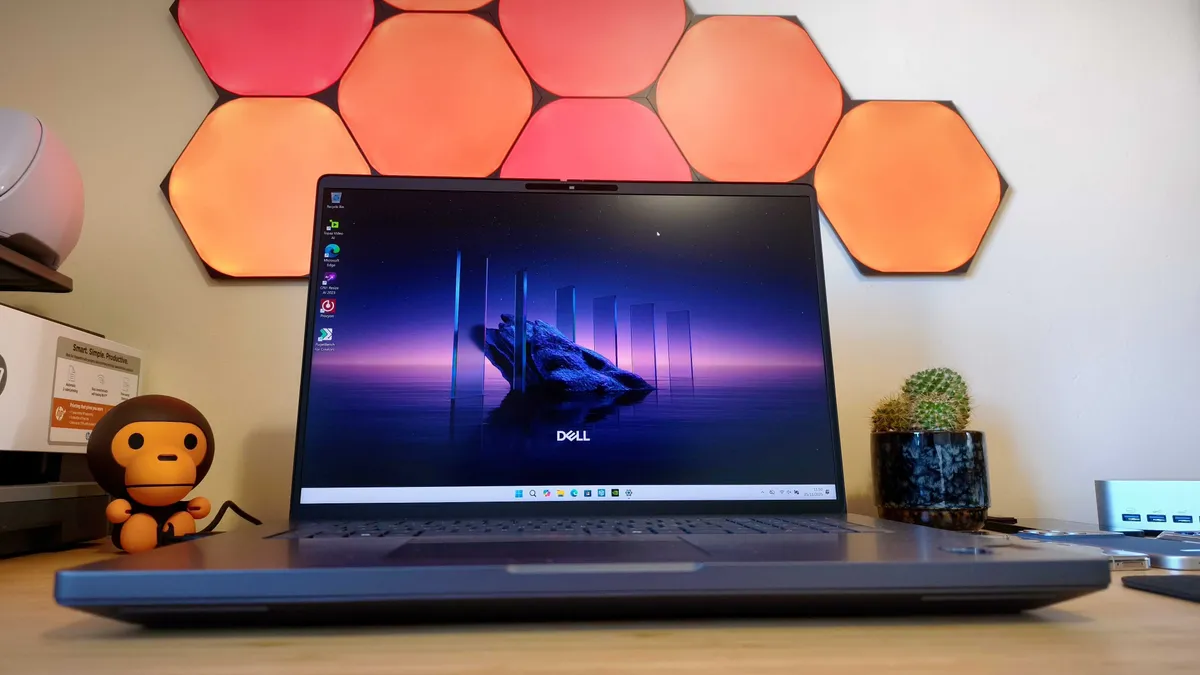


30-second review: I'm allowing one laptop on this list; firstly, because it's so insanely powerful and secondly, because it's so heavy, you'll effectively use it as a desktop anyway. The Dell Pro Max 18 Plus is built for 3D artists rather than video editors, but the numbers don't lie: with a top-spec Intel Core Ultra 9 285HX and NVIDIA's RTX Pro 5000 Ada graphics, it behaves like a desktop-class accelerator squeezed into a laptop chassis, and that makes it every bit as capable at demanding video work as it is at 3D.
Pricing: The Dell Pro Max 18 Plus starts at £2,599 / $3,789 with 32GB RAM, 512GB storage and the entry-level RTX 1000 Ada graphics. The top-spec configuration we tested, with 128GB RAM and the RTX Pro 5000 Ada, comes to £6,766.83 / $9,053.02. That's a startling amount of money for a laptop, and it's worth asking whether a desktop might serve you better at that price.
Design and build: Dell leans into a utilitarian look here: solid, squared off and unmistakably corporate rather than flashy. It's a heavy machine that's built for the desk rather than the café, but the 18-inch display is the real headline, offering bags of screen real estate for dense timelines and complex scenes, along with excellent colour accuracy that measured close to Dell's claimed 100% DCI-P3 coverage. Connectivity runs to two Thunderbolt 5 ports, an additional 10Gbps USB-C port, three USB-A ports, an SD card slot and a headphone jack.
Performance: In our top-spec test configuration it trounced the competition across CPU, 3D and graphics-heavy workloads, delivering desktop-rivalling numbers in sustained testing over several weeks without so much as a hiccup, even with dozens of apps and browser tabs left running. Battery life takes a hit as a result, lasting just over three hours in our looping video test, so this is very much a mains-powered workstation rather than a laptop for the road.
Connectivity: Two Thunderbolt 5 ports handle fast external storage, high-bandwidth displays and GPU-accelerated rigs with ease, alongside a further 10Gbps USB-C port, three USB-A ports, HDMI 2.1, an SD card slot and a headphone jack. Wi-Fi 7 and Bluetooth round out the wireless side, with a fingerprint reader and infrared camera adding enterprise-grade sign-in security.
If your work is GPU-bound and you need mobile but uncompromising compute, this laptop is a weapon, though you'll want someone else picking up the bill.
How to choose the best video editing computer
Choosing the best video-editing computer for your needs involves considering several factors. Firstly, video editing requires significant processing power, so look for a computer with a fast multi-core processor to handle the demands of editing software. An Intel i7 or AMD Ryzen 7 processor released in the last few years should suffice; if you can afford to bump up to a full i9 or Ryzen 9 processor, your system will have a much easier time.
Random Access Memory (RAM) is also crucial for video editing. Aim for a minimum of 16GB, but consider 32GB or more for smoother editing, especially with 4K or higher resolutions. Long-term storage is important too. Video files can be large, so consider a computer with ample and fast SSD (solid-state drive) storage. (If you need more space, you can add external hard drives as needed.)
A dedicated graphics card (GPU) can significantly improve video editing performance, especially for rendering and effects. Look for models with GPUs from NVIDIA or AMD. As for the display, look for high resolution (minimum 4K) and good colour accuracy (i.e. high colour gamut and colour calibration options). Our guide to the best monitors for video editing will help.
Connectivity is one more consideration. Ensure that the computer has enough ports to connect external devices, such as cameras, storage drives and peripherals. USB 3.0 or Thunderbolt ports are beneficial for faster data transfer. SD card slots are also useful for getting footage off cameras. Finally, check the system requirements of the video editing software you plan to use and ensure that the computer meets those specifications.
How we test the best video editing computers
Creative Bloq's team of hardware experts bring with them many years of experience using, testing and benchmarking computers with a focus on running creative applications. All the computers in this guide have been tested either by using video-editing software or benchmarked to ensure the CPU and GPU are capable of the most intensive video jobs around.
✅ We are solely focused on what creatives need
✅ We create sites based on real workflows
✅ We consult actual designers and creative pros
✅ Over 30 website builders tested over 200 hours
We run different benchmark tests on each device depending on its intended use by its maker, but the benchmarks we've run all the computers in this guide through include the following:
• Cinebench R23/2024 - this assesses the performance of a computer's CPU and GPU using real-world 3D rendering tasks
• Handbrake - we use this free and open-source transcoder for digital video files to render a short 4K animated film, using the same file for all our tests
• Geekbench 5/6 - this tests the CPU's processing power, both by using a single core for a single task at a time as well as all the CPU's core to see its ability to multitask
• 3DMark - this assesses a computer's ability to run graphic rendering tasks, which is highly relevant to video editors
• PCMark 10 - this test assesses a computer’s ability to run all everyday tasks from web browsing to digital content creation, testing app launch speeds, video buffering and even battery life
But perhaps more importantly than benchmarking, we evaluate machines in real-world scenarios, pushing them to the limit with multiple applications running to see how they perform in real project-like conditions. Power, speed, flexibility, and what a computer looks and feels like to use are all criteria in our reviewing process. We do much more than simply unpack a test unit, run some benchmarks and then pack it up again; we have lived and worked with all of the above computers, running them in real-life scenarios and completed projects relevant to the subject of this guide, otherwise we wouldn't recommend these models to you. For more details, see our article on How we test.
FAQs
Which processor (CPU) is best for video editing?
The CPU is the ‘brain’ of your computer, so it’s important to make sure it has enough processing power to handle heavy loads on video editing software. This will also vary depending on your software of choice - some programs leverage the GPU more heavily - and the complexity of editing projects, but a general rule of thumb is you want at least a 6 or 8-core CPU. Solid all-rounders include the Intel Core i9-14900K and the AMD Ryzen 9 9900X.
How much RAM is needed in a PC for video editing?
Ideally, you’ll want at least 32GB; this will see most beginner to mid-range creatives tackle the majority of video editing projects, allowing you to run multiple programs at once and work with 4K footage. However, it’s never a bad idea to opt for more if money is no object, and 64GB RAM will ensure the smoothest possible 4K editing experience.
What kind of graphics card (GPU) is ideal for video editing?
There are a few key factors to consider when choosing a graphics card for video editing, starting with the amount of VRAM (video memory). More VRAM means more complex video editiing capability; so where 6GB VRAM is good enough for basic 1080p editing, 4K needs at least 6GB, and 8K needs at least 16GB of VRAM. Regardless of your skill set, it's always wise to opt up, if budget allows. Then there's core clock speed, which determines the performance speed, and the design architecture, as well as factors like cooling, software compatibility and size. For more details, see our guide to the best graphics cards for video editing.
What software do I need for video editing?
The best video editing software for you will depend on a few factors, including which computer you end up buying and what kind of projects you are likely to be working on. Popular options include Adobe Premiere Pro, Final Cut Pro (for Mac users) and CyberLink PowerDirector. It's even possible to get great editing software absolutely free, thanks to DaVinci's Resolve program.
Is a gaming PC good at video editing?
Gaming computers and laptops share a few things in common with those optimised for creative professionals: you need a fast CPU, a powerful GPU to run your games/applications and as much RAM as you can afford.
The components required to run next-gen AAA games and hardware like VR headsets isn't dissimilar to those used by people who run demanding software such as Adobe Creative Suite, and many companies like Dell, Lenovo and HP will provide different configurations that allow you to customise the system to your exact needs.
Gaming desktops can also support powerful displays, so if you need a 4K, 144Hz monitor then you'll find gaming PCs more readily available than specialized creative systems. The only thing you need to worry about is a 'gamer' aesthetic and an occasionally obnoxious amount of RGB lighting.
