Speed and fluidity are everything in a studio for creative work. Whether you’re iterating on designs while comparing references, rendering 3D models or editing and colour grading high-resolution video across multiple displays, you want your tools to disappear into the background, quietly empowering your vision.
If you find increasing file sizes, new peripherals or multi-app workflows leading to a bottleneck, a Thunderbolt 5 dock could be the upgrade you need. These latest-gen connectivity hubs are becoming the backbone of today’s creative setups, offering blazing-fast data transfer speeds, versatile multi-display support and the ability to run everything off a single cable from your PC, boosting your creative process while preventing your desk from getting buried under a thicket of cables.
Below, we’ll look at the advantages of Thunderbolt 5 over previous-gen tech and consider who could benefit and how to choose the best Thunderbolt 5 dock for you.
What is a Thunderbolt dock?
Developed by Intel and Apple, Thunderbolt has the same physical port shape as USB-C but much more bandwidth. That means faster data transfer and more versatile support for displays, peripherals and fast external graphics cards (eGPUs) while maintaining the ability to charge everything from desktop peripherals like your keyboard and mouse to household gadgets.
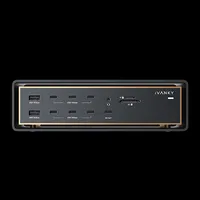
A Thunderbolt dock is a connectivity hub that sits on your desk and connects to your computer via a single cable, instantly upgrading your setup with a versatile array of extra ports so you can connect monitors, external drives and peripherals while simultaneously charging your laptop or other devices.

Thunderbolt 5 vs Thunderbolt 4
We expect Thunderbolt 5 to be the high-performance standard for connectivity for at least the next half a decade. It can more than double Thunderbolt 4’s 40Gbps max data transfer speed by delivering 80 to 120 Gbps. The higher limit is achievable thanks to a new bandwidth boost capability that intelligently detects high-volume video traffic and increases outbound bandwidth when needed.
Thunderbolt 5 is an especially powerful upgrade for running external SSDs since it doubles PCIe throughput from 32 to 64 Gbps. That enables real-world transfer speeds of up to ~6,700 MB/s compared to ~2,800 MB/s on Thunderbolt 4, allowing you to shift terabytes of raw video or layered PSD files in minutes rather than hours.
Key for creatives, particularly video editors, Thunderbolt 5 can handle up to three 4K displays at 144Hz or dual 8K displays at 60Hz from a single port. That compares to just one 8K monitor or two 4K screens with Thunderbolt 4.
The new standard also brings a dramatic increase in power delivery, providing up to 240W extended power range (EPR), compared to 100W with Thunderbolt 4. This reduces reliance on proprietary chargers for even high-end laptops, while still supporting older Thunderbolt 3 and 4 devices.
Who are Thunderbolt 5 docks for?
Connecting a Thunderbolt 5 dock to your desktop PC or laptop can benefit anyone who wants to free their studio setup from bandwidth bottlenecks and the physical clutter that can distract from creative work. Video editors, motion designers and VR designers and 3D artists in particular will benefit from the ability to transfer massive files while running dual 8K monitors to allow simultaneous viewing of reference material, creative apps and communication tools.
For video editors, a Thunderbolt 5 dock makes editing directly off external SSDs much smoother, and you can import high-resolution video as you export another timeline. The reliability that comes with extra bandwidth also provides more peace of mind for those overnight renders to an external drive.
At the same time, the ability to run two 8K or three fast 4K monitors means you can playback renders while colour grading in your editing software, or view your timeline, source footage and reference board at the same time.
For those who prefer portability over a desktop PC, a Thunderbolt 5 dock allows you to boost the graphics performance of a laptop by adding a high-end eGPU. You can also use a PCIe chassis to add external PCIe cards or video capture cards for streaming.

How to choose the best Thunderbolt 5 dock for you
Thunderbolt 5 docks aren’t all built equal. The most obvious difference is the number of ports, typically from around nine on entry-level docks up to over 20.
More ports means more flexibility, but you need to make sure the dock you choose provides any other connectivity standards that your workflow requires, particularly if you have older accessories that don’t support USB-C. That could include USB 3.0 Type-A, DisplayPort and HDMI, Ethernet, an audio jack and SD card or CFexpress readers.
For networking, entry-level docks typically top out at 2.5GbE Ethernet. That will be fine if you use standard Wi-Fi or gigabit internet. But if you edit 4K or 8K video directly off a local network attached storage (NAS), you’ll need a premium dock with 10GbE.
You’ll also want to consider power delivery capabilities. If you plan to charge a power-hungry laptop, tablet or phone and peripherals from your dock, look at the total wattage of the power supply. Lower-end options may throttle peripheral charging speeds when your laptop demands max power.
Bear in mind that while Thunderbolt 5 ports work with older cables, using dedicated Thunderbolt 5 cables gives you the best guarantee of full use of that increased bandwidth.

For more tools for your creative setup, see our guides to the best monitors for graphic artists and the best laptops for video editing.