Our Verdict
As a pro monitor for graphic designers and anyone else who cares about accurate colour, the Benq PD2732U makes a lot of sense. It’s the right size, is nice and sharp, the 60Hz refresh rate doesn’t matter too much and the brightness is good enough. This also makes it a bit of a niche proposition, as you can get a larger and faster OLED for about the same price, which is going to draw more attention than Benq’s IPS workhorse.
For
- Excellent colour range
- High pixel density
- USB hub
Against
- A bit pricey for what you get
Why you can trust Creative Bloq Our expert reviewers spend hours testing and comparing products and services so you can choose the best for you. Find out more about how we test.
Once upon a time a 27-inch screen would have felt huge, but nowadays 32in models are commonplace and 49in ultrawides don’t seem too outlandish. There's a reason the 27-incher remains popular, however, and it’s the reason Apple uses the same diagonal on its Studio Display: it keeps the pixel density nice and high, and it’s in the sweet spot for typical desktop viewing distances. You don’t need to turn your head to look for an app icon over at the left-hand edge the way you would with a bigger screen, and you’re not left thinking you should move the screen further away.
The Benq PD2732U benefits from all this, as well as a particularly good colour gamut, making it a candidate as one of the best monitors for graphic artists. On paper it may look like ‘only’ another 60Hz IPS, with none of the extra excitement OLED or 120Hz displays bring, but it’s plenty bright and sharp enough for those times when colour accuracy matters most.
Key specifications
Screen size: |
27in |
Screen type: |
IPS, LED backlit, 60Hz |
Resolution: |
3840x2160 |
Colour gamut (stated): |
99% P3 |
Inputs: |
1x HDMI 2.0, 1x DisplayPort 1.4, 1x Thunderbolt 4, 1x 3.5mm audio |
HDR: |
HDR10, HLG |
Webcam: |
no |
Features: |
USB hub, Hotkey Puck G3, Pantone validated |
Speakers: |
no |
Adjustments: |
-5° to 20° tilt, 30° swivel, 90° pivot, 115mm height (stand) |
Dimensions: |
545 x 614 x242mm |
Weight: |
8.56kg with stand |
Design, build and display

• Useful USB hub and KVM
• Easy to assemble
There's usually very little design differentiation when it comes to monitors. They’re all rectangles, usually with a little stand underneath and some plugs on the back, and the Benq PD2732U is no exception. What this means is that the details really matter, and Benq has made this monitor really easy to put together and use.
You assemble the stand by screwing a single thumb-turned bolt in, then clip it into the VESA mount on the back of the screen itself. Rather than use a power brick, the Benq PD2732U connects to the electricity supply with a standard three-prong plug, meaning less to clutter up the space behind your desk, and the main inputs face outwards rather than downwards, meaning they’re easy to find and push plugs into at the slight cost of the screen not fitting quite as flush if you push it back against a wall.
The USB hub output does face downwards, and is conveniently situated just under the left-hand edge of the screen. There are three USB-A ports, a Type-C, and a headphone socket under there, which is really good to have especially if you’re connecting it to the kind of computer that doesn’t have any Type-A ports of its own. You’ll get 7.5W of charging out of two of the Type-As too, though they can only manage 5Gbps of data throughput. The Type-C Thunderbolt 4 input at the back will put out 90W of juice, ideal for single-cabling a connection to a laptop or using a mini PC like the Geekom IT13 Max that can be powered that way. There's another Type-C on the back that acts as an input for the KVM, alongside the HDMI or DP, so you can switch between computers easily.
Over on the left are some controls for the OSD that are a little fiddly but hopefully, thanks to the inclusion of Benq’s HotKey Puck G3 - a wireless (IR, like a TV remote) OSD controller - won’t get too much use. The IR receiver is a little rectangular bulge on the left, right next to the glowing orange standby light. It’s a useful way to interact with the screen and change its settings, though it will need to be kept somewhere safe and close to the monitor, or it’s going to get lost.
Design score: 3/5
Features and performance

• Good colour gamut
• Only 400 nits even in HDR
Without a trendy OLED panel or sky-high refresh rate, the big selling point of this screen is its colour coverage. Benq says it’s made for graphic design and cross-media workflows, with a particular focus on being connected to a Mac (hence the Thunderbolt input). It also attempts to ensure consistent colour and brightness across the entire screen, something that’s a lot easier with an LED backlight, as here, than with the old folded-tube method.
We don’t usually run Datacolor’s brightness consistency test, so there's nothing to compare the Benq PD2732U to, but at 100% brightness it showed a few percentage points of variance across the screen, divided into nine areas. At 50% brightness this fell to less than one percent in most areas, with the exception being the top right-hand corner, which was showing a higher result.
In Display P3 mode, the screen produced a colour range of 100% sRGB, 87% Adobe RGB, and 97% P3, and there's plenty of adjustability in the screen’s colour settings for you to go chasing those final few percent. While the screen claims a 400nit brightness in HDR mode, in the SDR used by the Datacolor test it could only squeeze out 200nits, a slightly disappointing result. Setting your OS into HDR mode unlocks the extra brightness, boosting it up to the claimed 400nits.
Feature score: 3/5

Price
It’s possible to pick up MSI’s 32in QD-OLED 4K 240Hz gaming monitor for about the same price as this Benq, which is available for $699.99 or £649.99, while LG will sell you a 27in 4K IPS, in the form of its Ultrafine 27US50Z-W, for around £180. You may be torn between buying the Benq and something either much cheaper or bigger and brighter. What you’re paying for here is the accurate IPS panel (the LG will only show 90% of DCI-P3) rather than the pure brightness and speed of the OLED, so it may make more sense for a professional setting.
Value score: 3/5
Who is it for?
• Graphic designers
This screen is tailor-made for those who spend their days staring at InDesign or Photoshop, and who care about the colours being accurate across various media. That’s not to say it can’t do other things, as the pleasing way it displays colour is going to make photographers and videographers happy too, but it’s those who worry about the slight differences between Pantones who will be best served.
Attributes |
Notes |
Rating |
|---|---|---|
Design: |
Looks like any other monitor, but is easy to assemble. |
3/5 |
Features and performance: |
Useful USB hub, and excellent colour handling. |
3/5 |
Value: |
Quite expensive unless you need its colour accuracy. |
3/5 |

Buy it if...
- Colour accuracy matters to your work
- You don’t need a higher refresh rate
- You can feed it a Thunderbolt signal
Don't buy it if...
- You want to play high framerate games (or video)
- You need something larger
- It’s too expensive for you
Also consider

A 5K, 27in screen that's made for use with Macs. The Studio Display XDR is the higher-spec model, but this one can still put out the light and colour, with immaculate image quality.
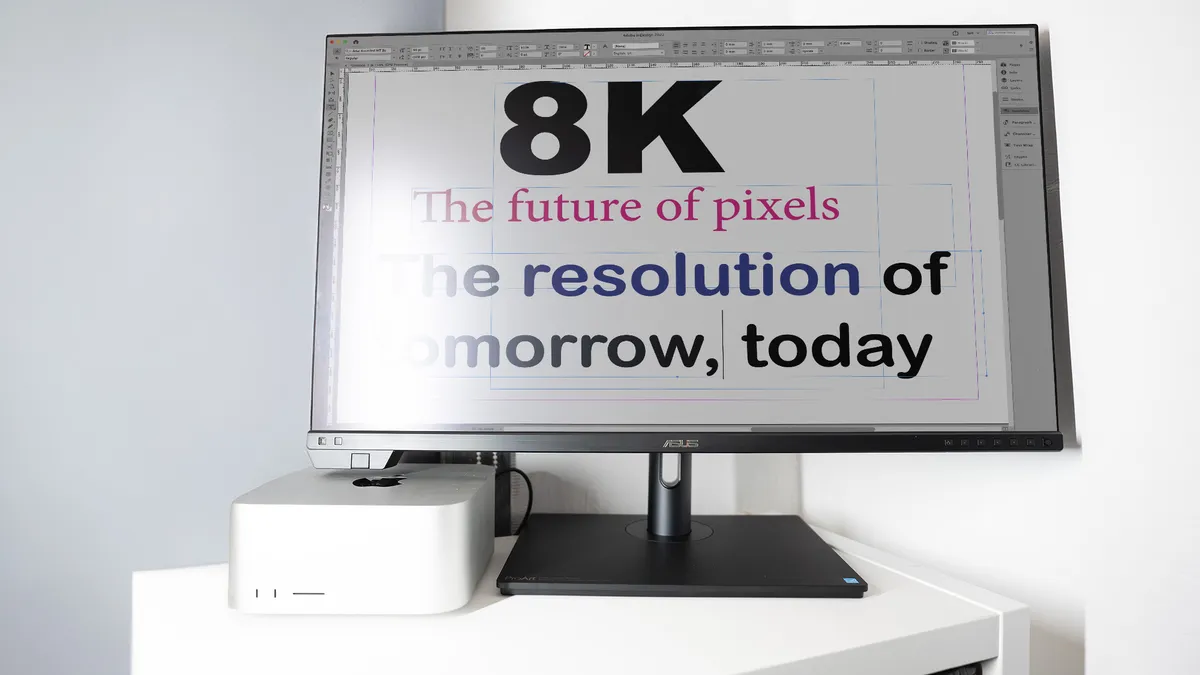
ASUS has crammed 32 million pixels into the 32-inch Mini-LED screen of the ASUS ProArt Display PA32KCX. It produces excellent detail, brightness and colour, but it's a bit expensive.

A dream for photo editors, this is a reference‑grade creative monitor that delivers outstanding colour performance, bulletproof consistency, and workflow‑friendly features.
out of 10
As a pro monitor for graphic designers and anyone else who cares about accurate colour, the Benq PD2732U makes a lot of sense. It’s the right size, is nice and sharp, the 60Hz refresh rate doesn’t matter too much and the brightness is good enough. This also makes it a bit of a niche proposition, as you can get a larger and faster OLED for about the same price, which is going to draw more attention than Benq’s IPS workhorse.