Wix is a genuinely solid all-rounder, and it's often the first name people reach for when they need a website builder. But it's not the right fit for everyone.
Wix's freedom to place elements anywhere can work against you if you don't have a design background; it's easy to end up with a page that looks cluttered rather than clean. Its templates, while plentiful, don't always match the polish of design-first competitors. And once you've published, you're locked into your chosen template. No switching later, without a rebuild.
So if you're finding Wix too generic, too limited on the ecommerce side, or just not quite right for your kind of business, here are my top three alternatives.
1. Squarespace, for its polished templates
Why you can trust Creative Bloq Our expert reviewers spend hours testing and comparing products and services so you can choose the best for you. Find out more about how we test.

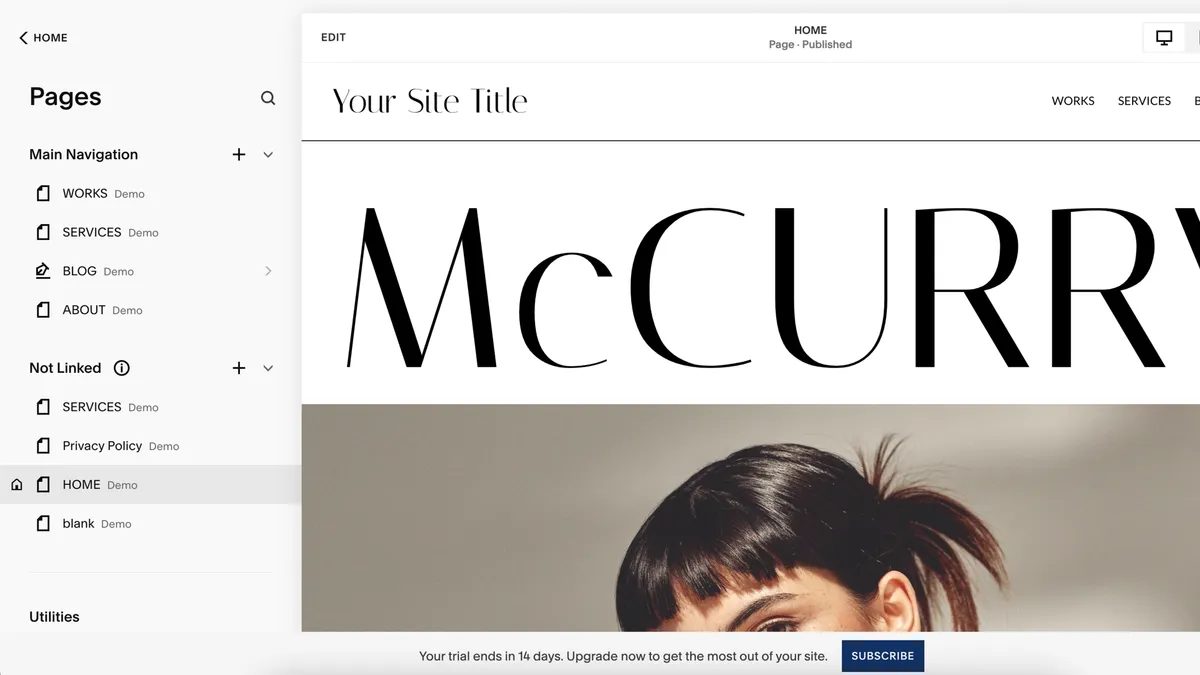


30-second review: If Wix's drag-and-drop freedom feels more like a distraction than a benefit, Squarespace is the disciplined alternative. Its templates are the most polished on the market, and the structured, grid-based editor keeps every site looking considered rather than assembled. It costs more than Wix, but for visually led businesses, the difference shows.
Features: Squarespace's strength is consistency: every template is crafted by an in-house design team, so there's no risk of ending up with something that looks amateurish. It handles ecommerce well, with inventory management, abandoned cart recovery and integrated email marketing tools that come without needing separate plugins. Its newer Blueprint AI feature can rough out a site from a prompt, though it's still fairly basic compared to building manually.
Interface: Squarespace gives you less freedom to place things exactly where you want, compared to Wix. But that's not really a downside: the grid keeps everything lined up automatically, so your site looks tidy and professional without you having to work at it. Squarespace takes a little longer to learn than Wix, but the payoff is a site that looks like it was designed, not just built.
Pricing plans: Squarespace's four plans are Basic, Core, Plus and Advanced. Basic starts at $16 (£12) monthly for a portfolio or blog with no selling. Core, at $23 (£17) monthly, adds ecommerce with a 3% transaction fee. Plus, at $39 (£29) monthly, removes that fee once your sales volume justifies it. Advanced, at $99 (£79) monthly, is built for high-volume stores needing subscriptions and advanced shipping features.
2. Shopify, for its superior selling tools


30-second review: If you've outgrown Wix's ecommerce tools, or you were only ever using Wix to sell, Shopify is the obvious upgrade. It's a dedicated ecommerce platform rather than a general-purpose builder, and it shows in the depth of its sales, inventory and multichannel features.
Features: Shopify's app ecosystem dwarfs Wix's, covering everything from SEO to loyalty programmes to advanced shipping logic. Abandoned cart recovery, discount codes and gift cards come as standard, and Shopify Magic uses AI to help write product descriptions if copywriting isn't your strength. Multichannel selling (social platforms, marketplaces, in person via POS) is where Shopify pulls decisively ahead of Wix.
Interface: Shopify's editor is more rigid than Wix's: you're working within sections rather than placing elements freely, which some designers find restrictive. The upside is that you get a fast route from signup to a functioning store, with a clear, product-first setup checklist that Wix can't match.
Pricing plans: Shopify offers a three-day free trial. Its core plans are Basic, Grow and Advanced. Basic starts at around $39 (£25) monthly and covers most small stores just getting going. Grow, at roughly $105 (£65) monthly, adds professional reporting and more staff accounts. Advanced, at around $399 (£259) monthly, is aimed at established merchants needing lower card processing rates and deeper automation. There's also a low-cost Starter plan for selling purely through social and messaging links, without a full storefront.
3. Weebly, because it's easy for beginners to use


30-second review: If you want something that's even easier to use than Wix, Weebly is the best alternative. It won't match Wix on template range or design flexibility, but if you just want a straightforward business website, it gets you there with less friction and a useful free plan.
Features: Weebly's free tier allows unlimited physical product sales, which is more generous than most competitors, Wix included. Paid tiers add a custom domain, digital product sales and, on the top plan, the removal of Weebly's 3% transaction fee. Built-in tools cover the essentials: a form builder, automatic mobile responsiveness, and basic SEO, without the sprawl of add-ons Wix offers.
Interface: This is Weebly's clearest advantage over Wix: it's simpler to pick up from a standing start. The trade-off is a much smaller template library (around 40 themes, compared to the hundreds Wix offers), so don't expect the same range of starting points. If your priority is getting online quickly without wading through options, though, that trade-off works in Weebly's favour.
Pricing plans: Weebly's paid plans start at $13 (£10) monthly for a custom domain and digital product sales, rising to $16 (£13) monthly for the Professional tier, which adds unlimited storage and removes ads. Note that Weebly's pricing has risen enough recently that it no longer clearly undercuts Wix's own entry-level Light plan. So it's worth comparing both directly against your specific needs rather than assuming Weebly is the cheaper option by default.
FAQs
I want the best looking website: which should I choose?
Choose Squarespace. Both Wix and Squarespace are general-purpose builders covering portfolios, blogs and small stores, but the latter trades some of Wix's flexibility for more polished, consistent results.
I only used Wix to sell products: which should I switch to?
Shopify. It's built specifically for ecommerce, with far deeper sales, inventory and multichannel tools than Wix offers as a general-purpose builder.