I've spent years testing website builders for a living, and most photographers ask me the same question: just tell me which one to use. Fair enough. Nobody wants to wade through 20 options when they could be out shooting.
So here they are: the three website builders I'd put my own name and work behind. One for beautiful, out-of-the-box results. One if you're watching your budget. And one built specifically for photographers, by people who understand what a proofing gallery or a client-locked album actually needs to do.
Note: there are other website builders for photographers that are good at what they do, and provide for a specific niche. But they're not what most working photographers need day to day. These three are.
1. Squarespace, because of its beautiful templates
Why you can trust Creative Bloq Our expert reviewers spend hours testing and comparing products and services so you can choose the best for you. Find out more about how we test.

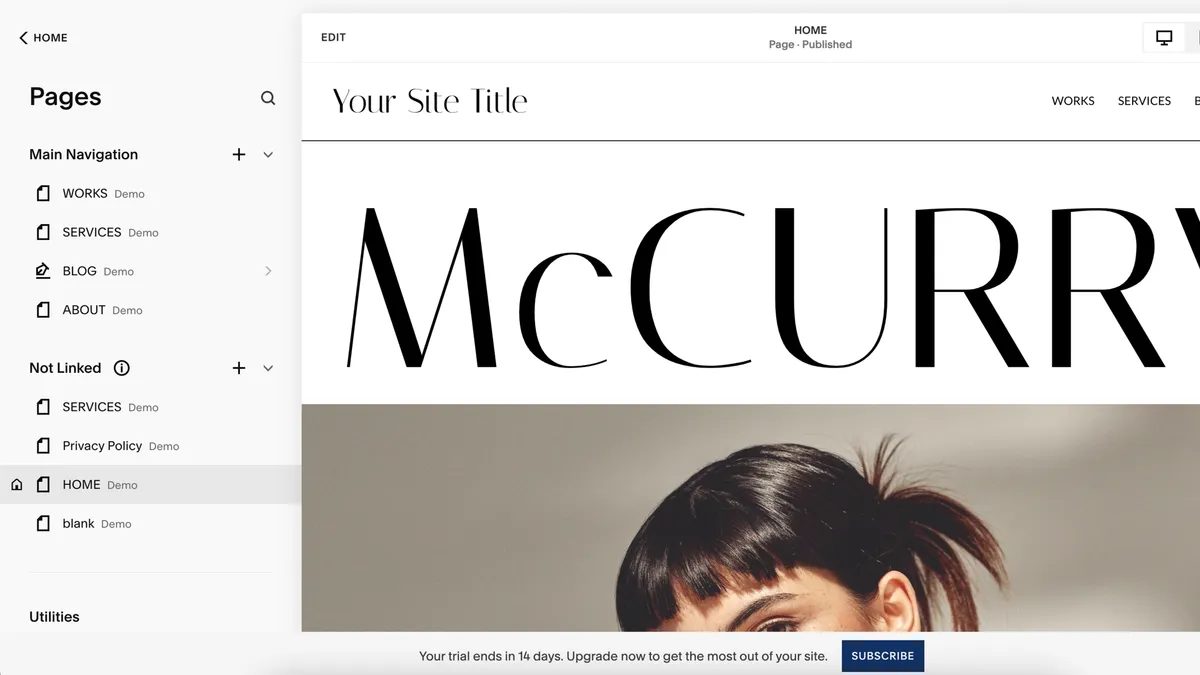


30-second take: If you want your portfolio to look expensive without hiring a designer, Squarespace is the one to pick. Its templates are the best-looking of any builder I've tested, and the platform is built with visual creatives in mind, even though it's not marketed specifically at photographers.
Features: Squarespace's gallery blocks are the standout feature here: flexible, image-led layouts that make your work (rather than the interface) the focus. Drag-and-drop editing extends to fonts, colours and layout without much fuss, and it supports every major image format. Built-in ecommerce means you can sell prints directly from your site, though it's worth knowing the entry-level selling plan carries a 3% transaction fee.
Interface: This is the most polished, design-literate builder on this list, but it does ask a little more of you upfront than Wix (below). Give yourself an afternoon to get comfortable with it and you'll be rewarded with results that look suitably professional.
Pricing plans: Squarespace's plans are Basic, Core, Plus and Advanced. Basic starts at $16 (£12) monthly for a straightforward portfolio with no selling. Core, at $23 (£17) monthly, adds ecommerce with that 3% fee. Plus, at $39 (£29) monthly, removes the transaction fee entirely, which is worth it once you're selling prints regularly.
2. Wix Classic, because it's cheap and easy to use
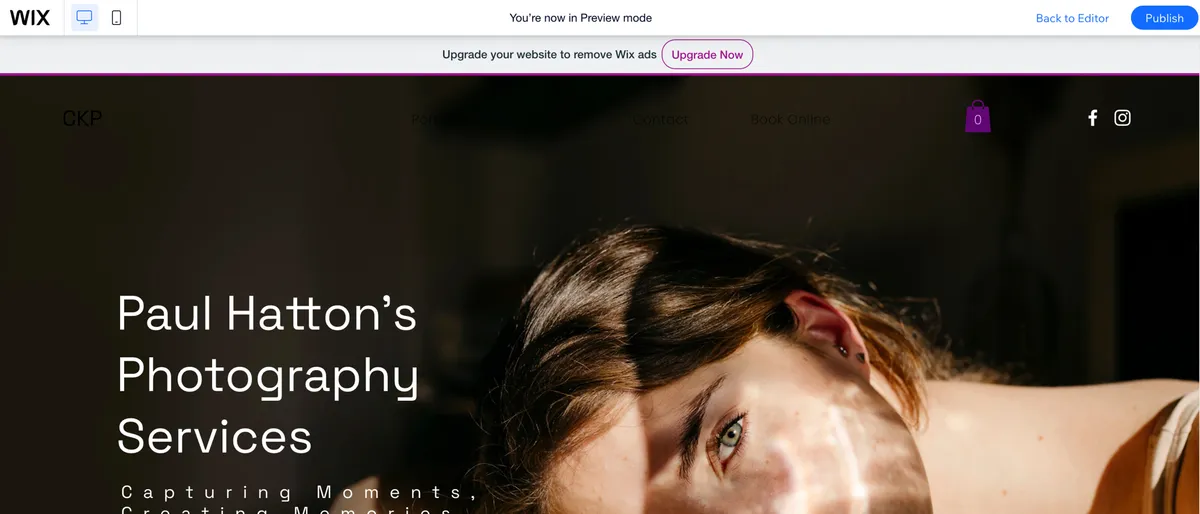


30-second take: If Squarespace feels like more than you need right now, Wix Classic is the easier, cheaper way in. It's not built for photographers specifically, but its templates are solid, its free plan is actually usable, and you can upgrade only when your business demands it.
Features: Wix bundles in ecommerce for selling prints or digital downloads, along with straightforward social media integration, useful if your portfolio sits alongside an active Instagram presence. Its AI site generator is a great time-saver if you want a working draft in minutes rather than hours.
Interface: Wix is the most beginner-friendly of the three. The drag-and-drop editor is intuitive from the first login, although be aware that once you've picked a template, you're committed to it.
Pricing plans: Wix has a free plan with Wix branding, then Light at $17 (£9) monthly for a custom domain, Core at $29 (£16) monthly for basic ecommerce, and Business at $39 (£25) monthly for full store features. For a photographer just starting out, Light or Core will comfortably cover you.
3. Format, because it has specific features for photographers


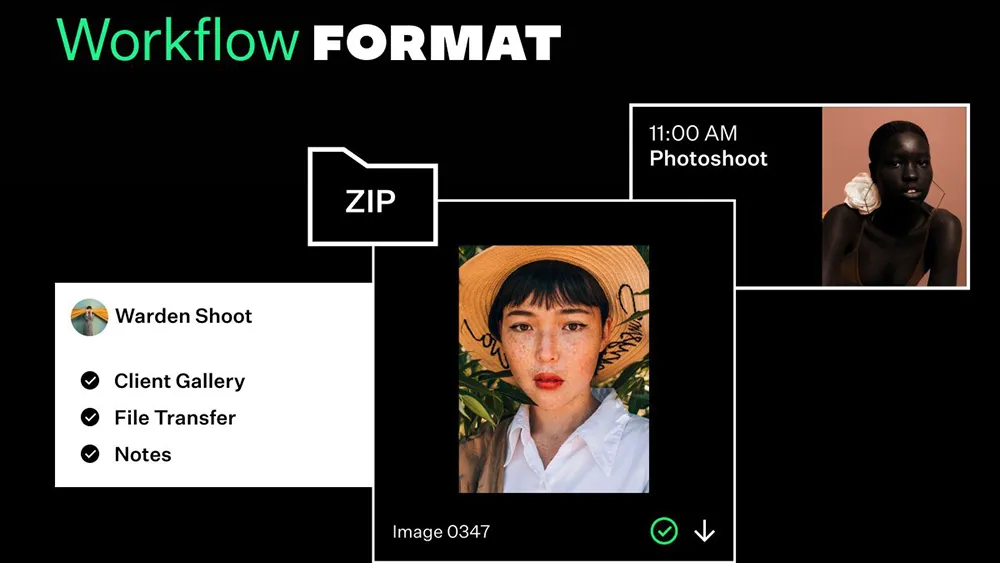


30-second take: Format is the only builder on this list actually designed for photographers, and it shows. If client proofing, watermarking and workflow tools matter to your business, this is the one to go for.
Features: Format's standout is client proofing: private, password-protected, watermarked galleries you can share directly with clients, a real time-saver if you're delivering large shoots regularly. You can upload straight from Lightroom or Capture One, disable right-click downloads to deter image theft, and sell prints, photobooks or presets through a built-in store.
Interface: It's a little less intuitive than Wix or Squarespace when you first log in, but that's the trade-off for tools built around an actual photography workflow rather than general small-business needs. Support runs through chat rather than phone or email, but it's fast.
Pricing plans: Format's pricing has become more tiered since my review, starting from around $7 monthly for the entry Portfolio plan, with Pro ($12) and Workflow ($15) tiers above that adding client galleries, storage and selling tools. Because Format runs frequent promotional pricing, it's worth checking format.com directly for current figures before committing.
Do I need all 3 of these builders, or should I just pick one?
Just one: these three cover different needs, not different stages of the process. Pick based on what matters most to your photography business: Squarespace if presentation is everything, Wix if budget comes first, or Format if you need proofing and workflow tools built in. Switching between builders later means rebuilding from scratch, so it's worth spending a bit of time with the free trials before committing.
Can I sell prints with all three of these website builders?
You can, though with different trade-offs. Squarespace and Wix both charge a transaction fee on their entry-level selling plans, which disappears once you move up a tier. Format's store is more basic but comes without the same fee structure, and it integrates print and photobook sales directly into the same workflow as your client galleries, so it's worth considering if selling is central to how you work.