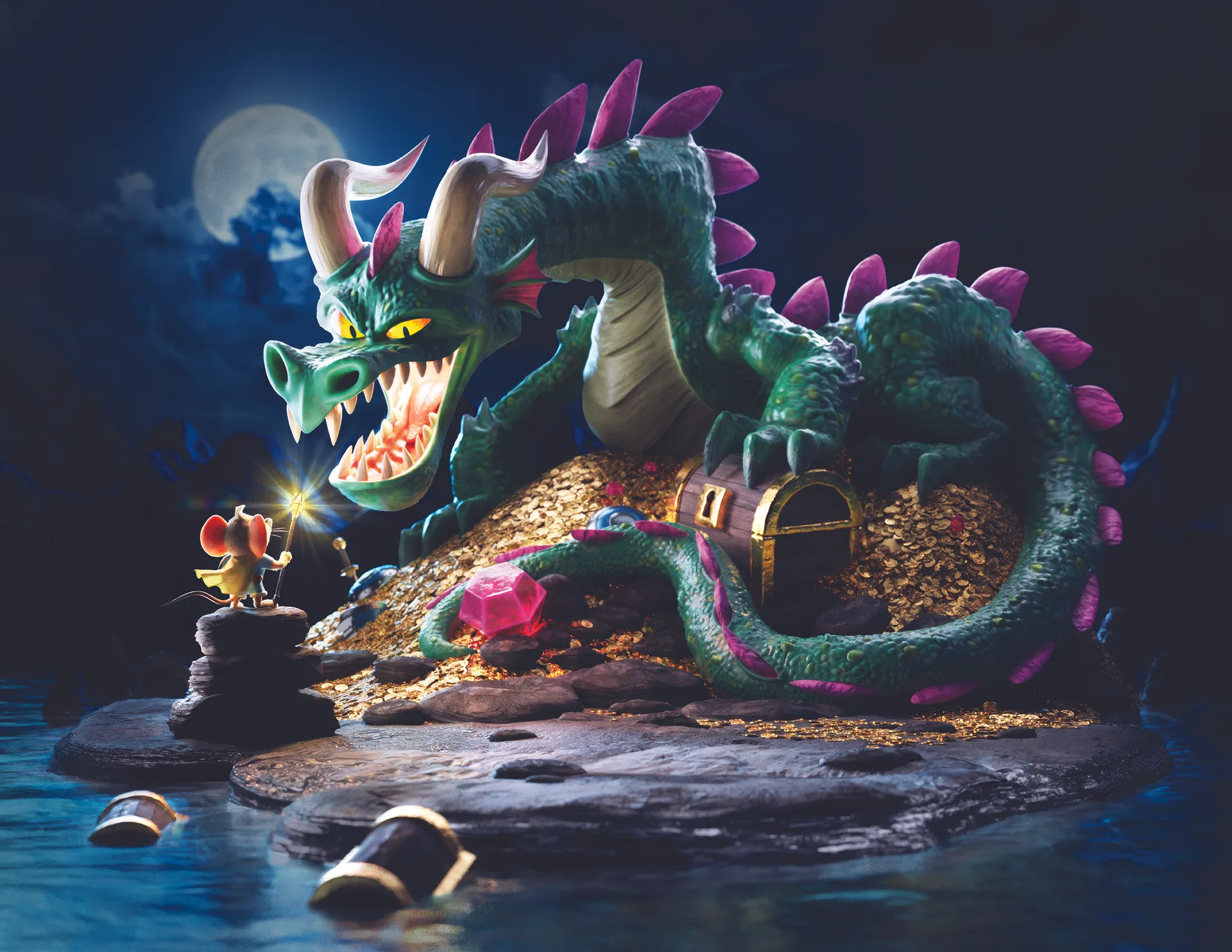
It's common for artists to look for inspiration, particularly between projects, and even if you're new to the best 3D modelling software or are a pro yourself, finding a way to flex your creativity is a common need. For Jörg Grubmüller, that meant stumbling onto a 2D illustration he just had to try and recreate in 3D.
"I found myself with a bit of downtime between projects, so I decided to use it to work on some personal pieces and build up my portfolio. While scrolling through Instagram, I came across an illustration [of a dragon and mouse] by Derek Laufman that immediately caught my eye. It had such a fun style and atmosphere that I felt inspired to try bringing it into 3D."
"I thought it would be a great challenge to recreate the scene in Blender, while also adding my own touches along the way. The project turned into a really enjoyable exercise, giving me the chance to experiment with lighting, materials, and composition while translating a 2D illustration into a fully realised 3D scene."
01. Blocking and modelling
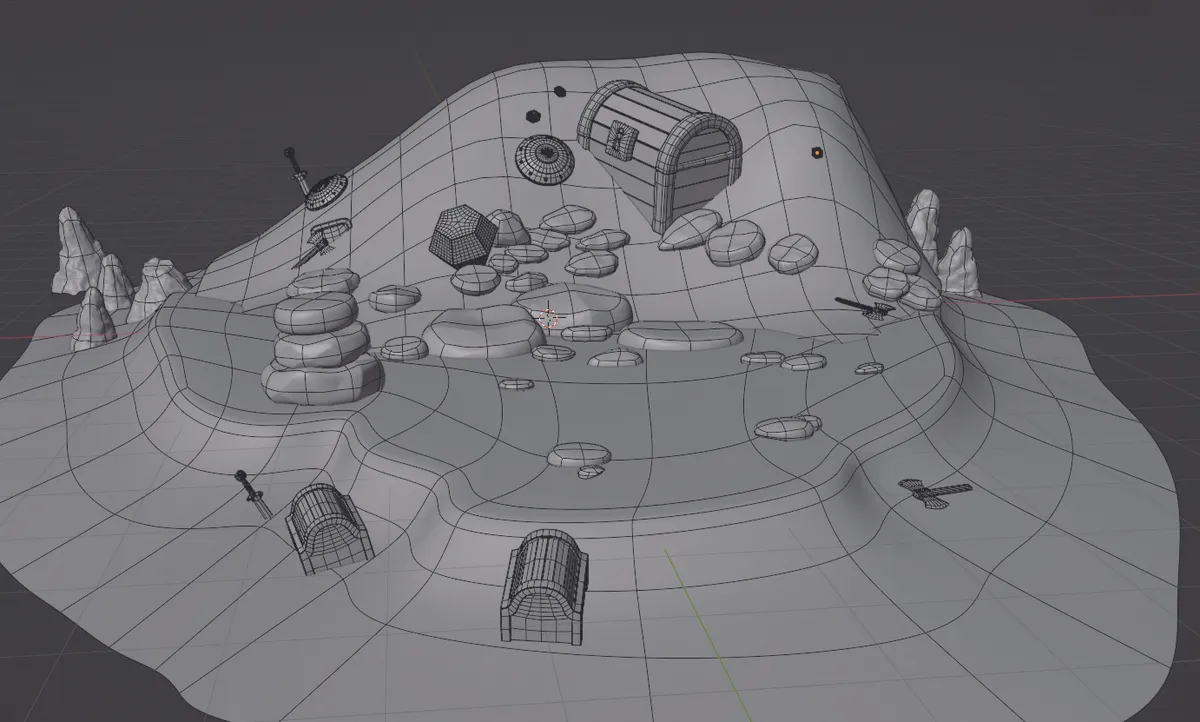
I start by blocking out the island to get a strong sense of composition and proportions, placing simple shapes that help define the scene. Once that foundation feels right, I begin refining the environment, adding rocks, the pile of coins, and distant mountains to build up the world. From there, I introduce more assets and details, keeping most elements simple while focusing on the overall mood. Finally, I move on to the dragon, shaping its form and presence to tie the whole scene together.
02. Sculpting details and texturing
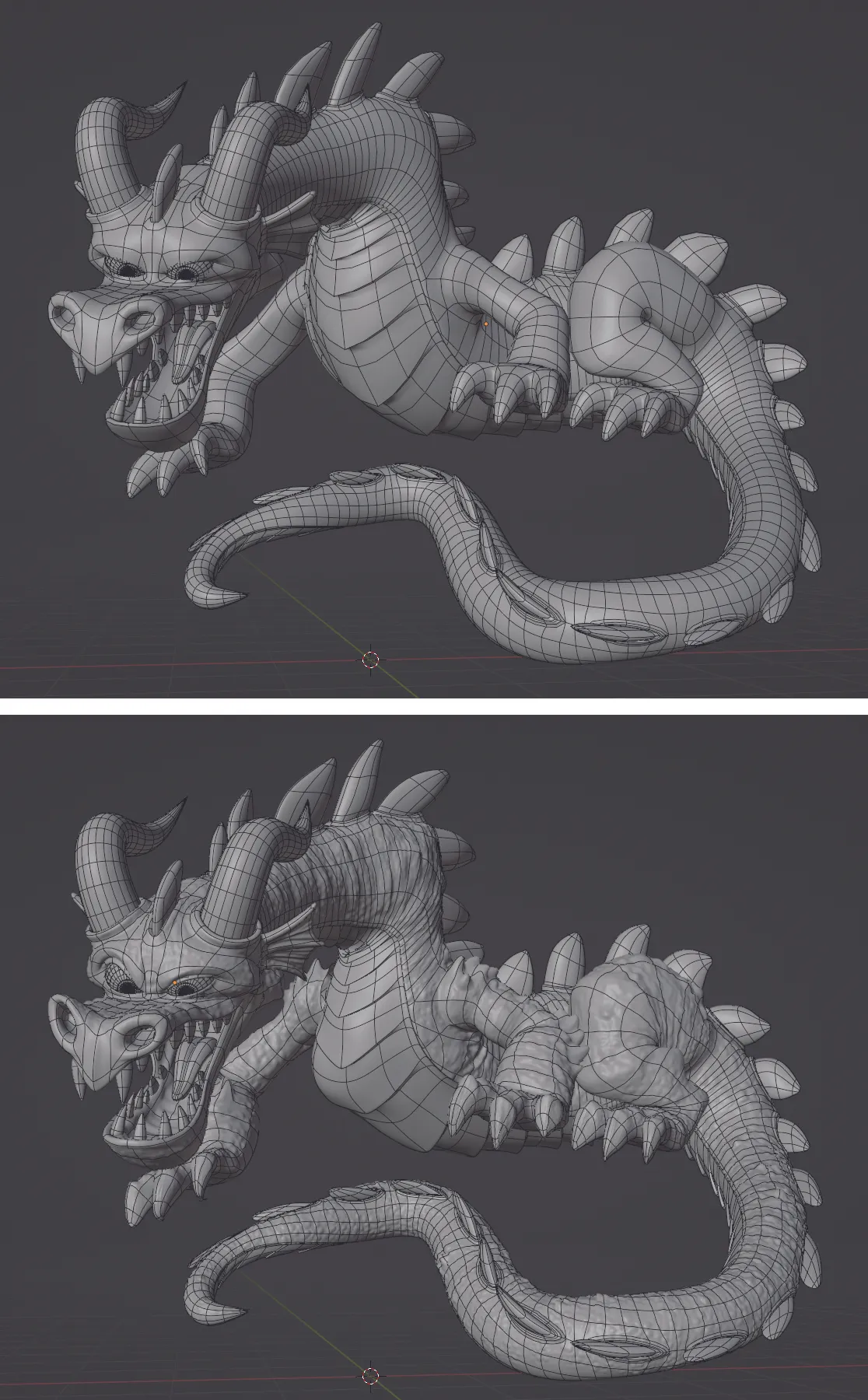
Once the main shapes are in place, I first start adding detail through sculpting, especially on the dragon, using a Multires setup and a mix of simple brushes and alphas. For texturing, I opt to stay entirely in Blender, mostly using procedural materials, with a few image textures and vertex groups to get the look I am after.
03. Lighting and compositing
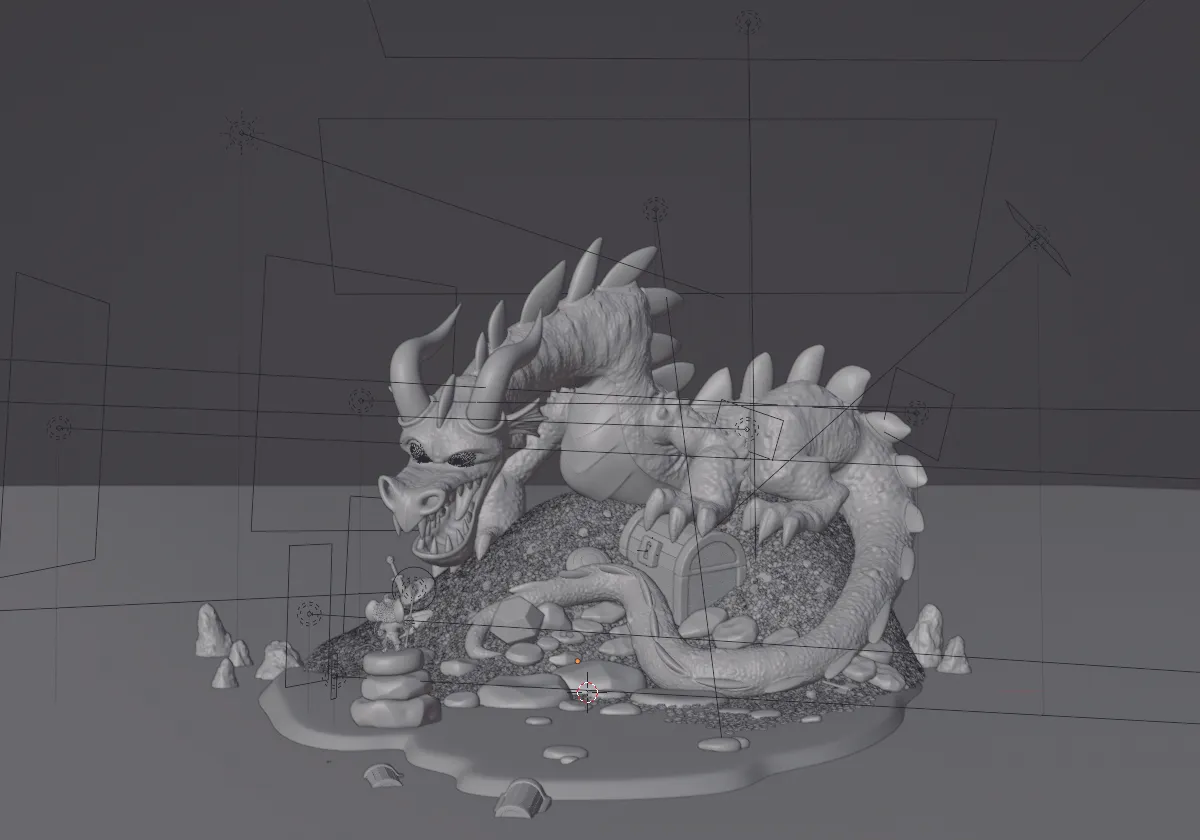
Lighting is where everything really comes together. Instead of daylight, I go for a darker, moodier night setup. I then use a cool rim light from the moon in order to shape the scene and separate forms. To draw attention to the mouse, I first replace the sword with a glowing staff and add a subtle light inside the dragon’s throat to hint at an upcoming fire breath.
Get the 3D modelling kit: