
Our Verdict
Introducing massive workflow-enhancing upgrades, Character Creator 5 continues its successful integration with Unreal Engine and automated, animation-ready rigging. An invaluable, affordable powerhouse for indie game developers, filmmakers, and 3D animators alike.
For
- Quick workflows with ActorMIXER
- Speedy and automated rigging
- Fantastic pipeline integration
- Realistic textures and displacement
Against
- Limited to human anatomy
- Cost of extra assets can mount up
Why you can trust Creative Bloq Our expert reviewers spend hours testing and comparing products and services so you can choose the best for you. Find out more about how we test.
Reallusion’s Character Creator 5 (CC5) is an impressive development in the world of 3D digital art, bringing hyper-realistic character generation within reach of the masses. The software means you can say goodbye (mostly) to tedious, manual edits and sculpting, and to locked-down, non-customisable character models.
CC5 introduces an upgraded HD character system featuring subdivision meshes, dynamic displacement maps, and 8K skin textures. Alongside the new ActorMIXER tool, which lets designers blend, randomise, and morph traits non-destructively, it acts as an all-in-one package for character design, look development, and automated rigging.
Epic Games’ MetaHuman Creator is a popular alternative, mainly due to its in-browser workflow, but it restricts you to a rigid ecosystem with strict boundaries on creativity. At the other end of the spectrum, you've got ZBrush, which gives artists absolute sculpting freedom but requires hours of manual retopology and complex rigging to make characters move.
CC5 is a fantastic middle ground for the best animation software for character creation. It provides the automated, ready-to-animate MetaHuman skeletons with the creative freedom and software pipeline flexibility of ZBrush.
Character Creator 5: how I tested
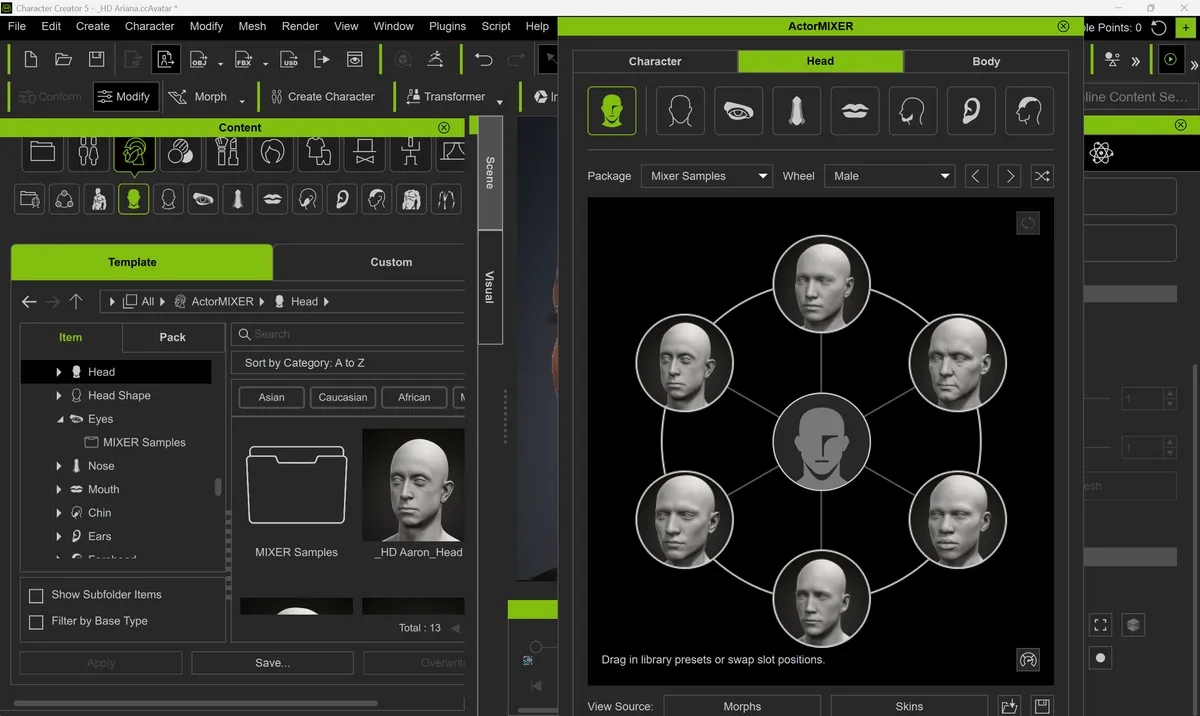
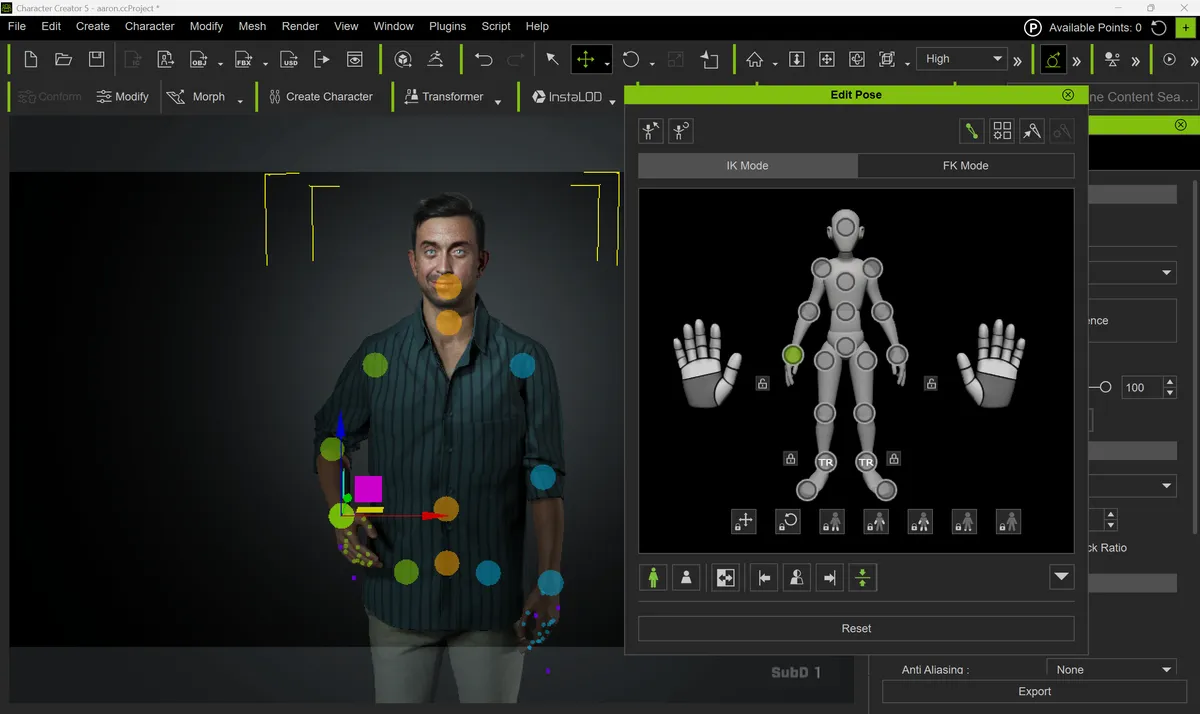
I've used Reallusion iClone 8 and found it to be the gold standard for easy character animation, but Character Creator is new to me. As a total Character Creator novice, I relied heavily upon the out-of-the-box content provided in the software as well as the built-in HD starting mesh. Using these characters, I employed a variety of tools, including ActorMIXER, facial adjustment, pose editing, and general character feature modifications.
Character Creator 5: plans and pricing
| Header Cell - Column 0 | Character Creator 5 |
|---|---|
CC 365 |
£6.13 / $8.25 per month |
CC 365 Pro |
£25 / $33.25 per month |
CC 5 Perpetual |
£369 / $498 |
• CC5 is an affordable way to create the very best digital characters
• Subscriptions and perpetual licences available
CC5 is available as a subscription or as a perpetual licence. The former costs £6.13 / $8.25 per month (billed annually) and is the best way to ensure access to all future updates. If you'd prefer to own the licence to CC5, then you can buy a perpetual licence for £369 / $498. This also includes access to Headshot 3 Creator.
Reallusion also offers a Pro version of the software that includes a range of paid plugins, such as ActorMIXER PRO, Headshot 3, SkinGen Premium, and more. This costs £25 / $33.25 per month (billed annually). If you're really serious about creating characters, then this Pro version offers an extensive set of tools.
There is a bundle which combines CC5 Pro with iClone Pro. It's called the Reallusion 3D Suite 365 bundle, and it costs £37 / $49.92 per month (billed annually).
Value score: 4.5/5
Character Creator 5: setup and getting started
• Download CC5 and plugins through the Reallusion Hub
• Simple and straightforward interface, although it feels plugin-heavy
CC5 is available to download using the free Reallusion Hub. This lightweight application provides a one-stop portal to all of Reallusion's software packages, including CC5 and iClone, as well as plugins such as ActorMIXER and Headshot 3 Creator.
One of the best things about this hub is that each plugin entry features a small label indicating whether it is compatible with CC5, iClone 8, or both. This could be further improved if Reallusion provided a filter functionality.
For testing purposes, I had access to a full licence, but if you're just looking to give it a try, there is a free 30-day trial. In addition to opening up access to the software, it also makes the Veyra Masterclass FREE, ordinarily costing £45 / $60.
Setup score: 4.5/5
Character Creator 5: features
Subdivision System |
HD Facial Animation |
ActorMIXER System |
Unreal Engine Interoperability |
• Useful features for boosting quality
• Workflow-enhancing improvements
Subdivision System
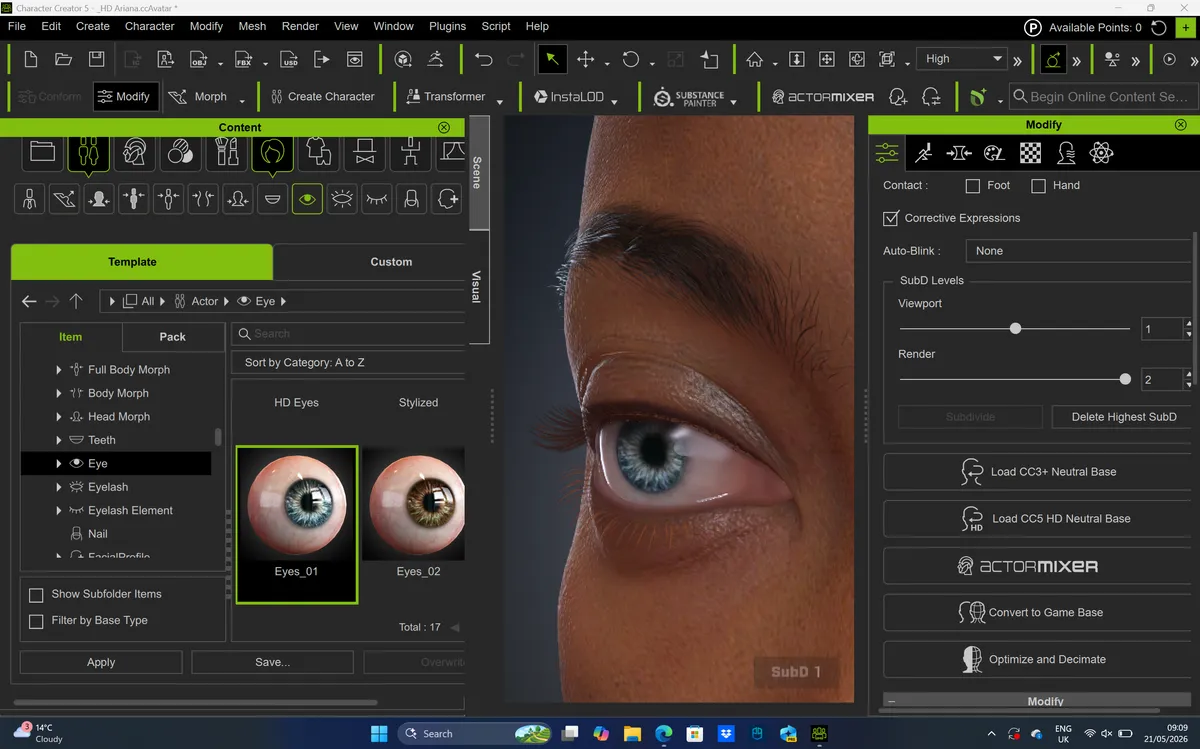
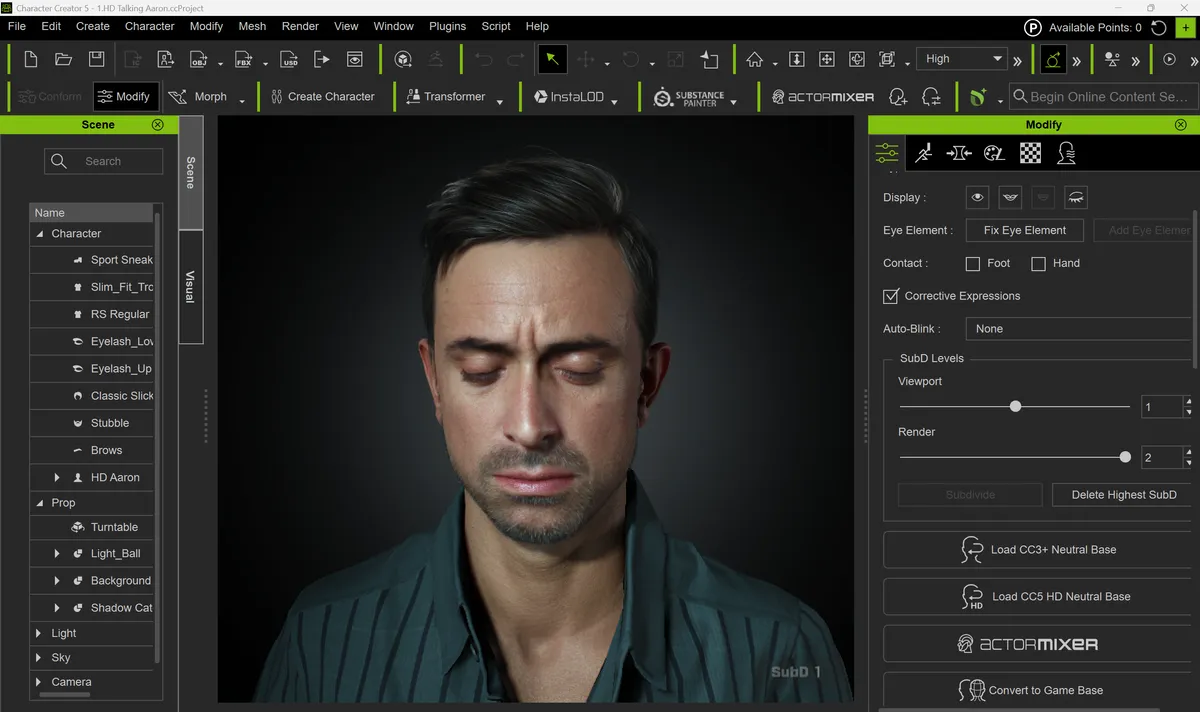
CC5 introduces a next-generation HD base mesh that supports switchable subdivision levels zero to two. That might not sound like a big deal, but in reality, it means users can scale a character's mesh resolution up to 16 times higher than previous versions. When this is paired with full displacement map support, enhanced shaders, and 8K skin textures, creators can seamlessly transition a character from a lightweight, game-ready model to a cinematic, film-quality asset with real geometric depth for close-up shots.
HD Facial Animation
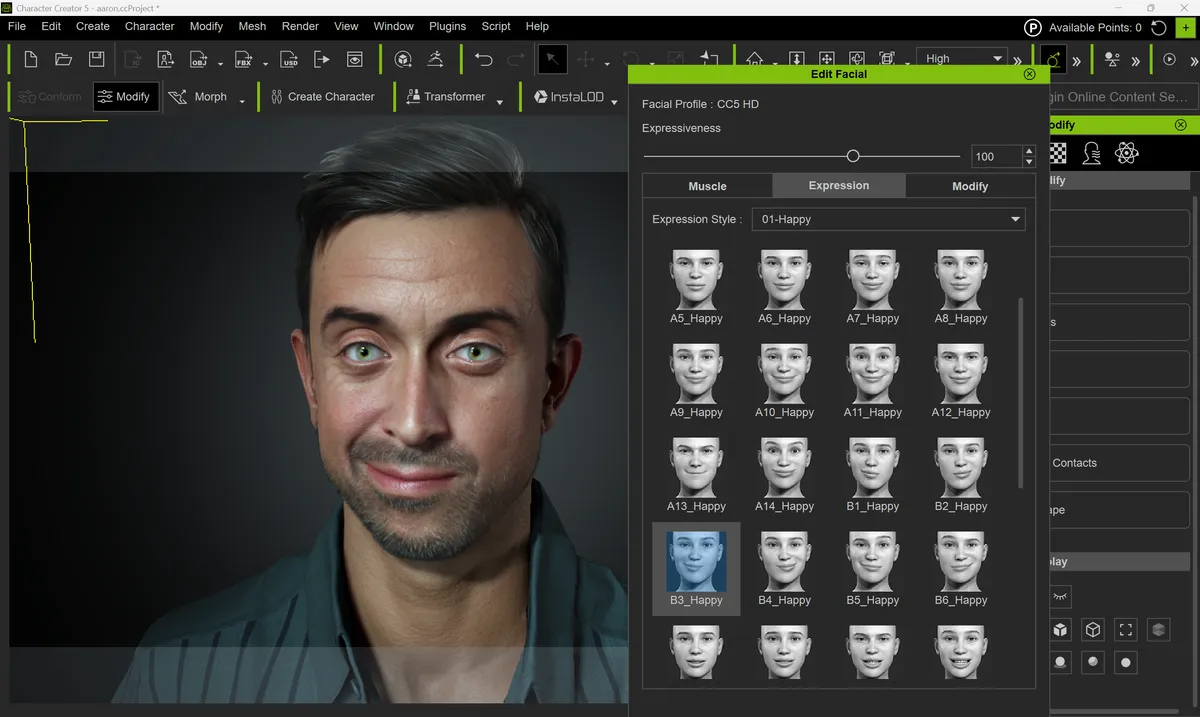
Reallusion has seen fit to completely overhaul the facial rig, providing a new HD Expression Profile built on 262 blendshapes and 128 corrective morphs. As a result, it's now possible to generate even more subtle expressions, complex muscle tension, and precise lip-syncing. I couldn't believe how easy it was, for example, to create squint wrinkles and furrowing brows, and the realism of them was second to none.
ActorMIXER System
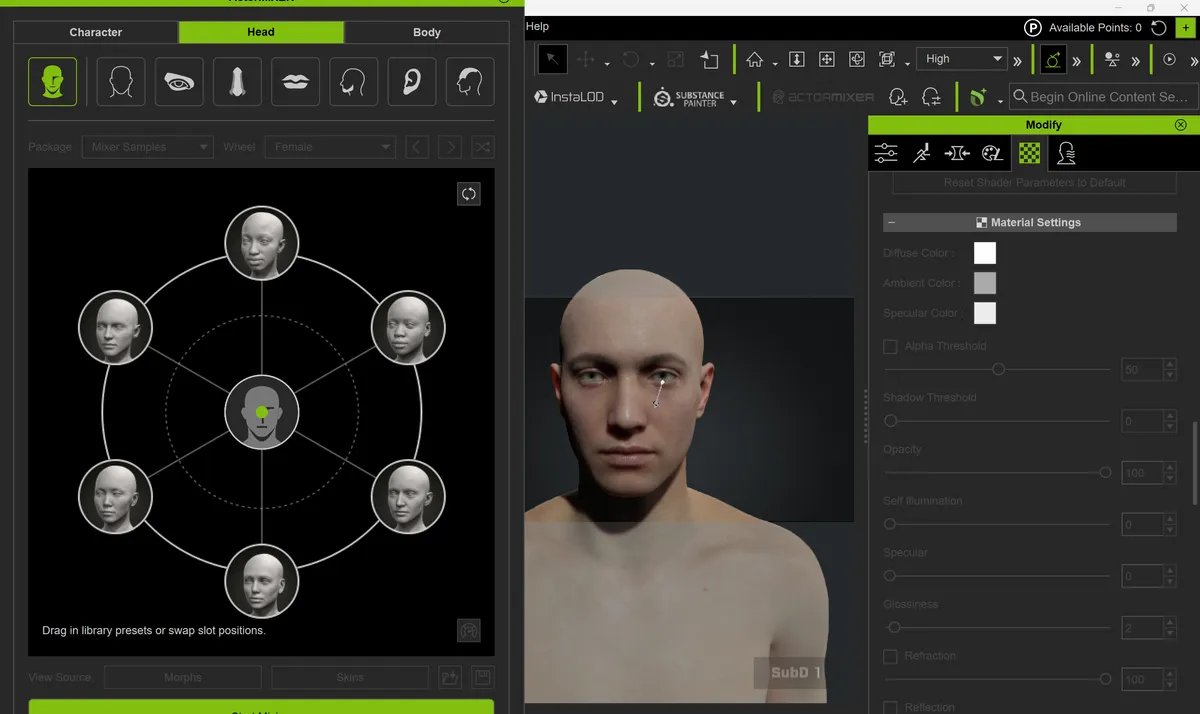
A brand-new, non-destructive character generation tool that allows you to freely blend different character styles, heads, bodies, and skin types. Instead of starting from scratch, you can dynamically fuse stylised looks with photorealistic scans. It's simple to use and generates excellent results, although I would have liked a little bit more granular control.
This system is available in both the standard CC5 package and the Pro alternative, although the Pro version unlocks one-click random character generation, custom asset packaging, and access to a massive library of ultra-realistic scanned ethnic profiles.
Unreal Engine Interoperability
Characters now share skeleton structures and facial control standards with Epic Games' MetaHumans. That means you can directly swap CC5 characters with MetaHuman counterparts in the Unreal Sequencer and apply MetaHuman animations without needing to retarget the motion.
Feature score: 4.5/5
Character Creator 5: user interface and experience
• Clear interface, although very plugin-centric
• Powerful character creation tools and a lot of time-saving automated processes
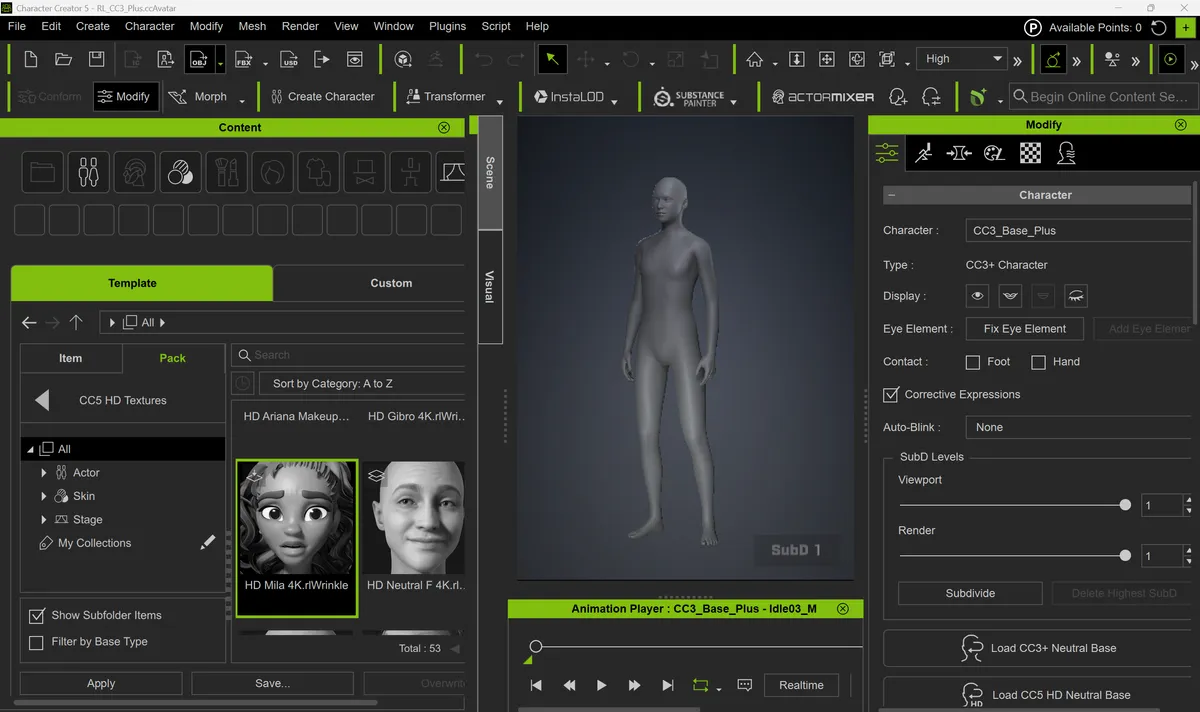
The user interface was relatively easy to navigate with clear menus and icons, as well as panels which helpfully split up settings and workflows. It won't be everyone's cup of tea, but I actually quite liked that Reallusion has decided to keep quite a lot of text labels rather than going 100% icons in their toolbars. It was certainly helpful for a beginner like me.
My only issue with the CC5 interface is that it feels very much like a set of plugins collected together into one application rather than a refined set of tools that integrate closely. I would like to see all tools brought together more closely so that workflows are more clearly laid out. This won't be a problem for more experienced users, but novices will struggle. There are also many legacy tools that can get in the way of the latest plugins.
Once I had got my head around the available tools, I actually found each one really straightforward to use. I began by downloading one of the CC5 models and proceeded to edit its facial features and its expressions. This was easy to do using the built-in collections of expressions and facial features contained within the content manager. I was able to quickly get my character to communicate exactly what I wanted and to export it easily for use in visualisations and games.
I then proceeded to use ActorMIXER, which has been making a lot of headlines with the character creation industry. It appears to be Realusion's attempt to mitigate against the previous critique that characters created with its software can all end up looking too similar. This tool masterfully overcomes that issue by providing enough permutations to effectively eliminate that possibility. One of the best things about this tool is how easy it is to create a variety of characters that all share similar characteristics. You could imagine creating the Orcs race from The Lord of the Rings with this tool.
Throughout my time with CC5, one issue that I kept facing was regarding compatibility. There doesn't appear to be much backward compatibility, especially with more recent functionality. As a result, if you're not using the very latest CC5 meshes, then the overall experience can actually feel quite limited and restrictive.
That takes nothing away from what is possible with CC5, though; you just need to make sure you're using the latest meshes as a starting point.
User Experience score: 4.5/5
Character Creator 5: help and support
• Reallusion hosts a community forum and a support ticket system
• Online text and video tutorials
There's a pretty active community of CC5 users who are willing to give back by answering questions through the Reallusion forum. All you have to do is browse the Character Creator category or use the search box to find related questions. A quick browse of the forum shows how quick, helpful, and willing users are.
If you have a specific technical or workflow question that isn't answered in the forum, then you can use the support system to raise a ticket. My experience of Reallusion's support staff was that they were always quick to respond with helpful answers. To help users articulate their issues, it's also possible to attach images and videos to any ticket.
If you're looking to learn how to use Character Creator, then I'd highly recommend Reallusion's YouTube tutorials, which are simple to follow and cover a wide range of subjects. If you need help getting up to speed with CC5 specifically, then this Reallusion YouTube playlist is a great place to start.
Support score: 4.5/5
Character Creator 5: who is it for?
• Creatives wanting to rig characters for games, films, and animations
CC5 is designed for indie game developers, filmmakers, and 3D animators who need to generate characters for a wide range of end uses, including games, films, architectural visualisations and more. Its intuitive interface and extensive set of tools make it equally appealing to solo creators and small studios, allowing users to rapidly create, edit, and export fully rigged assets to Unreal Engine 5, Blender, ZBrush, and Maya.
Attributes |
Notes |
Rating |
|---|---|---|
Value: |
An affordable package for premium and professional character creation. |
4.5/5 |
Getting Started: |
Simple to download, install, and get up and running. |
4.5/5 |
Features: |
Version 5 significantly improves upon an already very strong set of features. |
4.5/5 |
User Experience: |
An extensive set of tools for powerful character creation and editing. |
4.5/5 |
Support: |
An active forum, a helpful ticketing system, and excellent YouTube tutorials deliver a well-rounded support network. |
4.5/5 |
Buy it if...
- You want automated character creation tools.
- You crave an integrated pipeline with Unreal Engine 5, Blender, Unity, and ZBrush.
- You like the idea of advanced geometry management, including LOD flexibility.
Don't buy it if...
- You create a lot of non-humanoid monsters or multi-limbed creatures.
- You want a package with extensive animation tools built in.
- You don't have any extra budget to buy Reallusion's assets.
out of 10
Introducing massive workflow-enhancing upgrades, Character Creator 5 continues its successful integration with Unreal Engine and automated, animation-ready rigging. An invaluable, affordable powerhouse for indie game developers, filmmakers, and 3D animators alike.