Our Verdict
Beginners can achieve usable results in a matter of hours, and solo creators can achieve high-end results without a massive technical team. iClone 8 is easy to use and impressively versatile.
For
- Fast and efficient animation
- Unmatched motion tools
- Seamless character ecosystem
Against
- Windows only
- Limited creation tools
Why you can trust Creative Bloq Our expert reviewers spend hours testing and comparing products and services so you can choose the best for you. Find out more about how we test.
iClone 8 is a powerful real-time 3D animation software created by Reallusion. It's designed to bridge the gap between complex professional pipelines and intuitive creative workflows. With an easy-to-use set of tools, including motion capture, it couldn't be simpler to animate virtual characters with lifelike movement.
Version 8 introduces a number of high-end features, including the Motion Director for game-like character control, enhanced crowd simulation, and a professional-grade curve editor, enabling creators to produce cinematic-quality renders.
The software is targeted at indie filmmakers, game developers, and architectural visualisers who need great results without the steep learning curve or high overhead of enterprise-level software. Its most direct competitor for hobbyists would be Daz 3D, whereas serious professionals might look to Autodesk MotionBuilder for a more comprehensive set of features.
iClone 8: how I tested
I tested iClone 8 by applying animation (facial and body) to a range of different characters, which I downloaded from the free library. I tested out a variety of different built-in features, including AccuPOSE CORE, Motion Puppet, and motion capture for facial animation. I also applied handcrafted movements to characters to see if it was possible to achieve more bespoke positions beyond what was provided in the libraries.
iClone 8: plans and pricing
| Header Cell - Column 0 | iClone 8 |
|---|---|
iClone 365 |
$16.58 / £12.28 per month |
iClone 365 Pro |
$33.25 / £24.62 per month |
Reallusion 3D Suite 365 |
$49.92 / £36.96 per month |
• Multiple subscription options are available
• A 30-day free trial available
iClone 8 is available with two different subscriptions. The first is iClone 365, which costs $16.58 / £12.28 per month and includes over 2,000 free assets. It also includes powerful tools such as AI Video Mocap, AI-assisted AccuPose, and SIM Builder.
If you'd also like access to AccuFACE and AccuPOSE INFINITY, then you'll need an iClone 365 Pro subscription, which costs $33.25 / £24.62 per month. This subscription opens up the full set of iClone features.
Character animators who also want to purchase a subscription to Character Creator can make use of a Reallusion 3D Suite 365 bundle for $49.92 / £36.96 per month. This is the most cost-effective way of gaining access to both packages.
Value score: 4.5/5
iClone 8: setup and getting started
• Easy setup and a very accessible learning curve
• The Reallusion Hub provides quick access to all their software
To get iClone or any other Reallusion product, for that matter, you'll need to first download the Reallusion Hub. This will provide download and installation links to the latest versions of iClone, Character Creator, and a wide range of plugins, including AccFACE and AccuPOSE INFINITY.
With around 30 products available for download, the Reallusion Hub can be a little overwhelming at times. Thankfully, each plugin has a small label indicating whether it is compatible with iClone 8, Character Creator 5, or both.
iClone 8, as well as the aforementioned plugins, is available as a free trial. If you have purchased licences on the Reallusion website, then, assuming you're logged into the same account, that detail will carry over to the Reallusion Hub.
Setup score: 4.5/5
iClone 8: features
Motion director |
Professional animation editing |
Advanced facial animation |
Enhanced visuals and rendering |
• Animate characters effortlessly
• Master facial animation with easy-to-use tools
iClone 8 is a significant upgrade over its predecessor, with Reallusion shifting from a simple drag-and-drop tool to a fully fledged animation production suite. This move to establish itself across hobbyist and professional pipelines is reflected in its advanced set of user-friendly features. Despite the introduction of several advanced features, I still found the core workflow incredibly easy to follow. I was able to create basic animations, and if I want to push things further, it was clear how to do that.
Motion director
In my opinion, the biggest addition to iClone 8 is the Motion Director tool, which lets users control characters with the WASD keys, a mouse, or a game controller, much like in a video game. As you move your character in this way, iClone records the performance into animation data. This results in smooth animation that is a breeze to create, assuming you're a proficient gamer.
Professional animation editing
Reallusion has also overhauled its core animation engine to give users even greater control of their animations. This begins with a curve editor that allows precise control of motion keys with Bezier curves for smooth, professional movement. Building on this, iClone 8 features animation layers so you can keep all your various animation parts organised.
Advanced facial animation
With the inclusion of AccuLIPS, Expression Plus, and Face Puppet, iClone 8 makes creating facial animation easier than ever. AccuLIPS is arguably the most significant, as it enables users to generate accurate lip-syncing from text or audio files. I absolutely loved using these plugins and even showed them to my children, who were suitably amazed at what was possible. With these features, a wide range of users can achieve great results, but I can see a particular workflow for architectural visualisers who want to bring their work to life.
Enhanced visuals and rendering
iClone is a real-time engine, but in version 8, Reallusion has introduced several high-end cinematic features to enhance its output quality. First up is volumetric lighting and motion blur, which adds atmosphere and a sense of speed to animation. Then there's NVIDIA Omniverse integration, which can live-sync with NVIDIA’s RTX GPU-based path-trace renderer for movie-quality visuals. Finally, lens flares allow for realistic camera lens simulation.
Feature score: 4.5/5
iClone 8: user interface and experience
• An intuitive and uncluttered interface
• iClone face and body animation tools are easy-to-use and super realistic
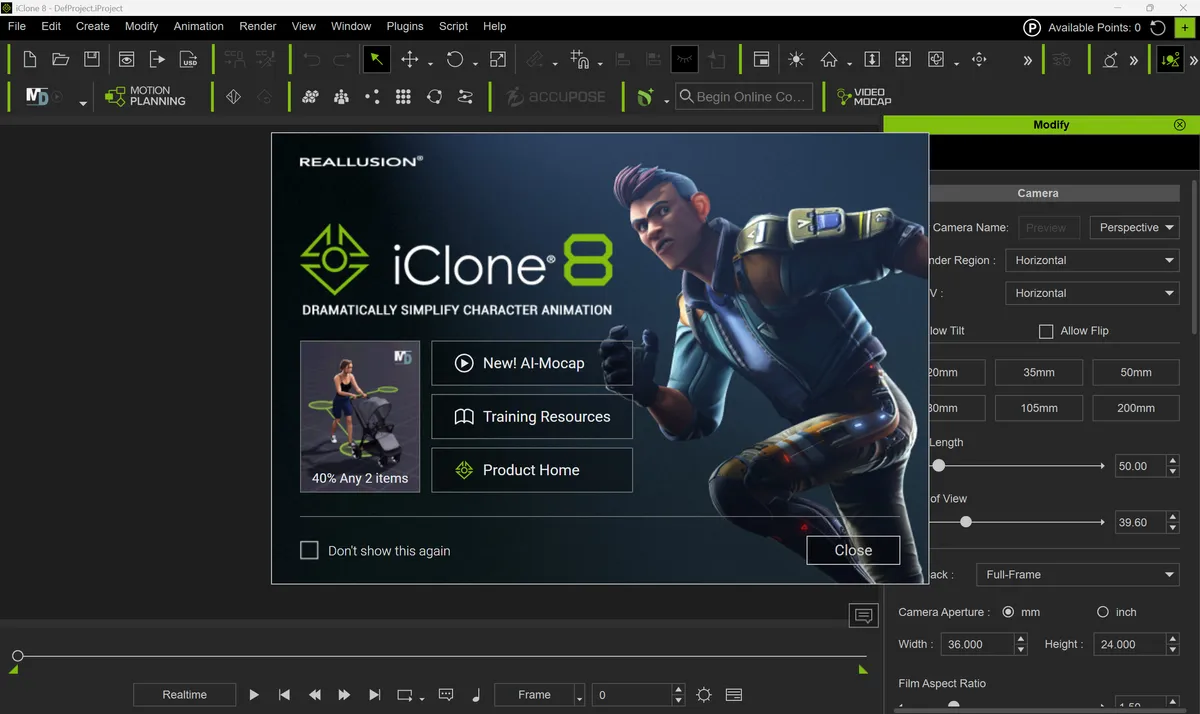
The iClone interface is like that of almost every other traditional-looking 3D software. As someone who has used this type of application for 20+ years, I quickly got my bearings and found my way around. It's pretty sensibly laid out, though, so even if you're new to the world of 3D, you'll quickly be able to work out what is where.
The viewport occupies most of the screen, with the menus and primary toolbars at the top. The Content Manager, positioned on the left, lets you download content directly into your scene. I made significant use of this to populate my scene, and if you're using iClone for the first time, you can quickly test its features on this content.
Other parts of the interface include the Modify panel on the left and the Timeline at the bottom. The Modify panel provides all the context-specific parameters that you need to make adjustments to the item(s) you have selected. These panels can be adjusted in size to create the perfect setup for you.
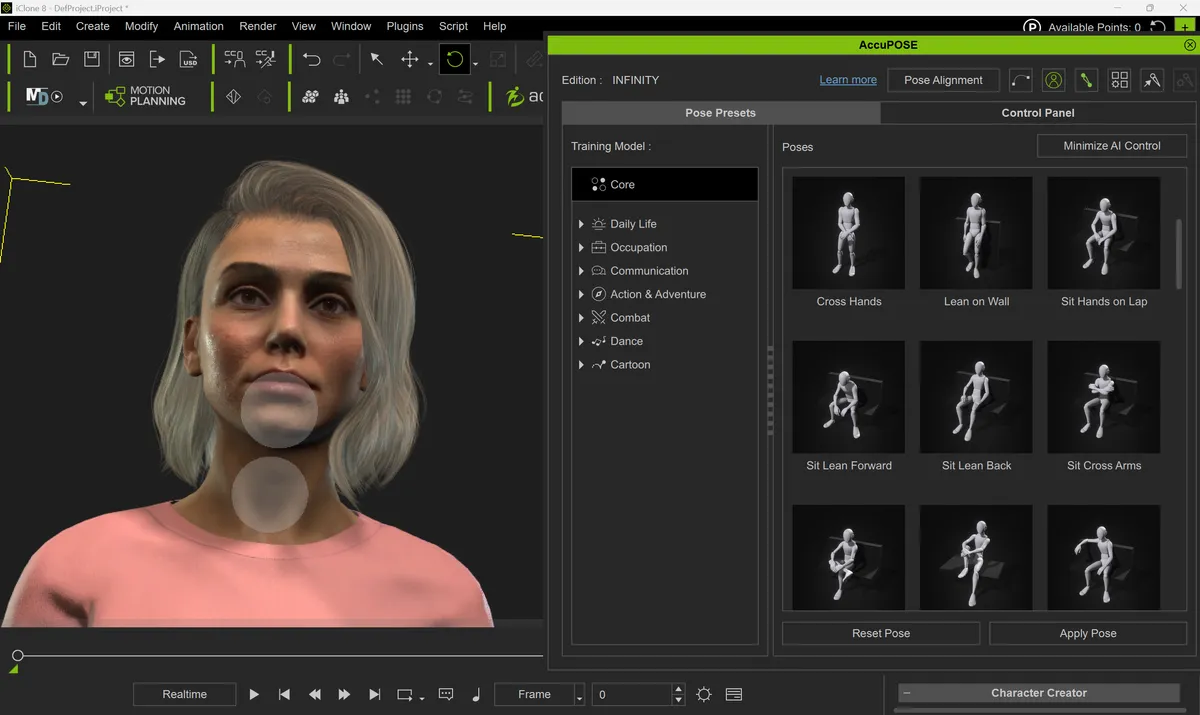
With my scene ready to go, I began working my way through the various windows and plugins which are accessible through the top menus. First up was AccuPOSE CORE, which lets you apply preloaded poses to your characters. These are applied quickly and without issue, and there's an abundance of different poses to choose from. I will absolutely be using this to help me pose characters appropriately for my 3D visualisations.
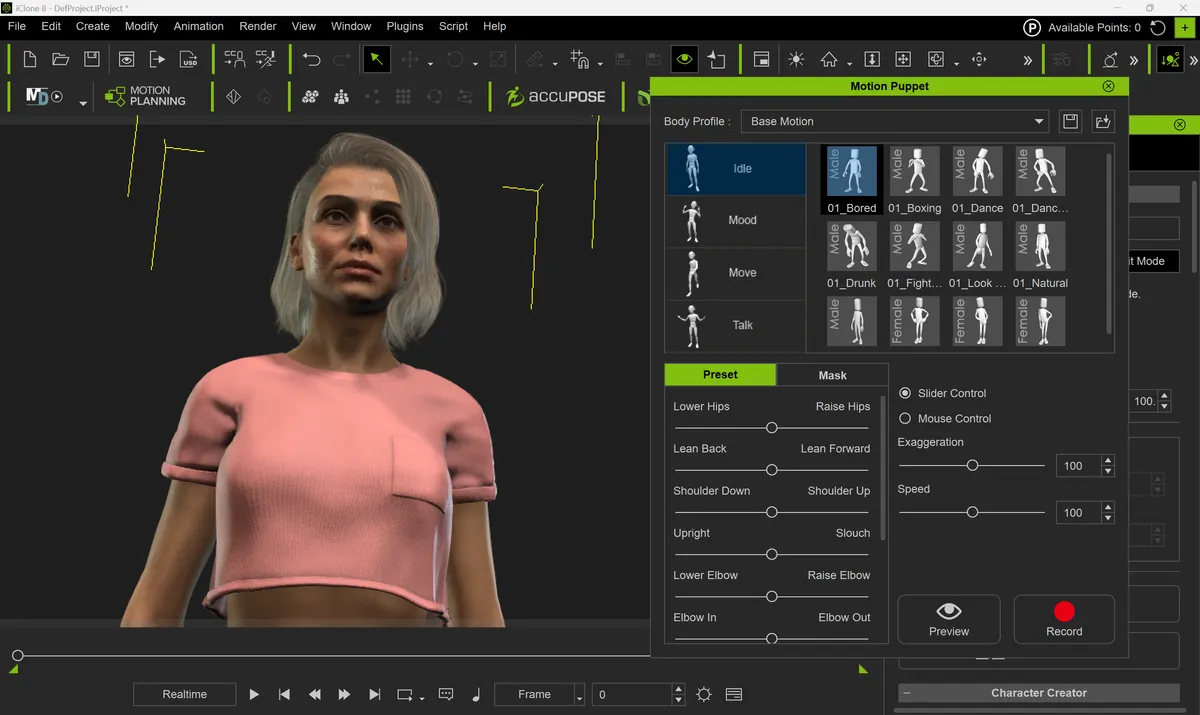
Adding motion to poses is equally straightforward thanks to Motion Puppet. With the ability to either position or animate the exact same character, it's possible to use the same 'actors' across all deliverables, including images, videos, and even in-game.
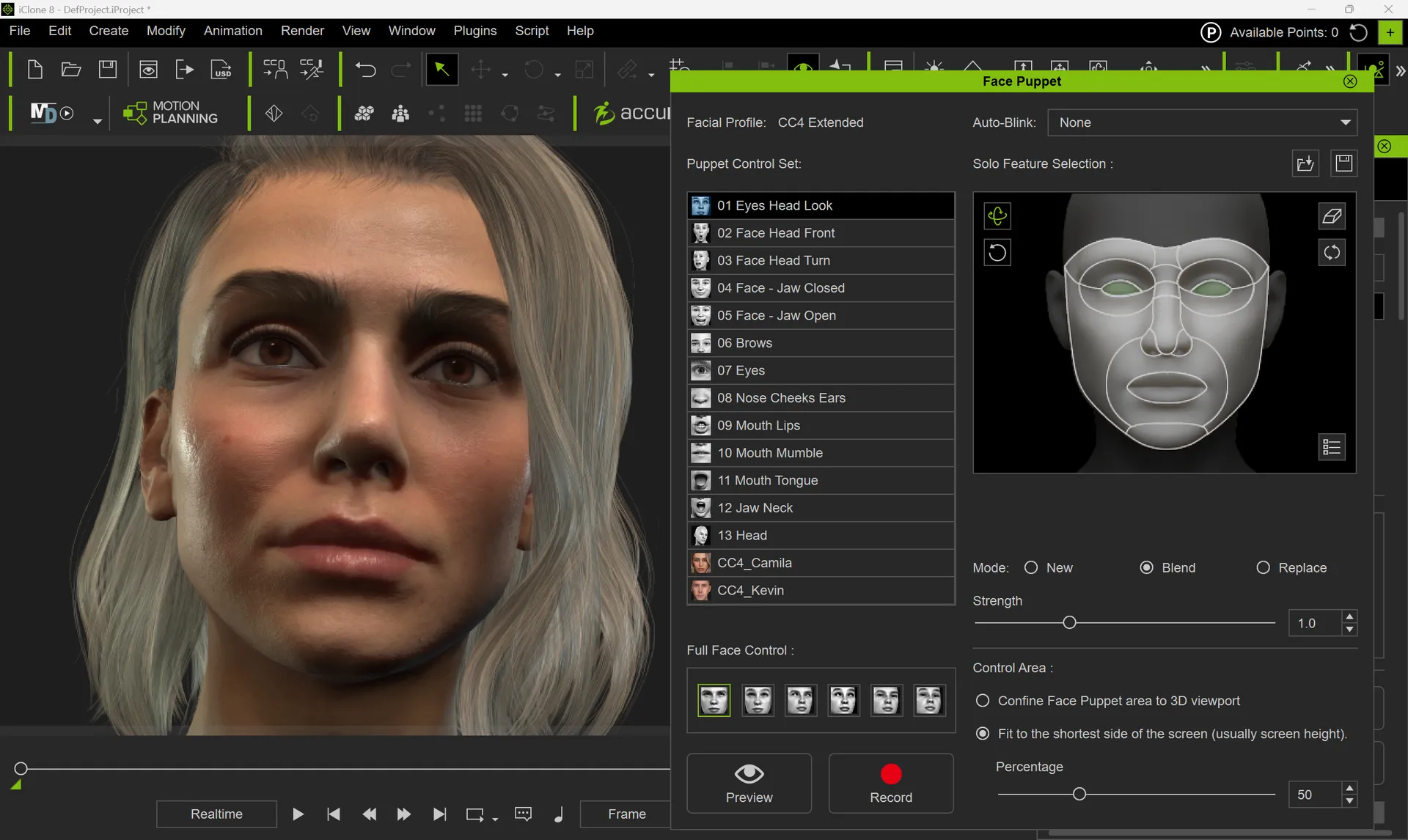
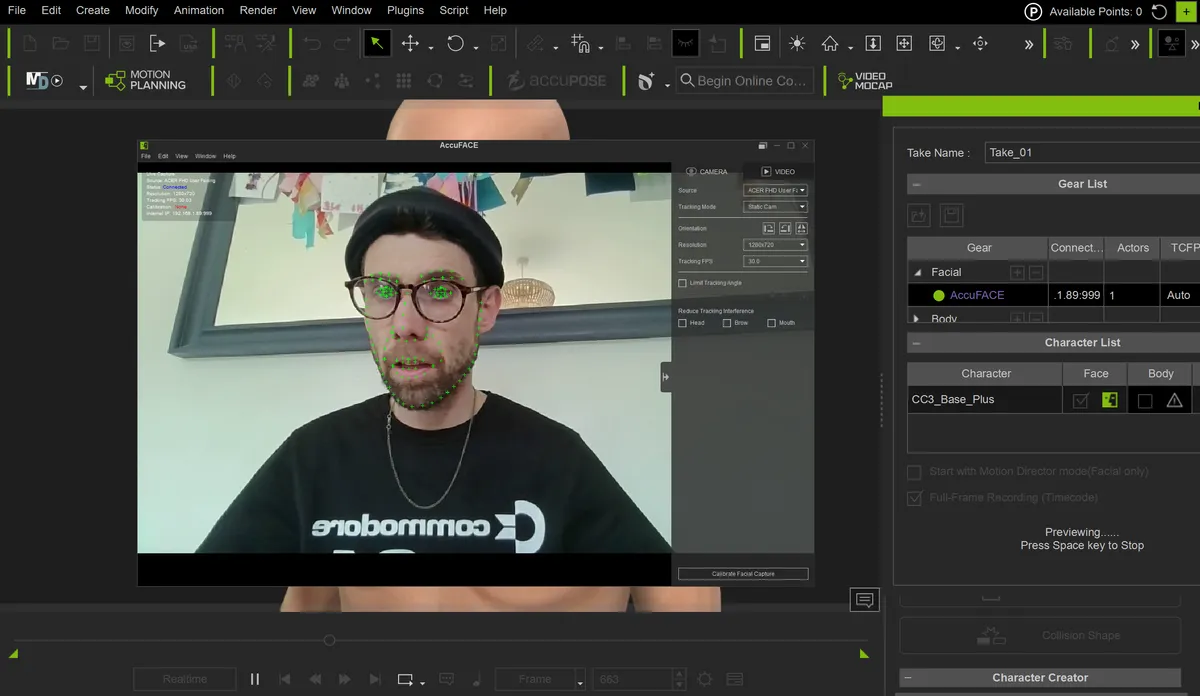
With my confidence high, I spent most of the rest of my time using AccuFace 2, a separately sold plugin that translates facial motion from a webcam, phone, or video onto a 3D character.
I could not believe how easy it was to use and how believable and reliable the results were. All I had to do was launch my webcam and enter a few parameters, and I was away. With AccuFace 2, I can now produce bespoke facial animation for instructional videos and how-tos.
User Experience score: 4.5/5
iClone 8: help and support
• A community forum and support ticket system
• Online tutorials including easy-to-access videos
The first port of call for any issue is the community forum. The clearly laid-out, visually clear interface is the quickest way to get answers to your questions, especially if it's one that has been asked before. Other Reallusion users are polite, helpful, and incredibly willing to go the extra mile to resolve issues and to educate.
If you can't find solutions within the community, then you can raise a support ticket. I found that my queries were answered promptly and kindly, with no question too small to ask. The ticket system allows users to articulate their problems in text and by attaching images or videos to further explain the issue.
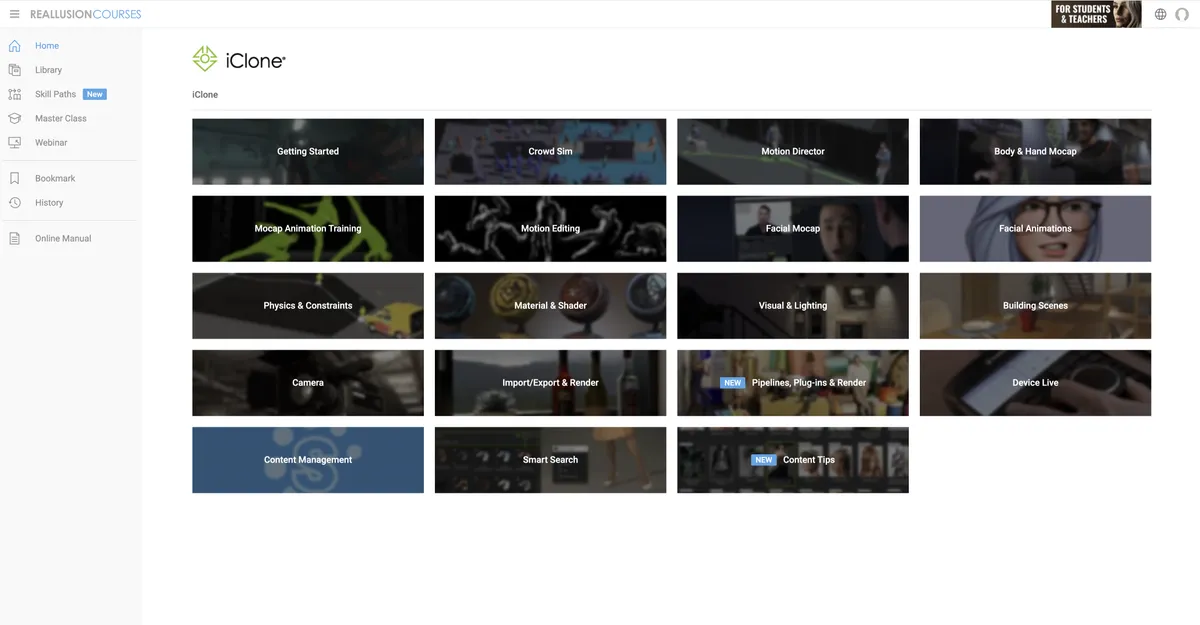
Beyond support for specific issues from actual human beings, Reallusion offers a wide array of help, including an online manual, tutorials, and a great set of YouTube videos. With a specific YouTube playlist for character animation workflows, I personally found this avenue the most helpful for getting up and running with the software.
Support score: 4.5/5
iClone 8: who is it for?
• Character animators working in films and games
iClone 8 is for any character animator, filmmaker, or game developer who requires a high-speed, real-time animation solution. The software enables users to prioritise storytelling and rapid production over technical rigging and manual keyframing. It's also known for its straightforward and director-centric workflow, which is ideal for hobbyists and professionals alike.
Attributes |
Notes |
Rating |
|---|---|---|
Value: |
Affordable, especially compared to MotionBuilder. |
4.5/5 |
Getting Started: |
Quick and easy download and setup through the Reallusion Hub. |
4.5/5 |
Features: |
Extensive set of features with many options for drag-and-drop animation. |
4.5/5 |
User Experience: |
A pleasure to use with fantastic results achieveable with no prior experience. |
4.5/5 |
Support: |
An excellent level of support as well as an extensive manual and tutorials. |
4.5/5 |
Buy it if...
- You want to focus on storytelling and performance rather than technical rigging.
- You use motion capture and need an easy way to clean up and apply data.
- You need to produce high volumes of 3D content fast.
Don't buy it if...
- You want to do high-end 3D modelling or sculpting.
- You are on a limited budget.
- You want a do-it-all suite.
out of 10
Beginners can achieve usable results in a matter of hours, and solo creators can achieve high-end results without a massive technical team. iClone 8 is easy to use and impressively versatile.