Our Verdict
The Acer Predator Helios Neo 16S AI boasts a cutting-edge RTX 5070 Ti and a stunning 16-inch OLED display within a sub-20mm chassis, making it an ideal hybrid for creatives and gamers. The cost of portability and power means there's some unwanted fan noise and a modest battery life, but if you're happy accommodating those limitations, then you won't be disappointed by the performance.
For
- 2560 x 1600px OLED display
- Lightweight and portable
- An abundance of ports
- Good value for performance
Against
- The display is too reflective
- Loud fans at times
- Poor battery life
Why you can trust Creative Bloq Our expert reviewers spend hours testing and comparing products and services so you can choose the best for you. Find out more about how we test.
The Acer Predator Helios Neo 16S AI packs an NVIDIA GeForce RTX 5070 Ti Laptop GPU and high-TOPS AI capabilities into a sub-19mm chassis, which makes it a good fit for the modern hybrid user. For other options, check out the best laptops for graphic design and the best laptops for 3D modelling.
The most demanding of creatives and gamers will crave a higher-specced machine, but if you want one machine to indulge in both worlds, then this mid-range laptop will cover most of the required bases.
For Acer, the Predator Helios Neo 16S AI is a shift from budget-friendly Neo roots to a premium, AI-focused identity. It aims to bridge the gap between the bulky Helios powerhouses and the sleek Triton series and serves as the flagship for Acer’s transition into silicon-aware, AI-native hardware.
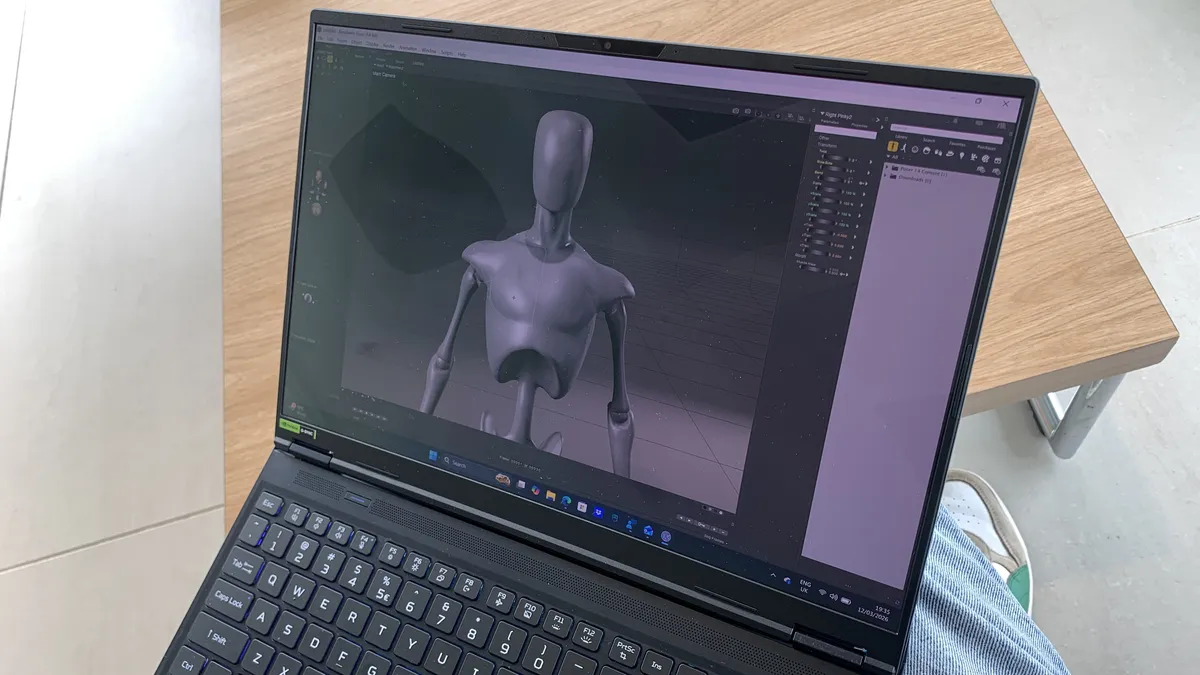
To put the Predator Helios Neo 16S AI through its paces, I tested it using Poser 14, iClone 8, and Character Creator. I created complex characters, generated motion capture data, and utilised real-time rendering. Of course, I also ran a load of other apps, including web apps and AI tools.
Key specifications
CPU: |
Intel Core Ultra 9 275HX |
NPU: |
Up to 13 TOPS |
Graphics: |
NVIDIA GeForce RTX 5070 Ti Laptop |
Memory: |
32GB |
Storage: |
1TB |
Screen size: |
16-inch |
Screen type: |
OLED |
Resolution: |
2560 x 1600 |
Refresh rate: |
240Hz |
Colour gamut: |
100% DCI-P3 |
Brightness: |
500 nits peak |
Ports: |
1x Thunderbolt 4 (USB-C), 1x USB-C, 3x USB-A, 1x HDMI 2.1, 1x DC-in Jack, 1x RJ-45, 1x MicroSD Card Reader, 1x 3.5mm Combo Audio Jack |
Wireless connectivity: |
Wi-Fi 7, Bluetooth 5.4 |
Dimensions: |
356.8 x 275.5 x 19.9 mm (14.05 x 10.85 x 0.79 inches) |
Weight: |
2.3 kg (5.07 lbs) |
Design, build and display
• Portable laptop with a large 16-inch OLED WQXGA display
• Fantastic port selection with very little compromise
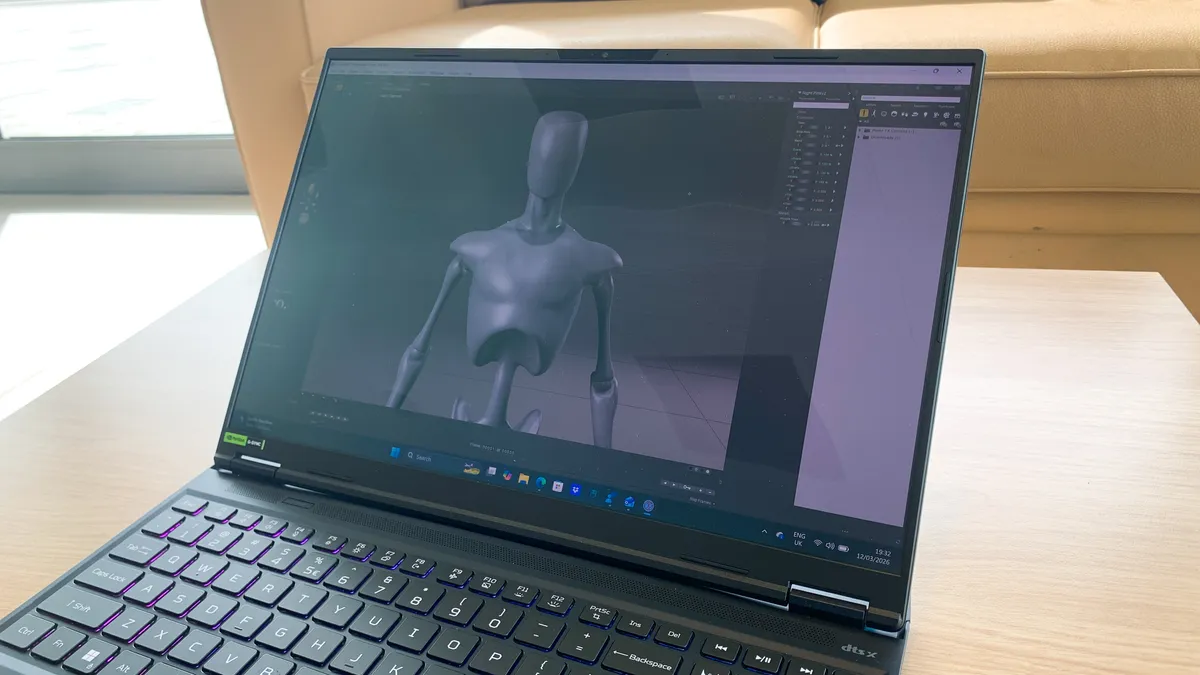
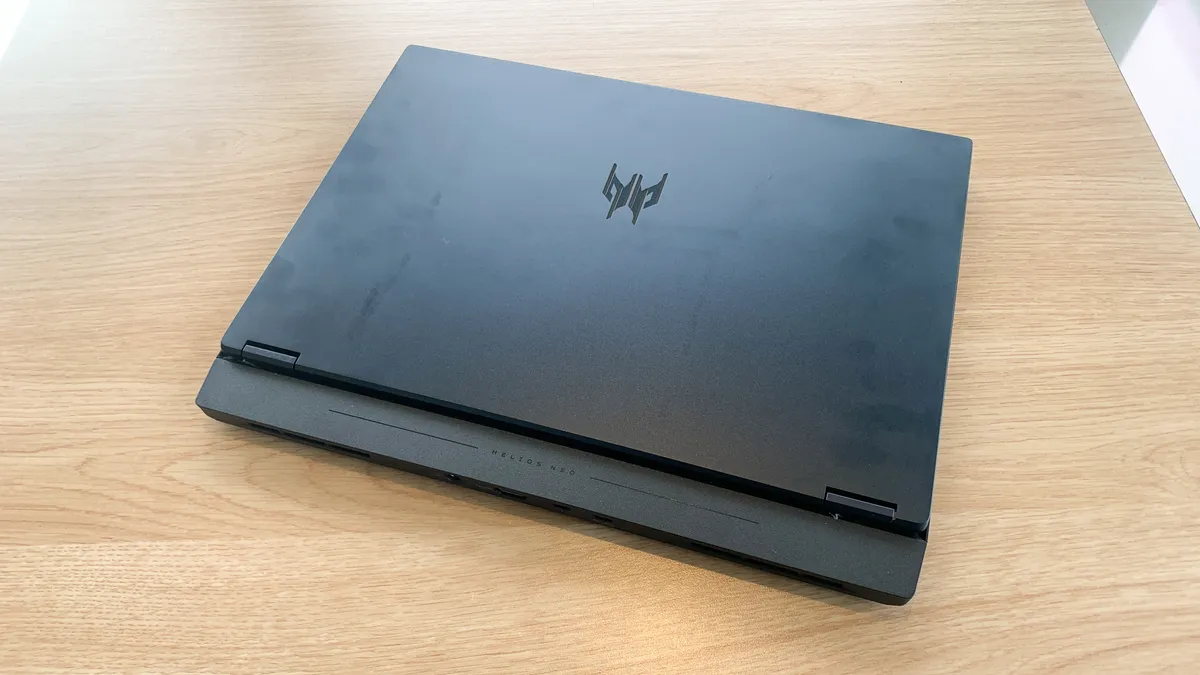
The Acer Predator Helios Neo 16S AI attempts to blend gaming aesthetics and professional minimalism, and it does a pretty good job of it. Compared to its predecessor, the makers have opted for a much slimmer chassis, measuring just 18.9mm thick, which means it slips right into a laptop wallet with ease. It's a far cry from the "heavy" gaming laptops we're used to.
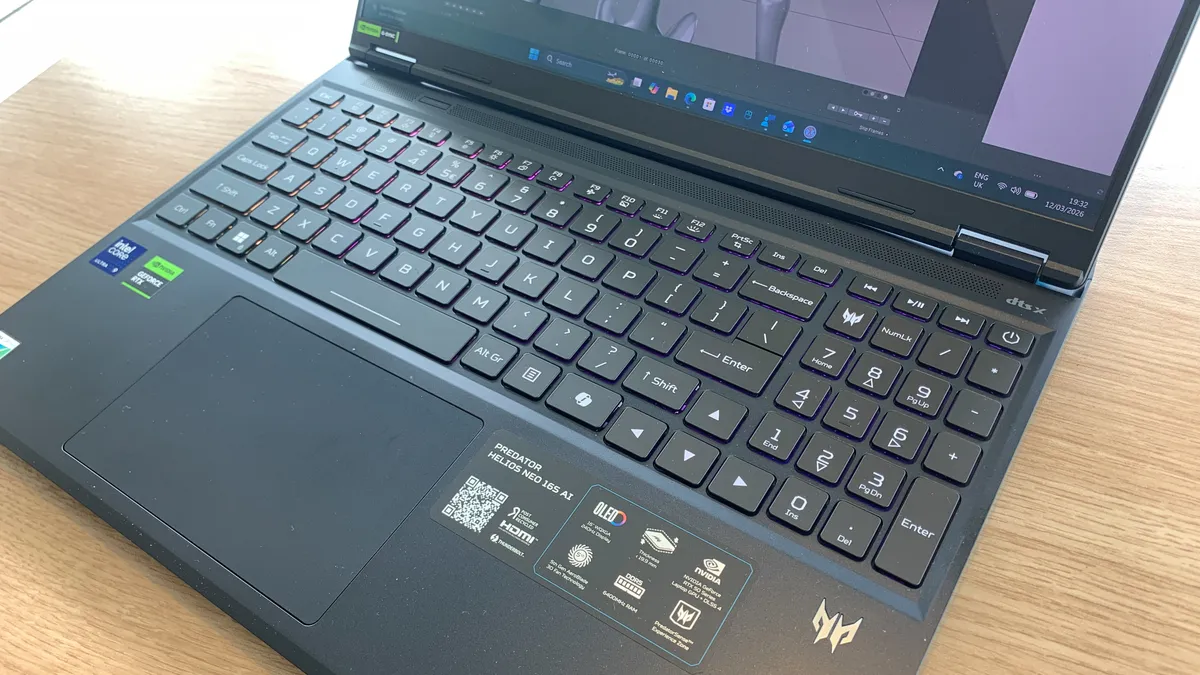
Those familiar with the Predator design will instantly recognise the trademark "abyssal black" finish, but it's not as in-your-face as it usually is. There's still RGB lighting, including an RGB light bar at the rear, but it's nowhere near as edgy or defined as gamers might expect. Hardcore gamers will be disappointed, but creatives who want to blend into an office environment won't mind.
As for materials, the bead-blasted aluminium top cover feels premium to the touch and resists fingerprints better than previous plastic-heavy iterations. The same material is used for the keyboard deck, which proved ideal for long sessions thanks to the cool-to-the-touch feel.
The bottom panel is a high-density polycarbonate which is necessary to keep the overall weight down, specifically 2.3 kg. Amazingly, this doesn't affect the structural integrity required to protect the high-end internals. This is especially important given its portability credentials.
One of the main reasons to buy the Predator Helios Neo 16S AI is the 16-inch OLED WQXGA display with a 2560 × 1600 pixel resolution. It's large in size, generous in resolution, and perfect for working with photos, videos, and 3D models. Unfortunately it's a little too reflective for my liking. More positively, it does have a wide DCI-P3 100% colour gamut.
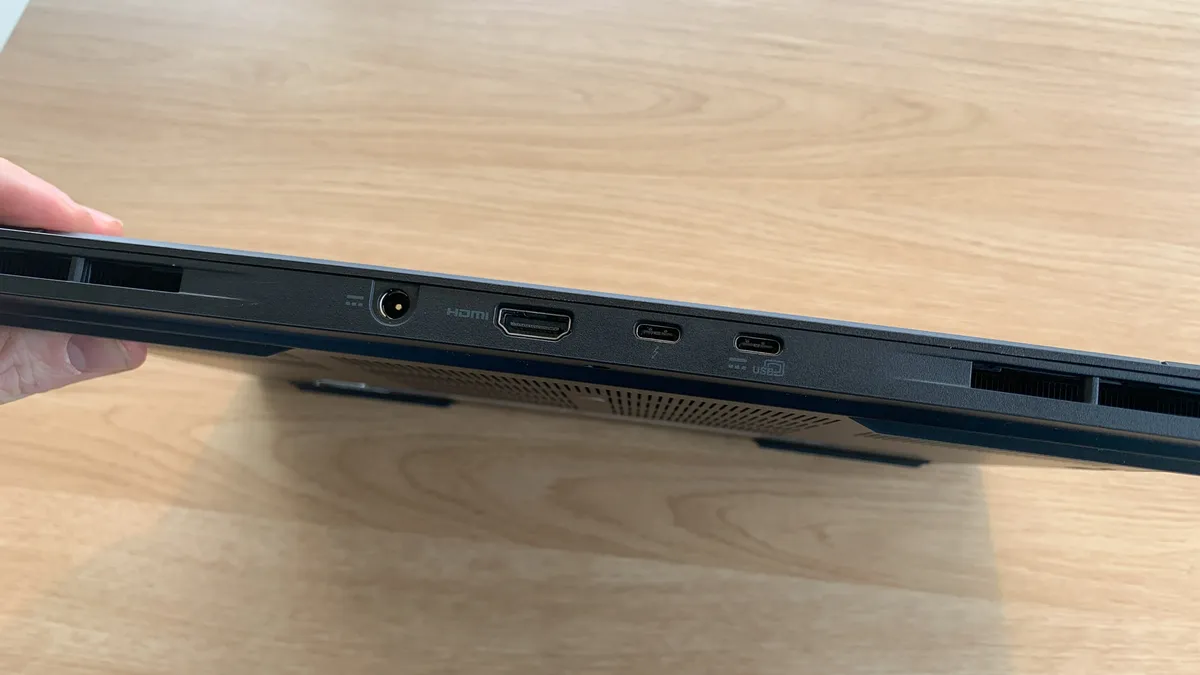
The positives continue with the generous selection of ports. The rear of the device houses the power input, an HDMI 2.1 port for 4K/120Hz output, and two Thunderbolt 4 USB-C ports that support both power delivery and DisplayPort.
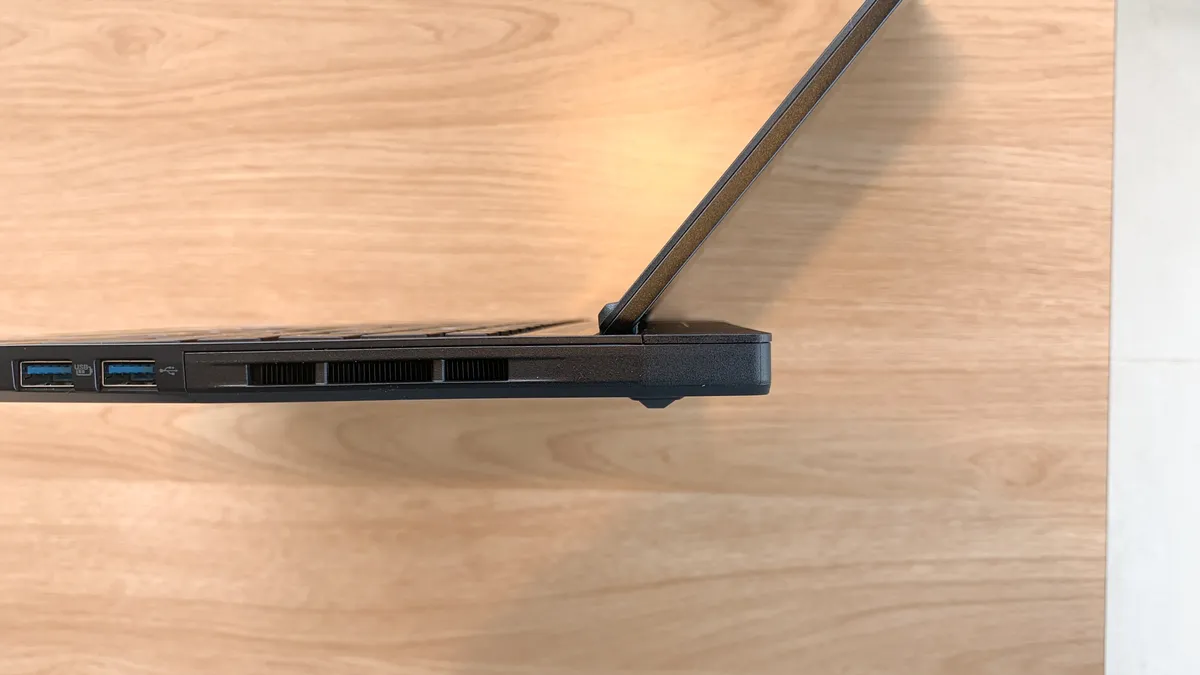
The sides feature three USB 3.2 Gen 2 Type-A ports, an RJ-45 Ethernet jack, and a dedicated MicroSD card reader. This layout keeps thick cables tucked behind the screen, while frequently accessed peripherals and external storage can be easily swapped on the sides, maintaining a clean desk setup.
Design score: 4.5/5
Features
• Top-of-the-range CPU and GPU
• AI features including an Acer Intelligence Space
At the heart of the Predator Helios Neo 16S AI is an Intel Core Ultra 9 processor 386H, which is one of the latest releases from the Panther Lake family (Series 3). It's designed to be a gaming powerhouse for thin and light laptops. In that sense you get the best of both worlds. It also balances AI performance, efficiency, and multi-core power, which makes it a good all-rounder.
Backing this up is the NVIDIA GeForce RTX 5070 laptop GPU, which is at the top end of what NVIDIA offers for laptops. It's a prosumer choice which is able to handle most creative workloads, but you will experience thermal throttling if you push it too hard over a sustained period of time.
Beyond this, the laptop ships with Acer Intelligence Space, which is a dedicated hub for AI-ready tools and hardware insights that fuel productivity, creativity, and gaming. Think of it as an app store for AI tools. Through it you can quickly download and run generative AI tools, media enhancement software, and the like.
AI features don't end there. There's obviously Copilot+ built not only into the heart of the software experience, but also, with a dedicated Copilot key, you can access it quicker than ever. With Copilot+, you can take advantage of things like Live Captions and Cocreator.
Feature score: 4.5/5
Benchmark scores
We test every one of our laptops using the same benchmarking software suite to give you a thorough overview of its suitability for creatives of all disciplines and levels. This includes:
• Geekbench: Tests the CPU for single-core and multi-core power, and the GPU for the system's potential for gaming, image processing, or video editing. Geekbench AI tests the CPU and GPU on a variety of AI-powered and AI-boosted tasks.
• Cinebench: Tests the CPU and GPU's ability to run Cinema 4D and Redshift.
• UL Procyon: Uses UL Solutions' Procyon software suite to test the system's ability for AI image generation in Stable Diffusion, its Microsoft Office performance and its battery life in a looping video test.
• Topaz Video AI: We use Topaz Video AI to test the system's ability to upscale video and convert video to slow-motion.
• PugetBench for Creators: We use the PugetBench for Creators benchmarking suite to test the system's ability to run several key tasks in Photoshop and Adobe Premiere Pro, as well as its performance when encoding/transcoding video.
• ON1 Resize AI: Tests the system's ability to resize 5 photos to 200% in a batch process. We take the total time taken to resize the images and divide by 5.
Performance
• Great for 3D modelling, photoshop work, and some AI tasks
• Loud fan noise, high surface temperatures, and poor battery life
To test the Predator Helios Neo 16S AI, I decided to work through a character animation workflow. By doing 3D modelling, live animation, motion capture, and real-time rendering and having multiple software apps open at the same time, I could really put the laptop through its paces.
The laptop coped admirably with Reallusion's Character Creator and iClone apps, with no problems during either the creation or rendering parts of my workflow. I had expected the NVIDIA GeForce RTX 5070 Ti laptop GPU to struggle a little with real-time rendering, but it took everything in its stride.
As you'd expect, the laptop is also capable of running lots of other types of apps, including web browsers, video playback, and games. Extensive multitasking is also not a problem. The 240Hz refresh rate on the OLED panel provides smooth animations and excellent gaming performance; it's just a shame the display is a little too shiny.
Because the laptop is so thin, the cooling system has to work so much harder, and that's where you're seriously having to weigh up whether you want portability or advanced cooling. I experienced significant fan noise and higher surface temperatures than is ideal, even when I was performing low-intensity tasks such as installing Photoshop and Premiere Pro.
The other trade-off is battery life, which is woefully poor. This is the consequence of pairing a relatively small 76Wh battery with power-hungry hardware such as the high-refresh OLED display and a high-performance HX-series processor. I also found that background software would often keep the RTX GPU active even during light tasks. In my video playback test it lasted less than two hours, so you'll need your charger with you at all times.
In short, if you can put up with some fan noise and are happy never being too far from a charger, then the Predator Helios Neo 16S AI won't disappoint. For the price, you're getting some cracking CPU and GPU performance that will cover a wide range of creative tasks as well as some gaming on the side.
Performance score: 4/5
Price
The model that I tested is the top-of-the-range version with an Intel Ultra 9 275HX CPU, NVIDIA RTX 5070 Ti Laptop GPU, 32GB RAM, and an OLED display. This costs around $2,049 / £2,099. If that's too expensive, then there are models with lower-end specs. These start at around $1,599 / £1,499.
If you'd prefer a dedicated gaming laptop and are happy parting with more money, then the Lenovo Legion 7 Pro for around $2900 / £2,700 is one of our top picks. Alternatively, if it's a creative laptop king you're looking for, then the ASUS ProArt P16 (2025) is a must-look.
Value score: 4/5
Who is it for?
• Creative professionals, gamers, students, and hybrid workers
The Acer Predator Helios Neo 16S AI is designed for anyone who needs a portable laptop that still packs a punch. Thanks to some of the best hardware available, the laptop is equally at home in the creative realm as it is in the gaming world. It will appeal to a person who wants a premium laptop without having to spend thousands of pounds or dollars on a boutique brand.
Attributes |
Notes |
Rating |
|---|---|---|
Design: |
Surprisingly portable for a 16-inch laptop. |
4.5/5 |
Features: |
High-power processors and an OLED WQXGA display. |
4.5/5 |
Performance: |
Great performance for creatives, but the battery takes the hit. |
4/5 |
Value: |
A creatives/gamers hybrid machine for a reasonable price. |
4/5 |
Buy it if...
- You want high-end hardware inside a lightweight portable chassis.
- You need a fast and high-resolution OLED display for creative work.
- You'll be running a lot of localised AI tasks and background processes.
Don't buy it if...
- You need a super quiet laptop with no fan noise.
- You want to leave your battery pack at home.
- You don't plan on taking your laptop away from your desk.
Also consider
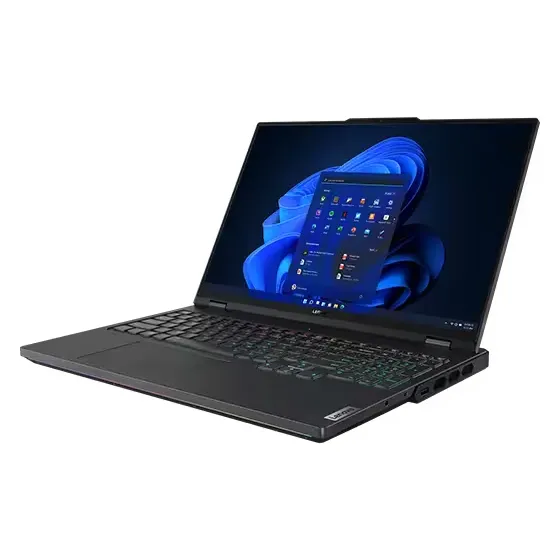
We called this laptop a "pure beast", and even though it's ideally suited for gaming, it has all the specs to be an ideal laptop for creatives too.
Read our Lenovo Legion 7 Pro review
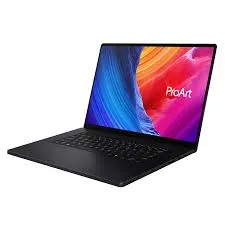
Our tech reviews editor, Erlingur Einarsson, called this laptop his "new favourite creative powerhouse". This NVIDIA 5070-powered beast gets you all the graphics oomph you need.
Read our ASUS ProArt P16 (2025) review

If you're looking for a ridiculously powerful machine designed with creatives in mind, then this is one of your best bets.
Read our MacBook Pro (M5 Max) review
out of 10
The Acer Predator Helios Neo 16S AI boasts a cutting-edge RTX 5070 Ti and a stunning 16-inch OLED display within a sub-20mm chassis, making it an ideal hybrid for creatives and gamers. The cost of portability and power means there's some unwanted fan noise and a modest battery life, but if you're happy accommodating those limitations, then you won't be disappointed by the performance.