Our Verdict
The more I used the Acer Nitro 16S AI, the more I fell in love with it. Okay, it'll never replace my MacBook Pro in terms of design and experience, but whatever I threw at it, this laptop was able to handle with relative ease. It didn't excel in any one particular area, but for creatives working across multiple applications and workflows, this will be the ideal machine to handle it all.
For
- Performs well across a range of creative workflows
- 16 inches and still portable
- Excellent cooling
Against
- Only 6 hours of battery life
- Limited colour accuracy
- Basic and expected design
Why you can trust Creative Bloq Our expert reviewers spend hours testing and comparing products and services so you can choose the best for you. Find out more about how we test.
The Acer Nitro 16S AI is unashamedly a gaming-first laptop, but I've lost count of the number of times we've said it at Creative Bloq: if a machine is good for gaming, then there's a high chance that it'll compete for a place among the best laptops for graphic design and the best laptops for 3D modelling as well.
The Nitro 16S AI I had in for testing features an AMD Ryzen AI 7 and an NVIDIA GeForce RTX 5070 Ti GPU, although whichever spec you choose, it won't be far off this. And with a 2560 x 1600px display with up to an 180Hz refresh rate, there are even more reasons for gamers and creatives to get excited about it.
In addition, the laptop goes strong on AI performance, hitching its cart with Copilot+ PC for a consumer-friendly experience. It's not going to excel with generative AI, but handy time-saving AI tools like speech-to-text transcribing will work a treat.
This promises to be a fantastic all-rounder, but do our benchmarks and hands-on experience tell the same story? Read on to find out.

Key specifications
CPU: |
AMD Ryzen AI 7 |
NPU: |
Up to 50 TOPS |
Graphics: |
NVIDIA® GeForce RTX™ 5070 Ti |
Memory: |
32GB |
Storage: |
1TB |
Screen size: |
16-inch |
Screen type: |
IPS |
Resolution: |
2560 x 1600px |
Refresh rate: |
180Hz |
Colour gamut: |
100% DCI-P3 |
Brightness: |
400 nits peak |
Ports: |
2x USB-C, 3x USB-A, 1x HDMI 2.1, 1x RJ-45, 1x MicroSD Card Reader, 1x HDMI, 1x 3.5mm Combo Audio Jack |
Wireless connectivity: |
Wi-Fi, Bluetooth |
Dimensions: |
H20.99 x W356.78 x D275.50cm |
Weight: |
2.18 kg |


Design, build and display
• A superb port selection, including an HDMI port
• Portable for a 16-inch laptop
If you are one of those people who still writes letters, then the look of the Acer Nitro 16S AI is nothing to write home about. It doesn't have that edgy aesthetic that MSI has made its own, and it's not a piece of art like the MacBooks. It sits in the middle, far from offensive, but it doesn't particularly stand out.
Where the laptop excels is in its abundance of ports and the layout of them. The first thing I noticed was the inclusion of an HDMI port, which is far from standard nowadays. The majority of monitors offer USB-C connections, but not all, and if you already own an HDMI-connected monitor and aren't prepared to entertain adaptors, then the Nitro 16S AI has you covered.
I was also pleasantly surprised to see Acer putting some of the ports at the back behind the display. I use a MacBook Pro for my day-to-day work, and I'm regularly fighting with cables trailing off to the left or right. With the Nitro 16S AI, I could keep my power and HDMI cables well out of the way behind the back of the laptop.
The chassis is solidly built with high-quality plastic and a fingerprint-resistant coating. There's no sign of warping, which I always think is important for a laptop billed as portable. The hinge is positioned inset from the far-back edge and is robust enough to tolerate regular use.
Design score: 4/5

Features
• NVIDIA RTX technology for boosted performance
• 16-inch, 2560x1600 IPS display
The biggest selling point is the NVIDIA GeForce RTX 5070 Ti GPU, which is powered by NVIDIA Blackwell and AI. This technology serves up a full ray-tracing experience at incredible speeds. If you're a gamer, you'll love the DLSS suite of neural rendering technologies which, according to NVIDIA, "boosts FPS, reduces latency, and improves image quality". It's also exactly the tech required for 3D modelling, rendering, and a whole host of other creative workflows.
The 16-inch 16:10 display with a 2560x1600 pixel resolution might lack OLED technology, but it still delivers an impressive set of specs, including a 180Hz refresh rate, up to 400 nits brightness, and an sRGB 100% colour gamut. Colour graders will need to look elsewhere, but for most creatives, this is more than enough.
Acer has embraced a dual-fan architecture, quad-intake and exhaust design, as well as a liquid metal thermal grease on the CPU. I didn't experience any thermal throttling during testing, which meant the hardware resources could be 100% focused on delivering the very best performance.
Feature score: 4/5
Benchmark scores
We test every one of our laptops using the same benchmarking software suite to give you a thorough overview of its suitability for creatives of all disciplines and levels. This includes:
• Geekbench: Tests the CPU for single-core and multi-core power, and the GPU for the system's potential for gaming, image processing, or video editing. Geekbench AI tests the CPU and GPU on a variety of AI-powered and AI-boosted tasks.
• Cinebench: Tests the CPU and GPU's ability to run Cinema 4D and Redshift.
• UL Procyon: Uses UL Solutions' Procyon software suite to test the system's ability for AI image generation in Stable Diffusion, its Microsoft Office performance and its battery life in a looping video test.
• Topaz Video AI: We use Topaz Video AI to test the system's ability to upscale video and convert video to slow-motion.
• PugetBench for Creators: We use the PugetBench for Creators benchmarking suite to test the system's ability to run several key tasks in Photoshop and Adobe Premiere Pro, as well as its performance when encoding/transcoding video.
• ON1 Resize AI: Tests the system's ability to resize 5 photos to 200% in a batch process. We take the total time taken to resize the images and divide by 5.

Performance
• Reasonable mid-range performance without excelling anywhere
• Not enough battery to last a whole day
The bottom line is that all of our tests showed uniform mid-range performance for a gaming laptop. The Nitro 16S AI rarely shone, but neither did it ever flop. It is an asset for creatives who need reliable performance for a wide range of creative tasks, but if you need top-level performance in a specific area, then this isn't the laptop for you.
In terms of practical testing, I ran a workflow with Reallusion's Character Creator. The laptop proved responsive throughout with no lags, holdups, or memory issues. In fact, I was pleasantly surprised that it held up so well. I was able to create 3D characters, apply motion, and perform mo-cap without any problems whatsoever.
Moving on to benchmarks, Cinebench rendering results were comparable with the MSI Prestige A16 AI+ and almost slap bang in the middle in terms of performance when compared to all the laptops we've compared in the last couple of years. It'll get your rendering done but not in lightning-fast time.
Our Topaz Video and ON1 Resize AI tests told a similar story, although with slightly elevated scores beyond the mid-range. This is on account of the acceleration that RTX cards provide. I wouldn't necessarily rely on it for heavy AI workloads, but if you occasionally turn to AI for image generation, video resizing, and the like, then the Nitro 16S AI will provide sufficient oomph to get the job done.
General editing and applying filters in Photoshop went without a hitch and was backed up by my experience. Premiere Pro editing was okay, although encoding wasn't particularly quick.
The battery lasted just over six hours in our Procyon Video Battery Life test, which plays a video continuously until the battery dies. Whether that length of time is enough for you will depend on your working habits.
If you work out and about with no access to a power source, then this laptop simply doesn't have enough juice. Alternatively, if you're mostly working at home or at a location with power, then you won't have any problems at all.
These results show that the Nitro 16S AI, again, will provide reasonable performance across the board without excelling in specifics. This makes it a fantastic all-rounder.
Performance score: 4/5
Price
The Nitro 16S AI Gaming Laptop with an AMD Ryzen AI 7 Processor, NVIDIA RTX 5070 Ti GPU, 32GB RAM and 1TB SSD currently costs £1,799.99 at John Lewis. This is far from cheap, and most users would do well to consider the alternatives.
If it's graphic design you're after with impressive AI hardware, then the latest Apple MacBook Pro 14.2-inch is worth every penny. It doesn't have the same level of RAM or an NVIDIA RTX card (obviously), but at £1,544.97 at Amazon, it's a very appealing option.
Value score: 4/5

Who is it for?
• Gamers first but also almost all types of creatives
The AMD CPU and NVIDIA GPU that make up the heart of the Acer Nitro 16S AI mean this laptop excels in graphic design, video editing, and gaming. It's a reasonable all-rounder that will handle most types of creative workflows, but if you want the best display experience with superior colour accuracy, then you'll need to look elsewhere.
Attributes |
Notes |
Rating |
|---|---|---|
Design: |
A standard, familiar aesthetic but a solid port offering with a useful layout. |
4/5 |
Features: |
A solid set of features for creatives and gamers alike. |
4/5 |
Performance: |
Mid-range performances makes the Nitro 16S AI a solid all rounder. |
4/5 |
Value: |
Reasonably expensive but it is packing a very good CPU and GPU combo |
4/5 |
Buy it if...
- You're a creative who needs a decent-sized display and portability
- You'll be using a lot of RTX-accelerated AI software
- You need 32GB of RAM to keep your demanding worfklows moving smoothly
Don't buy it if...
- You want a rugged, edgy gaming laptop
- Your creative workflows are pretty tame and undemanding
- You need top-level colour accuracy
Also consider
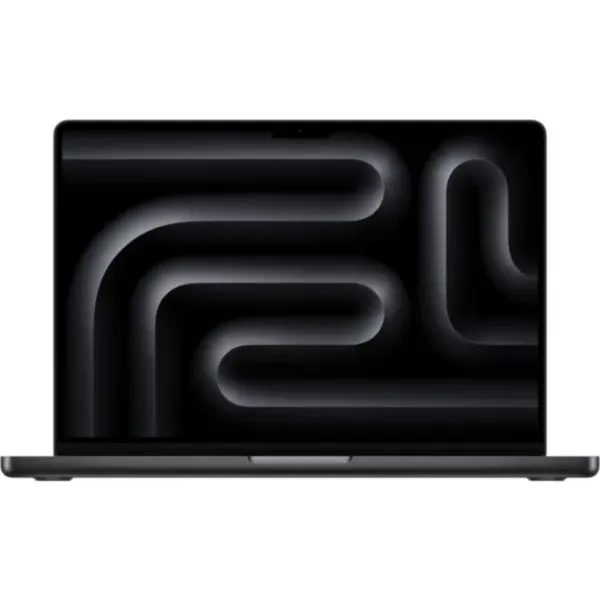
If you're looking for a ridiculously powerful machine designed with creatives in mind, then this is one of your best bets.
Read our MacBook Pro (M5 Max) review
Our tech reviews editor, Erlingur Einarsson, called this laptop his "new favourite creative powerhouse". This NVIDIA 5070-powered beast gets you all the graphics oomph you need.
Read our ASUS ProArt P16 (2025) review
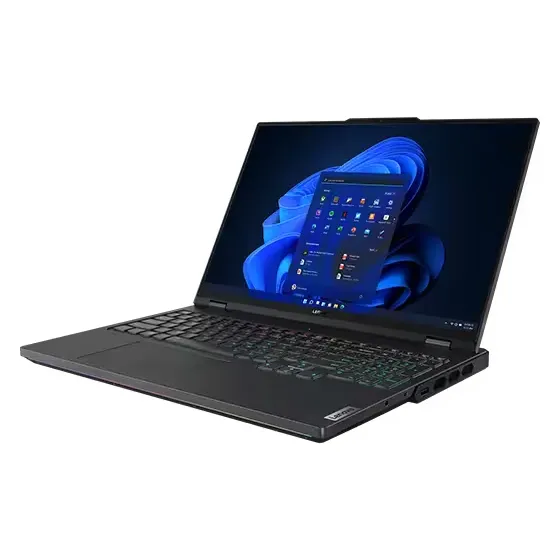
We called this laptop a "pure beast", and even though it's ideally suited for gaming, it has all the specs to be an ideal laptop for creatives too.
Read our Lenovo Legion 7 Pro review
out of 10
The more I used the Acer Nitro 16S AI, the more I fell in love with it. Okay, it'll never replace my MacBook Pro in terms of design and experience, but whatever I threw at it, this laptop was able to handle with relative ease. It didn't excel in any one particular area, but for creatives working across multiple applications and workflows, this will be the ideal machine to handle it all.