






As creative software races toward increased automation, are we as designers asking the right questions?
Over the years, I’ve watched the conversations of web developers and designers shift increasingly toward technology, and further away from something we once took great pride in: Craft.
The 20th century was an extraordinary period for graphic design, particularly typography and print. By the 1990s we had inherited an astonishingly mature digital toolbox: QuarkXPress, Photoshop, PostScript typography and all the precision that came with them.
Those tools were deeply rooted in the crafts they replaced. Photoshop borrowed directly from the photographic darkroom – dodge, burn and all. Quark brought centuries of typographic practice into the digital workspace, giving designers extraordinarily precise control over type and composition.
Then we moved communications to the web – and somehow left much of that toolbox behind. Our web platforms never came close to giving designers the same depth of control. Many creatives simply accepted the loss and said, “Well, that’s just the web.”
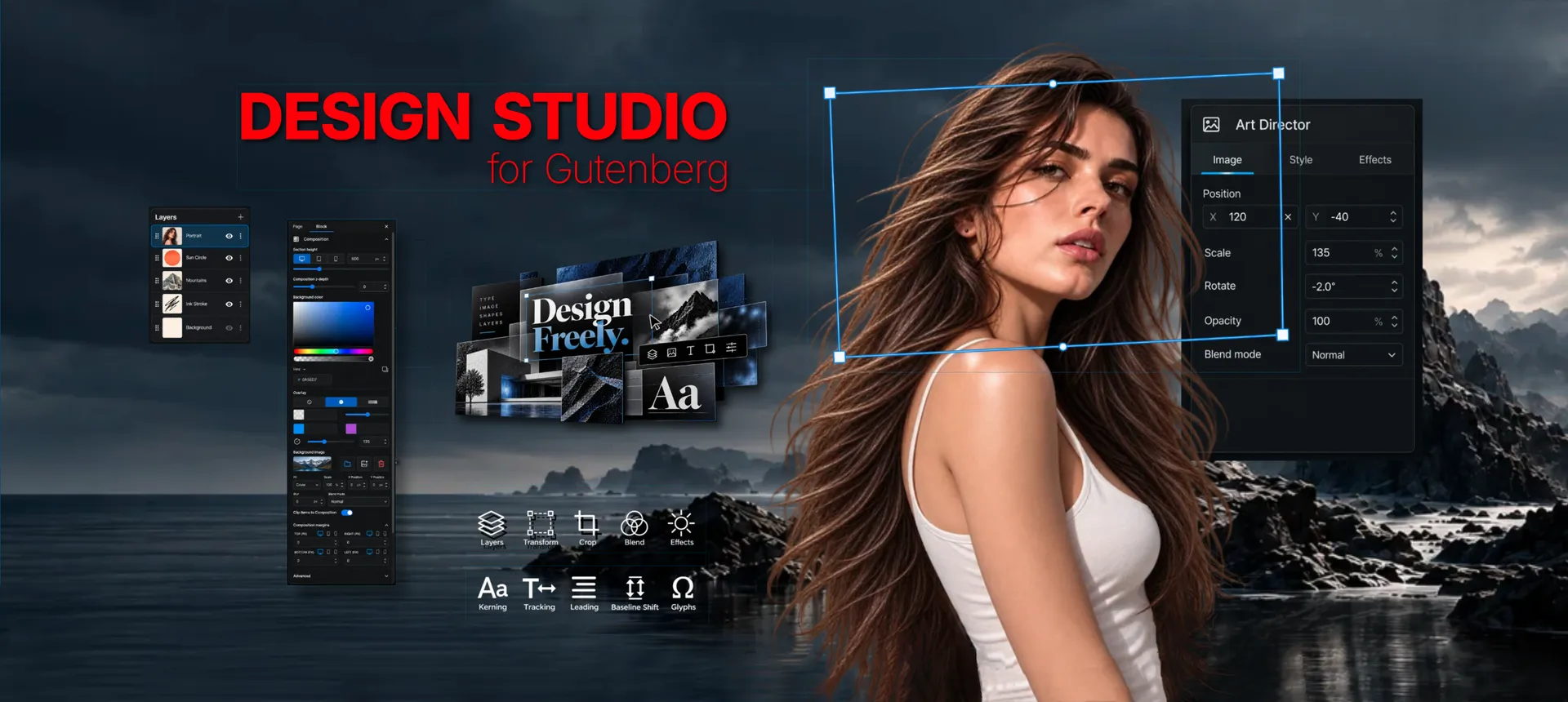
I never quite bought into that. Instead I started making notes for what would become Design Studio for Gutenberg (DSG), a powerful designer-first plugin for WordPress Gutenberg.
And at this moment, an inflection point when creative software makers increasingly want to automate design itself, we need to ask: Could better tools offer another way forward?
A loss of craft
Web typography has always been a particular sore point for me.
I’ll admit my standards may be unusually high. I cut my typography chops as a Type Director at J. Walter Type, part of the legendary JWT ad agency, and such training is hard to shake.
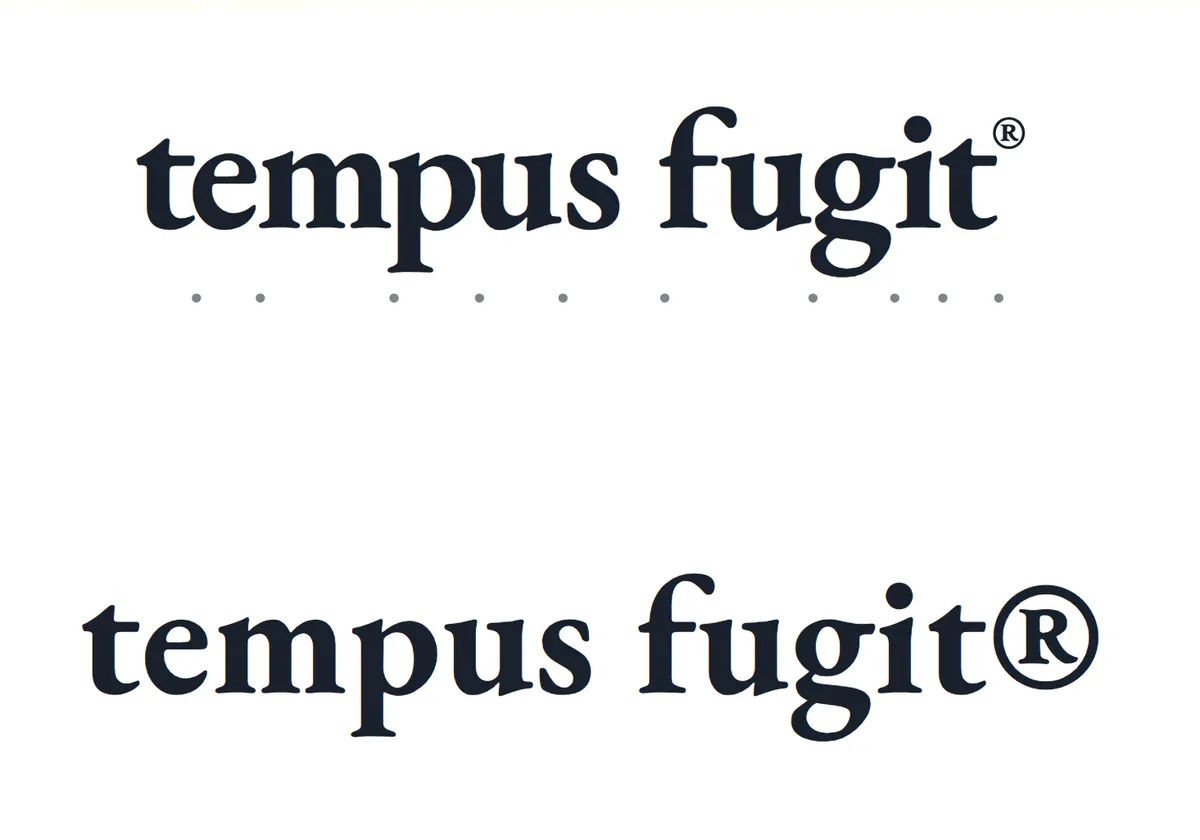
So I found workarounds for maintaining the quality my clients expected. For example, for important headlines I would often set the type in Illustrator, kern it properly, export it as SVG artwork and bring that into a website as art.
Ridiculous? Perhaps. But my clients included brands like American Express, Merck and Lincoln Center. They expected high-quality work, and I delivered. But there had to be a better way.
As each new web-design platform arrived, I would look to see whether somebody had finally built one from a designer’s point of view. A typographer's point of view. Many claimed they had. But mostly they just gave us what programmers thought designers wanted.
Where did Design Studio for Gutenberg come from?
Eventually I stopped waiting. A few years ago I sat down with my studio’s programmers and gave them a simple directive:We are going to build what designers need.
WordPress was the obvious foundation. It was open source, mature and unlikely to disappear like so many web-dev programs before it.
My other directive: Design Studio could not be another heavy page-builder sitting on top of WordPress. It needed to live inside Gutenberg and thus benefit from WordPress’ lighter weight and faster core.
We even created our own mantra: WordPress Builds Webpages. DSG Designs Them.
Design Studio: Fast & Capable
We methodically broke down what was missing. The list grew fast.
We ultimately ended up creating a system with THREE BLOCKS, one custom TEMPLATE, and more UI additions and tools than I could count.
Let’s start with the three blocks, which contain tools you simply will not find in other web-development systems:
TYPE DIRECTOR BLOCK (TDB)
This text block is unique. It has every major type control that you might have found in Quark or InDesign. Powerful tools like KERNING, without which we can never hope to produce professional grade typography.
Font choices in TDB are not tied to any template. Instead they allow full font and style selections just like a desktop app. And it works directly with our font management system found in the DESIGNER DASH backend (more on that later).
Another earmark of a professional toolset is system-wide keyboard commands that make work dramatically faster. Imagine masterfully kerning your headline, sliding in a copyright icon, scaling and tucking it perfectly. Try that with your current web system!
It also allows mixed type, font, style and more, all within a single text container.
ART DIRECTOR BLOCK (ADB)
A friend testing DSG at a major ad agency said it best: “Composite layers in WP? Mind blown.”
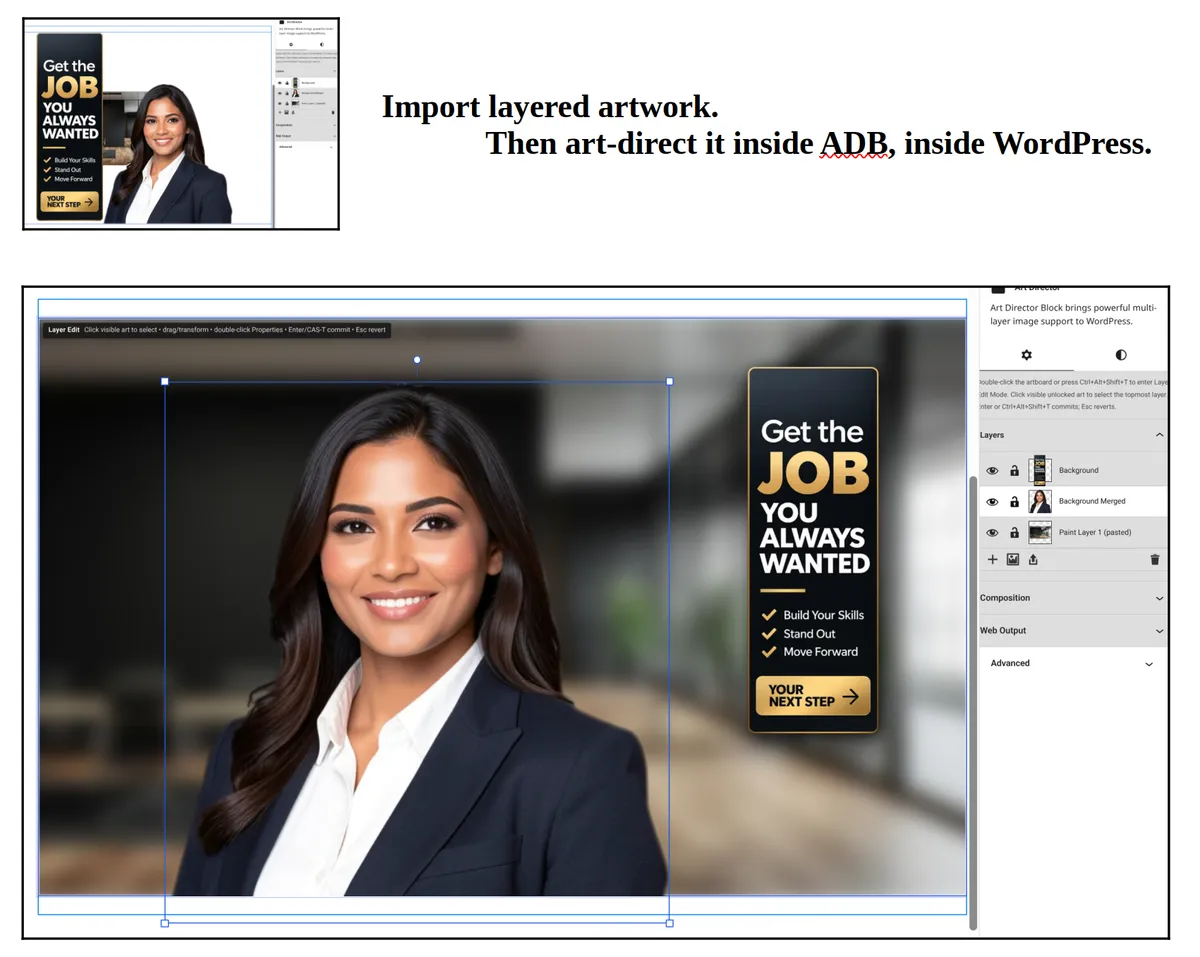
Import multilayer Photoshop or Krita files (see my comparison of those two here), then treat each layer independently with blur, invert, halftone, sepia and full BLEND settings. Then each layer can be easily scaled, rotated, and even placed anywhere on the page.
This tool is simply fun. Go play with it in our LIVE DEMO.
COMPOSITION BLOCK (CB)
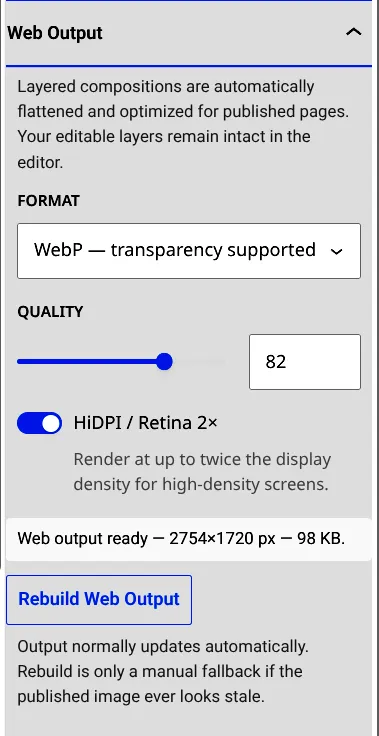
This full-width block offers real freedom. Starting with a HEIGHT CONTROL slider, so no more needing to wedge in spacers or scaffolding.
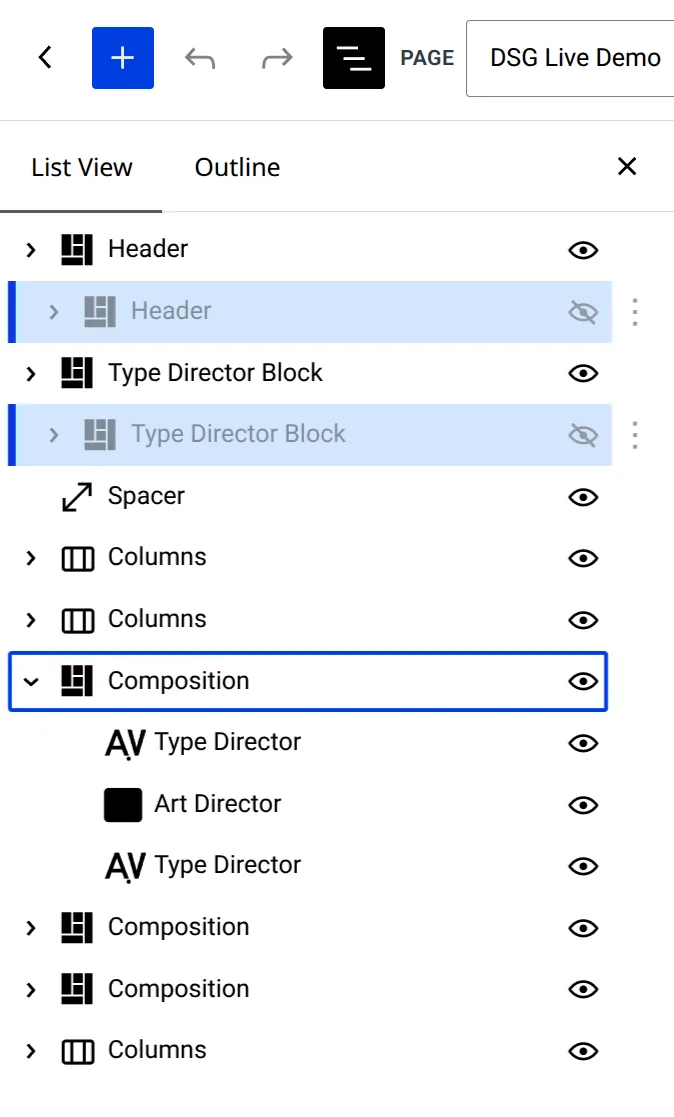
Within the Composition Block, TDB and ADB can be placed freely anywhere you want. Even overlapping each other, or hanging off the CB. (Our website is the perfect example.)
Massive User Interface Additions
Some early testers had to look twice to make sure they were still in WordPress.
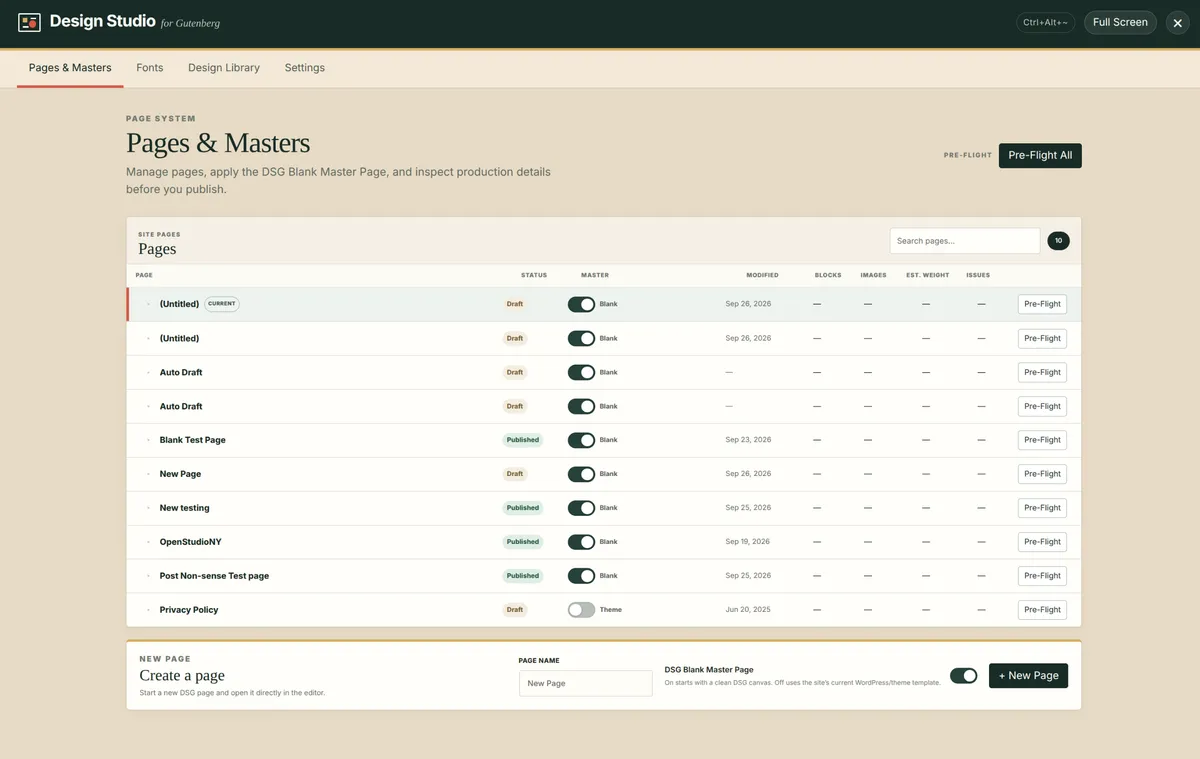
We knew just what they meant: Rulers, Guides, Grid, device-specific Visibility icons across every object in the List View. We include a very special BLANK CANVAS template, better page controls, and a backend DESIGNER DASH with tabs for Font.
Controls, Pre-Flight, Background Colour
Where the Web Goes
My goal here isn’t to catalog every Design Studio for Gutenberg feature. I mention these to make a larger point: Web designers deserve better tools. And that feels particularly important now.
AI has an enormous role to play in our future creative work. Let it remove drudgery, generate first passes, organise assets and automate anything that doesn’t benefit from human judgment.
But craft begins where the default answer ends. “Craft” has always been, and shall always remain a very human thing.
Craft is deciding that two letters need to be kerned tighter. That an image needs to move three pixels down. That this composition should deliberately break the grid. That the mobile version shouldn’t simply be a smaller copy of the desktop.
Those are precisely the kinds of decisions that only professional designers should make. And it requires precision tools like those in DSG that allow such decisions to be executed.
After reading the DSG manual, I asked ChatGPT how its own web-building abilities compared with those of a competent designer using DSG. Its answer was spot-on:
“A surprising amount of what DSG enables is still awkward to get from AI.” — ChatGPT
In my mind it is not a question of human vs. AI. But instead, how to use the best tools for each part of your job.
A Live Demo
We built a live demo so you can come kick the tires. And because we are very big on sharing in general, and the open source, free and affordable software movements, we are releasing Design Studio for Gutenberg, with everything we have talked about and so much more for just $39. Including per-person unlimited use (right, that means no more counting websites), and a license that never expires.
With the release of Design Studio 1.0 we hope to contribute to the goal of building a better web. This is step one.
Visit Design Studio for Gutenberg, try the DEMO: https://openstudiony.com

