When it comes to laptops, 'value' is a word that gets thrown around a lot – but what does it actually mean? Here at Creative Bloq, we think the best value laptops aren't necessarily the cheapest. What they do offer, however, is an exceptional return on your investment: the right performance, the right display, and the right build quality for the tasks that matter most to creatives.
Think of it this way: a laptop that costs $500 but struggles through your Photoshop workflow, overheats on Premiere Pro or forces you to buy an external monitor for accurate colour work isn't good value. A device that costs $999 and handles all of that with ease is a far smarter purchase.
In short, every laptop on this list represents the sweet spot between what you pay and what you actually get. All reviewed and benchmarked by our hardware experts, and weighed against both pricier professional machines and direct competitors at the same price point. (For more specific machines, see our list of the best laptops for graphic design.)
Best value laptop overall

The Asus Vivobook Pro 16 earns the top spot on this list because it's a hugely versatile machine here at a very affordable price.
The 16-inch 16:10 display gives you more usable screen real estate than most laptops at this price . The optional OLED panel delivers Pantone-validated colour accuracy, exceptional contrast and up to 600 nits of peak brightness at resolutions up to 3,200 x 2,000. The RTX 4060 configuration handles GPU-accelerated tasks in Photoshop, Premiere Pro and DaVinci Resolve very well, and at 1.9kg it's impressively portable for a 16-inch machine.
Battery life is the main compromise: under a heavy creative workload you'll typically see around three hours, so you'll need a charger for extended sessions. (In lighter use, though, you'll get considerably more, and either way it's a decent trade-off to get a laptop that handles so many creative disciplines, so capably, at such a low price.
Read more: Asus Vivobook Pro 16 review
Best value 2-in-1

Dell's 16 Plus 2-in-1 arrives with a clear identity: a big-screen, touch-first convertible built for content creators who want versatility without compromising on display quality. The star is its 16-inch 2.5K Mini-LED touchscreen, which measured 552 nits peak brightness with 99.2% DCI-P3 in our tests; comfortably exceeding what most Windows laptops at this price can claim. The hinge is rock-solid, transitioning smoothly between laptop, tent and tablet modes, and the port selection includes a welcome Thunderbolt 4.
The Intel Core Ultra 7 258V delivers competitive CPU performance, and with 32GB of LPDDR5X RAM, the top configuration handles big files and multi-app workflows without complaint. Intel Arc graphics manages light video editing well too, though it won't satisfy those with heavy rendering or 3D demands.
The one real drawback is weight: at 2.05kg, frequent travellers will feel it. But for desk-based users who want a large, bright, touch-enabled screen that converts for presentations or casual use, this Dell is hard to beat at the price.
Read more: Dell 16 Plus 2-in-1 review
Best value Chromebook

Chromebooks are generally cheaper than MacBooks or Windows laptops. The downside is that ChromeOS can't run full versions of creative software such as Photoshop, Premiere Pro or DaVinci Resolve. However, for entry-level creatives, students or anyone whose workflow lives in Adobe Express, Canva, Google Workspace or web-based design tools, they often offer outstanding value.
Here's our top pick for balancing cost with capability. The chassis meets MIL-STD-810H durability standards, the 14-inch 16:10 touchscreen is bright and responsive, and the 360-degree hinge transitions smoothly between modes.
The Intel Core Ultra 5 handles multitasking well (we ran 30+ browser tabs alongside video calls and streaming without slowdown), and we enjoyed 10-hour battery life with rapid charging. The included USI stylus, which charges in a built-in silo, adds useful sketching and annotation capability.
Read more: Acer Chromebook Spin 714 review
Best value MacBook
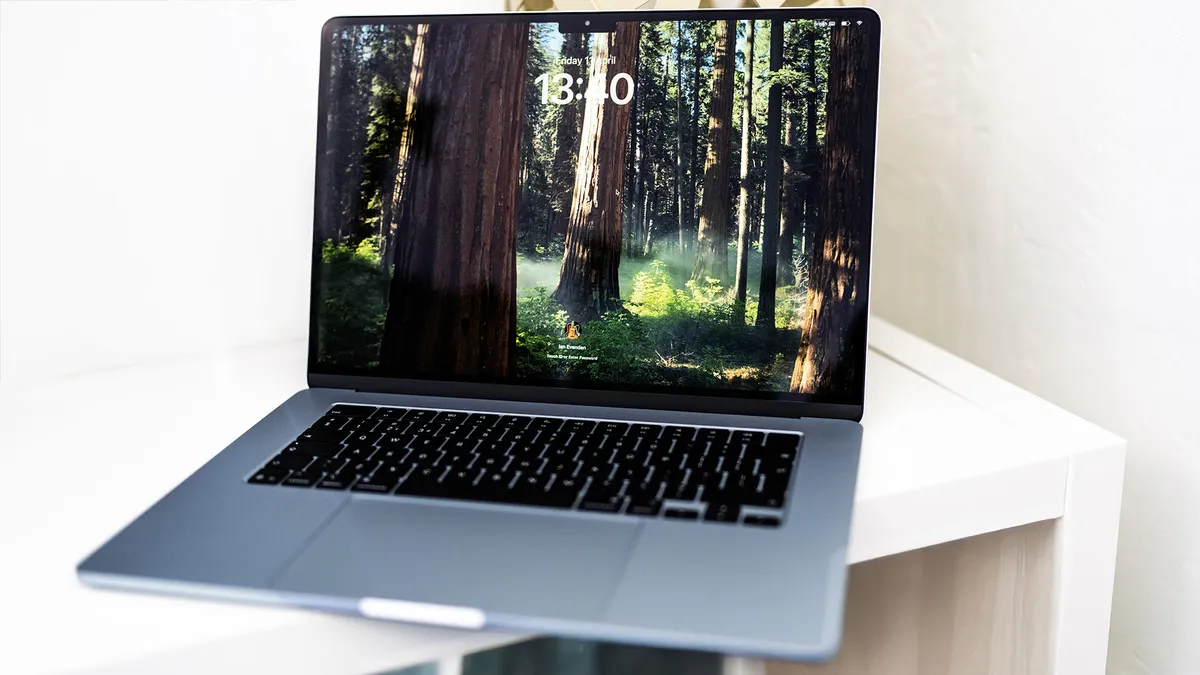
The 2025 MacBook Air is the best laptop Apple has made at this price point. The M4 chip brings a meaningful performance step up, now comfortably matching the low-end MacBook Pro in most real-world creative tasks for significantly less money. Apple has also dropped the starting price and, crucially, includes 16GB of unified memory as standard; finally addressing the most persistent criticism of the Air range.
In our tests it earned a Geekbench 6 single-core score of 3,721: remarkable for a passively cooled, fanless laptop. The 15-inch display measures 532 nits brightness with 100% DCI-P3 coverage: not OLED, not 120Hz, but still exceptional for photography, illustration and video work. New for this generation: native support for two external 6K displays with the lid open, Thunderbolt 4 (up from 3), and a refreshed 12MP Centre Stage webcam. Battery life remains class-leading at up to 18 hours.
In short, for creatives who want the best combination of portability, battery life and macOS performance without paying MacBook Pro prices, the Air M4 is the definitive choice.
Read our Apple MacBook Air (M2, 2022) review for more info.