Our Verdict
The Acer Chromebook Spin 311 is a rugged, budget-friendly 2-in-1 that prioritises durability and utility over raw power or aesthetics. While its MediaTek Kompanio 540 processor and low-resolution display won't win any awards for performance, its 360-degree hinge, responsive touchscreen, and MIL-STD 810H military-grade toughness make it a highly capable companion device for simple tasks.
For
- Super portable
- 360-degree hinge
- Touchscreen
- Military standard durability
Against
- Lacks processing power
- Not aesthetically pretty
- Cheaper tablet alternatives
Why you can trust Creative Bloq Our expert reviewers spend hours testing and comparing products and services so you can choose the best for you. Find out more about how we test.
The Acer 311 and Acer Spin 311 are two Chromebooks announced by the Taiwanese electronics company at the beginning of 2026. They're primarily targeted at the education market, but we're testing them out to see if they can be of any use to creative types like you and me.
These are not creative powerhouses, so you won't find them in our guides to the best laptops for graphic design or the best laptops for video editing, but that doesn't mean they can't fulfil a niche need that doesn't require a dedicated GPU and a colour-accurate display.
I've already written a review of the Acer Chromebook 311, but we felt dedicated testing was required given the Spin's 360-degree hinge and touchscreen functionality. These features enhance usability, especially in a workshop, survey, or digital sketching context. And if you like this type of flexibility, check out the best 2-in-1 laptops.
Key specifications
CPU: |
MediaTek Kompanio 540 |
Graphics: |
Integrated ARM Mali-G52 |
Memory: |
4GB |
Storage: |
64GB |
Screen size: |
11.6 inches |
Screen type: |
LCD HD IPS touchscreen |
Resolution: |
1366 x 768 px |
Refresh rate: |
60 Hz |
Brightness: |
250 nits |
Ports: |
2x USB-C, 2x USB-A, 3.5mm Jack |
Wireless connectivity: |
Wi-Fi 7; Bluetooth 5.3 |
Dimensions: |
292.30 mm x 204.40 mm x 18.90 mm |
Weight: |
1.26 kg |

Design, build and display
• 360-degree hinge
• Touchscreen functionality
The Acer Chromebook Spin 311 is almost identical to the Chromebook 311. There's the MIL-STD 810H military standard certification, which means it can handle a low-height drop, the 11.6-inch display with limited 1366 x 768 pixel resolution, and an ugly-looking frame around the display. No one's going to buy this laptop because of its looks.
But you might buy it for its 360-degree hinge and touchscreen functionality. These two features turn the simple and boring 311 into a useful 2-in-1 laptop-tablet combo. As a result, it can be used for standard word processing and web browsing as easily as sketching and touchscreen app use.
Let's take the hinge first. In line with the durability characteristics found in every part of the design, the hinge is equally robust. It's strong, stable, and has no chance of breaking under normal use. It also holds the display at whatever angle you set it at with no slipping at all.
Then there's the capacitive touchscreen with 10-point multi-touch support. This is the same technology found in most smartphones and tablets, which relies on the electrical properties of the human body to detect touch rather than pressure. As you'll be touching it a lot, the inclusion of Corning Gorilla Glass is a nice touch. Pardon the pun.
Before you get any ideas of producing complex digital art on this thing, the reality is that pen support is very limited. There's no support for USI or Wacom EMR active pens. Instead, your only option is to use passive or capacitive styluses, but these do not offer pressure sensitivity or palm rejection.
Design score: 3.5/5

Features
• Excellent connectivity and a long-lasting battery
• Two webcams and parts that can be services
Aside from the distinct 360-degree hinge and touchscreen features covered in the previous design section, the Chromebook Spin 311 has a selection of other features, including Wi-Fi 7 support, excellent battery life, military standard certification, dual webcams, and repairability.
The first is Wi-Fi 7 support, which provides stable, fast, and reliable connections. The benefits of this technology are speeds up to 46 Gbps, significantly lower latency, and better stability. This makes it ideal for high-density environments and will provide the necessary peace of mind to users who want to stay connected no matter the location they're working in.
The Spin 311 includes a 45Wh battery that Acer claims can last 15 hours. It's also capable of fast charging, but more on this in the performance section below. Then there's the U.S. MIL-STD 810H military standard certification, which tests for resistance to shock, vibration, extreme temperatures, humidity, dust, and altitude. The feel of the device in the hand shows that this thing is built to withstand some knocks.
As for webcams, the Spin 311 actually includes two. On the front there's a 720p webcam, which is the bare minimum resolution that you'd want on a laptop. To the rear, there's a 5-megapixel camera that can be used for capturing photos and videos while still working on the laptop.
Finally, the 2-in-1 device is built with a modular design that makes the USB-C port serviceable and the keyboard replaceable. In an age where devices are locked down so heavily, it's a breath of fresh air to see Acer going for longevity and sustainability.
Feature score: 4/5


Performance
• A slightly sluggish MediaTek Kompanio 540 CPU
• Excellent touchscreen performance
The Acer Chromebook Spin 311 features the same hardware as the Acer Chromebook 311, so it's no surprise that the performance is almost identical, namely, a little sluggish. Despite running the lightweight ChromeOS, the MediaTek Kompanio 540 CPU and integrated ARM Mali-G52 graphics struggle to deliver a nippy experience. Even moving between apps is punctuated with very short, frustrating delays.
Let's not forget, though, that this is a super-budget laptop costing less than most people's smartphones. We must therefore not be too critical. Not everyone is prepared to pay for the highest-performing hardware, and there are plenty of people willing to put up with a few performance niggles here and there, especially if they've paid relatively little for the device.
Despite struggling to always deliver the necessary power, there's no doubting that the Spin 311 is incredibly quiet. Just like a smartphone, you won't notice when this Chromebook is working. This makes it ideal for using in public spaces without annoying fan noise annoying those around you.
Thanks to a robust 360-degree hinge, the Spin 311 moves from laptop to tablet without a hitch. The 10-point multi-touch touchscreen delivers the necessary accuracy and responsiveness to provide a reliable and pleasing tablet experience. I was able to pinch to zoom and perform multi-finger controls with no problems.
Let's get to brass tacks. This Chromebook isn't going to blow anyone away. It's not a creative powerhouse that is capable of handling daily workflows of 3D rendering, video editing, and photo work. Instead, it's a versatile device that's capable of running web apps for light photo editing, basic video editing, word processing, and even digital crafting.
Performance score: 4/5

Price
At £349 / $579.99, the Acer Chromebook Spin 311 costs only a little more than the Chromebook 311. Considering you get a 360-degree hinge and a touchscreen thrown in, I would say it's absolutely worth the additional outlay.
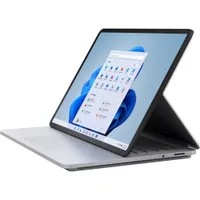
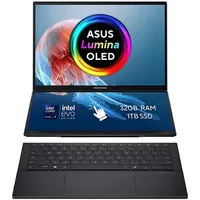
If your heart is set on a 2-in-1 but you need more power, then the Microsoft Surface Laptop Studio 2 is worth a look. And if you like the idea of a dual display, then the ASUS Zenbook Duo OLED is a five-star delight. For both, you'll need a significantly bigger budget.
Value score: 4.5/5
Who is it for?
• A companion device for creatives running web apps
The Chromebook Spin 311 is a 2-in-1 laptop tablet that is primarily targeted at the education market. Acer wants these to be bulk bought by schools, but given its durable build, lightweight ChromeOS, and cheap price, these will be an attractive proposition for creatives wanting a companion device to complement their laptop and phone. This is a device for running lightweight web apps for photo editing, digital crafting, replying to emails, and the like.
Attributes |
Notes |
Rating |
|---|---|---|
Design: |
A 360-degree hinge and touch display turn this Chromebook into a well-implemented 2-in-1 device. |
3.5/5 |
Features: |
A reasonable set of features but nothing to write home about. |
4/5 |
Performance: |
Limited power that delivers a sluggish experience. |
4/5 |
Value: |
A super affordable Chromebook but you get what you pay for. |
4.5/5 |
Buy it if...
- You want a laptop that turns into a tablet
- You're regularly knocking or dropping your devices
- You only ever use web apps
Don't buy it if...
- You're looking for a creative powerhouse
- You work on dedicated software
- You're going to be using this day in and day out
Also consider