Our Verdict
The idea that gaming laptops can pull double duty for creatives is now fully embedded in minds across the world, and with its bright and colourful IPS screen the MSI Crosshair 16 HX is a good candidate for this. It uses an older Intel CPU and a mid-range Nvidia GPU to produce some good results, but it feels a bit expensive for what you get.
For
- [2-3 short bullets]
Against
- [2-3 short bullets}
Why you can trust Creative Bloq Our expert reviewers spend hours testing and comparing products and services so you can choose the best for you. Find out more about how we test.
Here’s an oddity: it’s the second half of 2026 and Creative Bloq is sent a laptop containing a processor that launched in Q1 2024. It makes you wonder where they found these CPUs, as we’re already on the third generation of the Core Ultra series, but it’s still a decent wedge of processing cores running at 5.2GHz, and paired with a 5000-series Nvidia GPU, so this should be a fairly decent gaming and creative laptop (as well as a good laptop for 3D modelling). Prices of such things are sky-high right now, even though there's only 16GB of RAM in the Crosshair, so even a mid-range laptop like this, with some obvious cost-savings like the older processor, will still relieve you of a large chunk of cash.
Key specifications
CPU: |
Intel Core i7-14650HX |
NPU: |
Intel AI Boost |
Graphics: |
Nvidia GeForce RTX 5070 |
Memory: |
16GB |
Storage: |
1TB SSD |
Screen size: |
16in |
Screen type: |
IPS |
Resolution: |
2560 x 1600 |
Refresh rate: |
240Hz |
Colour gamut (measured): |
99% P3 |
Brightness (measured): |
475 nits |
Ports: |
1x HDMI 2.1, 2x USB 3.2 Gen 2 Type-C, 1x USB 3.2 Gen 2 Type-A, 1x USB 3.2 Gen 1 Type-A, 1x 3.5mm audio |
Wireless connectivity: |
Wi-Fi 6E, Bluetooth 5.3 |
Dimensions: |
25.5 x 363 x 270mm |
Weight: |
2.3kg |
Design, build and display

• Solid build
• Some gamer aesthetics
There's been no attempt at building a thin and light laptop here, and very little in the form of subtlety or quirkiness in the Crosshair’s design. It’s a thick, brash gaming laptop, with a rainbow keyboard and a dragon on the back of the lid. There's some linework too, in the kind of pattern that recalls a cyberpunk tattoo, and vents at the back and sides through which you can see the copper fins of a heat sink.
It’s a 16in laptop, so was never going to be small, and is fairly thick with nicely rounded corners. The screen, in particular, has some heft to it - perhaps a byproduct of using an IPS instead of an OLED - but the hinge is nice and smooth, with enough stiffness to stay in place once you’ve got it in the right position.
The font used for the keycaps is a bit much - it’s very wide and slips in a lower-case N among all the other capitals - but it gets the job done. Being a gaming machine, the WASD keys are clear instead of black, allowing the backlight to shine through at the expense of being able to read them clearly. Those who know what WASD are used for will be able to locate them by feel, but hunt and peck typists may find themselves moving more slowly as a result.
The trackpad, in contrast to the generally solid build quality of the Crosshair, seems a little loose in its housing. It’s nice and smooth, and has a good click when you press in on it, but there's just a hint of wobble. Perhaps it’s only our review model that does this.
Design score: 3/5
Features

• Excellent screen
• Poor battery life
The MSI Crosshair 16 HX doesn’t come with Thunderbolt or USB4 in this spec - look out for an Ultra 9 variant with TB4 if that’s important to you - so the best you’re going to get is USB 3.2 Gen 2 (that’s the 10Gbps one). Luckily, you get three of them, including the lesser-seen Type-A version of the port, so you will at least be able to hook up some reasonably fast external SSDs. There's no SD card slot either, so drone pilots will be using one USB port to hook up a card reader. MSI’s choice of charging port is a rotationally symmetrical rectangle that looks just like a USB-A at first glance, so it’s quite possible to find yourself trying to stuff a thumb drive into it and wondering why it won’t go in either way up. It’s also possible to charge through USB-C if you’d rather side-step this problem.
Those Type-C ports also support DisplayPort, and there's a full-size HDMI 2.1 too, so the Crosshair is well equipped for connecting to external monitors. Its IPS screen is a rather lovely thing, though, so you might be tempted to stick with it if it’s large enough for your needs. It puts out 99% of the DCI-P3 colour gamut, along with 100% of sRGB and 87% of Adobe RGB, with a maximum brightness of 475 nits.
The screen’s 2560x1600 resolution and 240Hz refresh rate point to its origins in the world of videogames, but for use in creative apps it works well. High-framerate video is super smooth, and colours pop, especially if you take the time to calibrate it. Another nice little feature, often overlooked, is the webcam privacy shutter - many gaming laptops omit this, but here it’s a simple slider built into the camera housing at the top of the screen, with a red panel exposed when it’s closed.
Battery life is where the Crosshair really falls down, however. At just 2hr 25m when only lightly taxed, you’re not going to get very far between plug sockets before needing a top-up.
Feature score: 3/5
Benchmark scores

We test every one of our laptops using the same benchmarking software suite to give you a thorough overview of its suitability for creatives of all disciplines and levels. This includes:
• Geekbench: Tests the CPU for single-core and multi-core power, and the GPU for the system's potential for gaming, image processing, or video editing. Geekbench AI tests the CPU and GPU on a variety of AI-powered and AI-boosted tasks.
• Cinebench: Tests the CPU and GPU's ability to run Cinema 4D and Redshift.
• UL Procyon: Uses UL Solutions' Procyon software suite to test the system's ability for AI image generation in Stable Diffusion, its Microsoft Office performance and its battery life in a looping video test.
• Topaz Video AI: We use Topaz Video AI to test the system's ability to upscale video and convert video to slow-motion.
• PugetBench for Creators: We use the PugetBench for Creators benchmarking suite to test the system's ability to run several key tasks in Photoshop and Adobe Premiere Pro, as well as its performance when encoding/transcoding video.
• ON1 Resize AI: Tests the system's ability to resize 5 photos to 200% in a batch process. We take the total time taken to resize the images and divide by 5.
Performance

• Mid-range Nvidia GPU
• Loud cooling system
The Core i7-14650HX is a 16-core chip with its Performance and Efficient cores split evenly into two sets of eight. The P cores can hyper-thread while the E cores cannot, for the possibility of 24 simultaneous software threads. At 55W, it sucks the same base power as the Core Ultra 9 275HX, but performs at a lower level. In the Geekbench 6 multi-core benchmark, the Crosshair scores 11,580 against the 275HX (in an MSI Stealth 18) total of 17,883. The 275HX can also process 24 threads, but is newer tech and in a larger laptop for better cooling, so it’s no surprise it pulls ahead.
Elsewhere, the GPU proves its worth in the rendering tests, steamrollering anything using integrated graphics just as you’d expect. The RTX 5070 sits in the middle of Nvidia’s hierarchy, and is a steady performer capable of framerates above 30fps in Cyberpunk 2077’s ray-tracing ultra mode, and even more if you enable Nvidia’s Multi-Frame Generation tech. When it’s doing this, you’ll certainly notice the fans, which have the usual sound of rushing air underpinned by a hum that’s presumably coming from the motors. It’s definitely at the louder end of laptop cooling systems, but seems effective at holding the GPU’s thermals in check.
In creative apps, the 16GB of RAM may be the deciding factor, as 32GB laptops will have an edge. The Photoshop results from Pugetbench look pretty good, but the tight 16GB of RAM may limit it when it comes to high-res video with lots of layers. That said, as the laptop is able to rely on its GPU when it comes to AI apps, it beats the Acer Nitro V 14, with its AMD processor and RTX 5060, in the Topaz Video AI test even though the Acer has more system RAM (but less VRAM).
Performance score: 3/5

Price
On sale at £2,099 (or $1,299 for an i7/5060 spec, and $1,449 for i9/5070) the MSI Crosshair 16 HX isn’t a cheap laptop by any means, but as there's a version with a newer Ultra 9 275HX out there that costs even more, it’s clear the 14th-gen processor has an effect on the price, as does the 16GB of RAM rather than 32. You can get a lot of laptop for this price, with the obvious candidate being a 14in MacBook Pro, or the Acer Nitro V 14 for a bit less.
Value score: 3/5
Who is it for?
• After-hours gamers
There's no denying that a laptop with this kind of graphics power, not to mention the lovely bright display, is great for photos and video footage, but its true love is to be plugged in and pumping rendered frames onto the screen. You can use it for both! There's nothing to stop you!
Attributes |
Notes |
Rating |
|---|---|---|
Design: |
A classic gaming laptop design. Lots of black. |
3/5 |
Features: |
One heck of a screen, but no USB4 |
3/5 |
Performance: |
Loses out to newer CPUs. |
3/5 |
Value: |
Lots of choice at this price point. |
3/5 |

Buy it if...
- A bright, colourful screen appeals
- You can make use of the GPU
- Maybe a few rounds of COD later?
Don't buy it if...
- You value thinness
- Or battery life
- Or quiet fans
Also consider

Not only does it come in a striking white-and-blue colour scheme, but with twice the RAM of many competitors and a battery life that’s not completely awful, this is a laptop that will catch a lot of eyes.

The M5 brings a little more performance than the M4, especially in its SSD, and the MacBook Pro is the go-to laptop for creatives
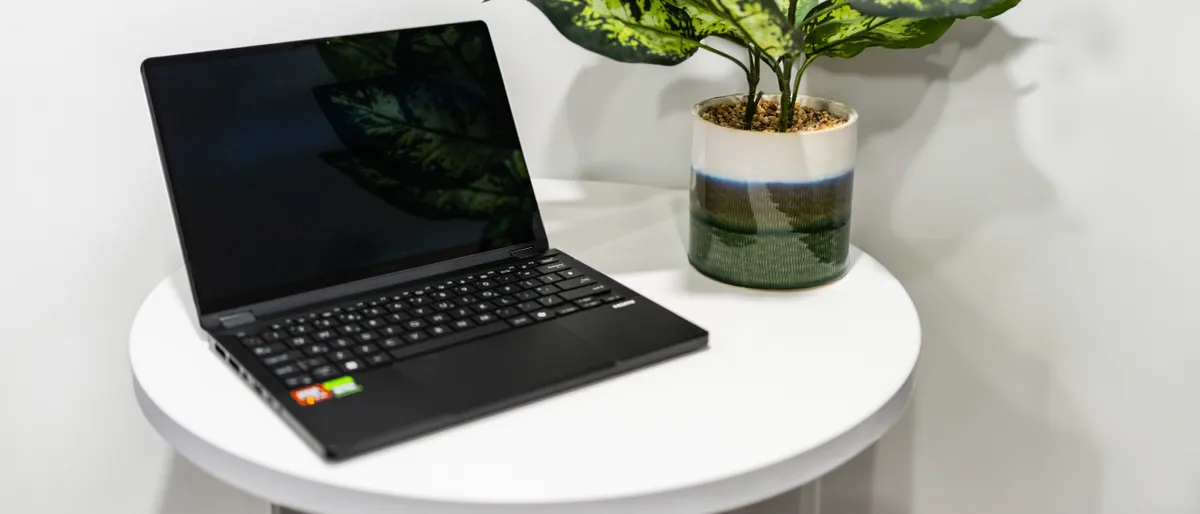
A small laptop but one with a lot of potential. It’s well built, comes with some of the latest chips for some excellent performance, has a fantastic OLED screen, clever 2-in-1 functionality, and manages to squeeze a very respectable running time out of its battery.