Laptops aren't just for PowerPoint presentations and writing emails — they make for amazing movie-watching machines as well. The screens are just a bit bigger than phones or tablets, while their inherent form makes them ideal for sitting on a sofa (or in the bath, if you’re feeling daring!) with a bag of popcorn and a big-budget blockbuster.
In this list, I’ve chosen some of the best laptops for movie watching available at the moment, ranging from budget options that still pack a cinematic punch to premium systems that deliver top-notch visuals and audio.
I’ve prioritised screen quality, and with OLEDs dipping in price, there's never been a better time to experience the inky blacks and deep colours this technology offers. I've also included a cutting-edge Dell laptop with a tandem screen that offers the best of OLED and Mini-LED technology. I've matched these screens with powerful sound systems, quiet operation, and amazing battery life to power you through franchise marathons.
Some of these laptops are pretty powerful, but if you want to prioritise visual prowess and technical performance, you can check out our guides to the best laptops for graphic design and the best laptops for CAD.
The best laptops for streaming and watching movies in full
Why you can trust Creative Bloq Our expert reviewers spend hours testing and comparing products and services so you can choose the best for you. Find out more about how we test.
The gold standard laptop for watching movies


Apple’s premium MacBook and its uber-powerful hardware is total overkill for the simple act of streaming — but it’s also the closest you can get to a cinema you can carry with you. Its 14-inch XDR display is the true star here, providing incredible contrast levels for HDR content, while the six-speaker spatial sound system ensures the audio sounds as good as the video looks.
This cinematic performance is matched by a battery that’s rated for up to 22 hours of video playback, so you can enjoy just about all the Star Wars movies back-to-back. As it’s made by Apple, you can also take advantage of a cutting-edge tech ecosystem that includes dynamic head tracking to keep your AirPods spatially in sync with whatever’s on the screen, Dolby Atmos integration in the Apple TV app, plus universal search across streaming services, and playback continuity across your Apple devices.
Apple Budget
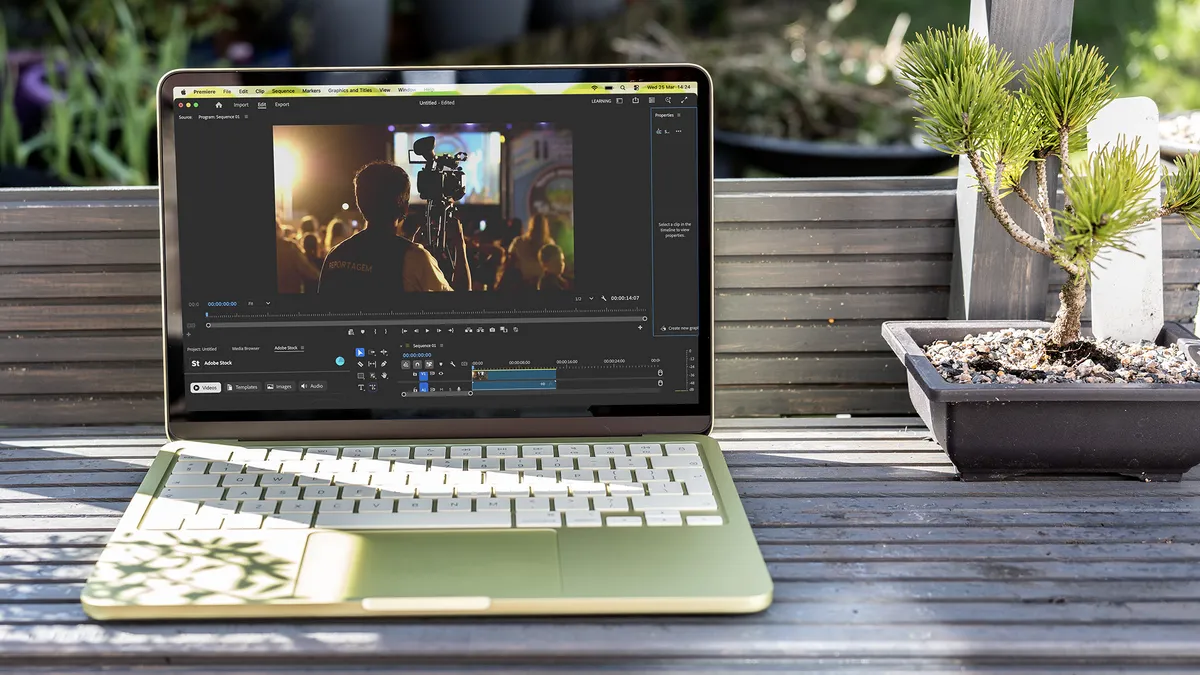


Apple’s cheapest laptop is a revelation for budget-conscious viewers who don't want to compromise on visual fidelity. While it skips the expensive Mini-LED backlighting found in the Pro line, its 13-inch Liquid Retina panel is far from a compromise; with 500 nits of brightness and full P3 wide colour gamut coverage, colours appear rich, vibrant, and incredibly accurate. This ensures that skin tones look natural and cinematic landscapes retain their intended warmth and depth.
Apple has also created a device that is 100% silent, resulting in a pure audio-visual experience perfect for late-night movie marathons in a quiet bedroom or long, peaceful commutes where immersion is your primary goal. Add in Apple's refined user experience and its companion hardware and you've got a premium portable cinema system at an entry-level price.
Best Windows budget laptop for watching movies


Finding a high-quality OLED panel at this price point was unthinkable a few years ago, but the IdeaPad Slim 5x changes that. Because OLED pixels can turn off individually, the black bars at the top and bottom of a widescreen movie literally disappear into the laptop’s bezel. Add to this upwards-firing speakers, and you’ve got a delightful audiovisual experience for a relatively low cost.
While a solid 16 hours of video playback doesn't reach the lengths of the Apple or high-end HP models, it's a massive improvement over traditional budget Windows laptops that often die after six hours — and enough to watch all the good Alien movies. For other tasks, it handles office software and light photo editing with snappy response times.
The best battery life


Hold my beer, MacBook Pro! HP has eked a ridiculous 34 hours of continuous power out of its OmniBook 5, and fitted it with a vivid OLED panel. Add them together and you’ve got laptop that will keep you going through both long-haul flights and sofa-bound Marvel binges where you lose the willpower to plug in the charger.
That transcontinental battery life is down to the Snapdragon X Plus architecture, which is not going to be powering the latest games or UHD video editing, but its fanless design will ensure you aren’t distracted by spin-ups during those quiet twists and turns. While the 60Hz screen isn’t as fast as the Zenbook’s, and the resolution is a mere 2K (1920x1200), the OLED tech helps this laptop’s movie playback prowess punch well above its weight.
The best Tandem OLED


The 2026 XPS 14 introduces Tandem OLED to the laptop world. By layering two OLED panels on top of each other, Dell has solved the technology's biggest weakness: brightness. You get the infinite contrast of a standard OLED, but with the searing peak brightness usually reserved for high-end TVs.
The cost of this incredible brightness is battery life; it manages about 14 hours of video playback, which is lower than the Snapdragon or Apple models but still enough for several films. The audio is uniquely integrated into the design, with four speakers hidden under the glass palm rest to create a wide soundstage. While the fans do exist, they are designed to produce a low-frequency hum that is easily masked by movie dialogue.
The best hybrid laptop for movie viewing


The Yoga 9i has long been a favourite for its rotating soundbar, and the Gen 10 Aura Edition perfects it. Because the speakers are built into the hinge, the audio always fires directly at your face, whether you are using it as a traditional laptop or in tent mode.
Battery life is respectable at 15 hours for video, which is impressive given the power-hungry 120Hz refresh rate. For creative work, the Aura Edition software optimises power delivery to give you up to 10 hours of heavy multitasking. The software also includes a specific media silence preset that aggressively manages the CPU to ensure the fans stay at 0 RPM during streaming. Combined with a 2.8K OLED panel, this is one of the most versatile media machines on the market.
FAQs
What display resolution should I look for in a laptop for watching movies?
In general, we'd recommend buying laptops with at least Full HD (1920x1080), for crisp and clear visuals while watching movies. You can go higher, of course, as there are many 2K and 4K laptops on the market.
However, before you commit to that extra spend, make sure you have a service that can stream to that picture quality. (For example, Netflix has a 4K option in most countries, but it demands a higher level of subscription.) Also make sure your internet connection is fast enough to handle high-quality streaming.