
MacBooks are almost built with coding in mind, with meticulous design ensuring comfort and preventing fatigue over long sessions.
But what is the best MacBook for programming? Based on our testing, the MacBook Pro 14-inch (M5) remains the best overall option for professional engineers running local virtual machines. For those who travel light, however, the newly upgraded, fanless MacBook Air M5 steps in as our most portable pick, easily handling heavy coding environments on train commutes.
If your software engineering targets interactive real-time environments, shaders, and visual design assets, you should also take a look at our sister guide on the best laptops for game development.

As TechRadar's Managing Editor, and before that its Computing Editor, I've seen, used and written about practically every MacBook that Apple has released over the past decade. I specialise in helping users of all types find the right computers for their needs, and here I'm looking at which MacBooks excel specifically for programmers.
The best MacBook for programming in full
Why you can trust Creative Bloq Our expert reviewers spend hours testing and comparing products and services so you can choose the best for you. Find out more about how we test.
The best MacBook Pro for programming overall


15-second review: The MacBook Pro 14 (M5, 2025) is the ultimate development machine for modern programmers. Benchmark testing shows exceptional single-core performance (crucial for compilation speeds and IDE responsiveness) whilst the 10-core architecture handles parallel builds, containerized environments, and local development servers effortlessly.
Price: Starting at $1,599/£1,599, the MacBook Pro M5 commands premium pricing but delivers exceptional value for developers. Many tech companies provide MacBooks as standard development machines, effectively removing cost concerns for employed developers. Freelancers and contractors can typically claim the expense as a business deduction.
Performance: The M5 chip dominates our development-focused benchmarks. Geekbench 6 single-core scores exceed 3,800—crucial for IDE responsiveness, code completion, and single-threaded compilation tasks. Multi-core scores surpass 15,000, enabling parallel builds, concurrent test execution, and smooth multitasking across development tools.
Design: The premium aluminium unibody construction balances durability with portability at just 1.55kg—perfect for developers moving between home, office, and co-working spaces. The compact 14-inch form factor fits comfortably in backpacks alongside other gear without adding excessive weight to daily commutes.
Battery: Apple claims 24 hours, and real-world coding workflows deliver genuinely impressive results. Light development (writing code in VS Code, running local servers, occasional compilation) provides 16-18 hours of runtime. More intensive workflows including frequent builds, running Docker containers, and database operations still deliver 10-12 hours.
Read more: MacBook Pro M5 review

"The MacBook Pro is the go-to laptop for creatives, and it remains that way in 2025. It’s a wonderful thing to use, and is unlikely to be beaten until the M5 Pro and Max versions appear."
The best budget MacBook for programming
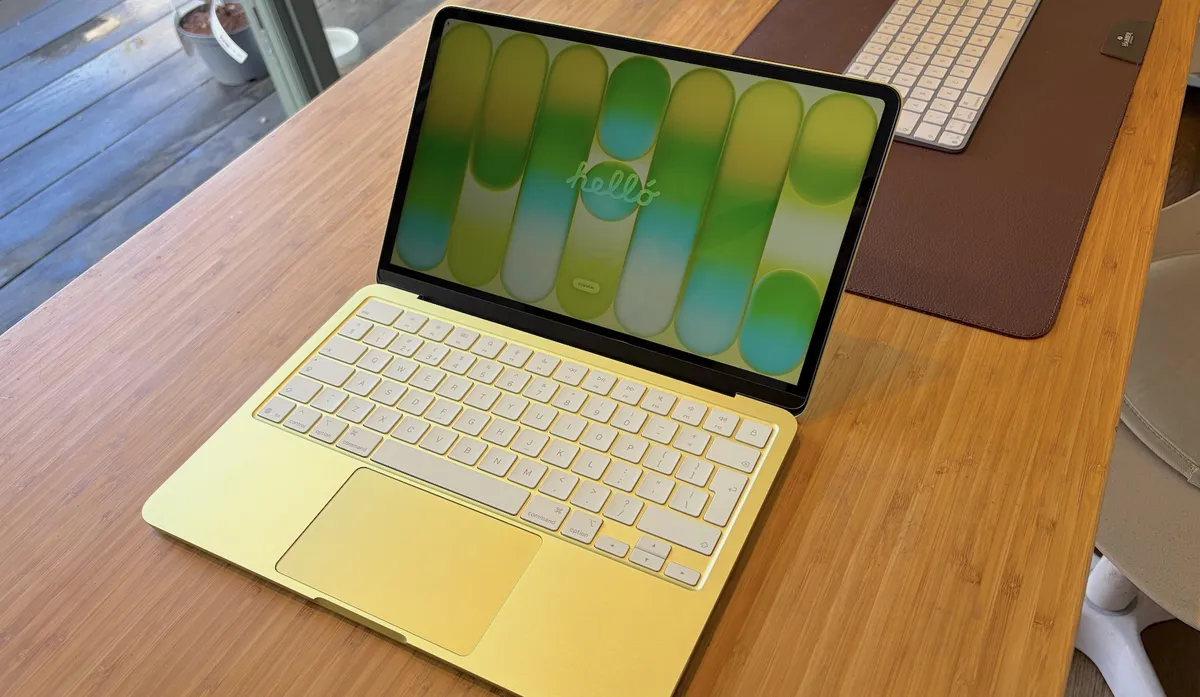
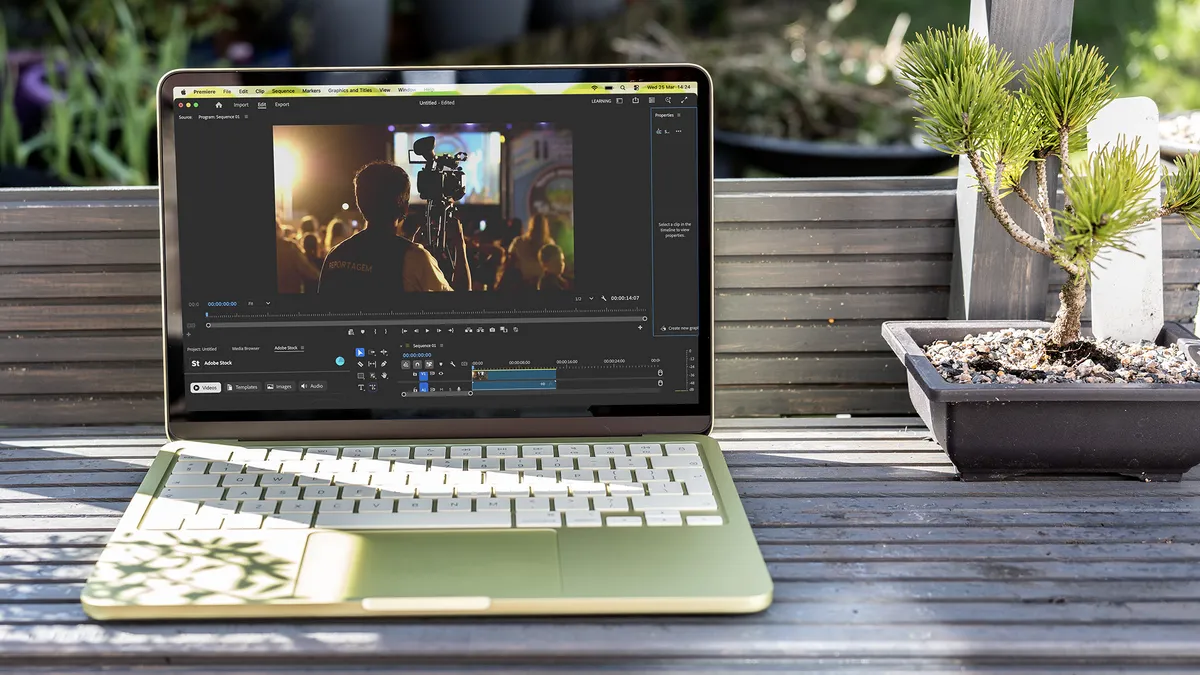


15-second review: Apple has pulled off something rare with the MacBook Neo: a fully fledged Mac for under $600/£600 that doesn't feel like a compromise. Powered by the A18 Pro chip from the iPhone 16 Pro, it handles everyday programming tasks with ease. Add in Apple's exemplary build quality, a bright 450-nit display, 12-hour battery life, and a fun range of colours, and this is a compelling option.
Price: At $599/£599, the MacBook Neo is the most affordable fully capable Mac Apple has ever shipped. Education pricing brings it down further still. For programmers who don't need to run intensive local builds or ML workloads, this represents outstanding value.
Design: The Neo is smaller than a 14-inch MacBook Pro but sits slightly thicker than the MacBook Air. Build quality is indistinguishable from Apple's premium lineup, with the same rounded corners, tight tolerances, and premium-feeling aluminium. It arrives in four colours (Citrus, Blush, Indigo, and Silver) with macOS matching its Finder windows and wallpaper to your choice. The keyboard extends almost to the case edges, there's no Apple logo on the body itself, and the speakers have been relocated to slim slits on the sides. One notable omission: there's no keyboard backlight, which will frustrate anyone who codes in low-light conditions.
Performance: The A18 Pro uses the same ARMv9.2A instruction set as Apple's M-series chips, so macOS compatibility is seamless and all your development tools will run natively. In Geekbench 6, single-core performance (3,519) sits well below the MacBook Pro M5 (4,310) but comfortably ahead of competing Intel-based laptops at this price point. Multi-core (8,793) is more modest, reflecting the six-core configuration. For everyday programming (web development, scripting, running local servers, IDE work, Git operations), it performs confidently without hesitation. Music production is a use case too, with the Neo running Logic Pro and Ableton at up to around 150 tracks. Where it struggles is GPU-intensive work: the graphics chip sits at the bottom of our benchmarks, and video encoding in Premiere Pro timed out on multiple occasions.
Battery: The 36.5WHr battery averages just over 12 hours in real-world use: comfortably enough for a full working day. There's no fast charging support and no charger in the box, but it accepts any USB charger above 20W.
Read more: Apple MacBook Neo review
"A Mac for just under $600/£600? The Neo is a much better prospect than previous budget attempts. It excels at being small, nippy, and lasting just about long enough to get everything done — and it has enough power to be useful for most programmers."
The best MacBook for programming on the move


15-second review: For developers seeking a portable, highly efficient laptop the MacBook Air M5 is a dream machine. It handles local development environments, Docker containers, and complex compilations with ease. Thanks to the M5's high-efficiency cores, this laptop doesn't require a fan, so whirring noises won’t interrupt your most intensive coding sessions
Price: Starts at $1,099 / £1,099 for the 13-inch, but prices frequently drop into three-figure sums. We highly recommend upgrading to 24GB or 32GB of RAM if you run multiple virtual machines or Docker containers.
Design: As an Apple product, the design is slick and refined, with a robust aluminium unibody that withstands both travel and bug-induced tantrums. A tactile and responsive keyboard makes long coding sessions are a breeze, and the massive trackpad is the best in the business. Keep in mind that native external display support is limited to two monitors, even with the laptop lid closed.
Performance: Xcode, VS Code, and IntelliJ run flawlessly on the M5 architecture. The 10-core CPU compiles medium-to-large codebases in fraction of the time of older Intel or early Apple Silicon chips. With up to 32GB of unified memory available, multitasking between database servers, frontend frameworks, and other tools is smooth and uninterrupted.
Battery: The Air M5 easily delivers 15+ hours of real-world development use, so you can code in cafes, libraries, or on cargo ships without hunting for a power plug.
Read more: Apple MacBook Air (M5, 2026) review
"The MacBook Air can’t really be called the middle-ground in the MacBook range: it’s a low-end MacBook Pro in all but name. If the MacBook Pro seems like too much for your needs, the MacBook Air is compelling."
The best value MacBook for programming
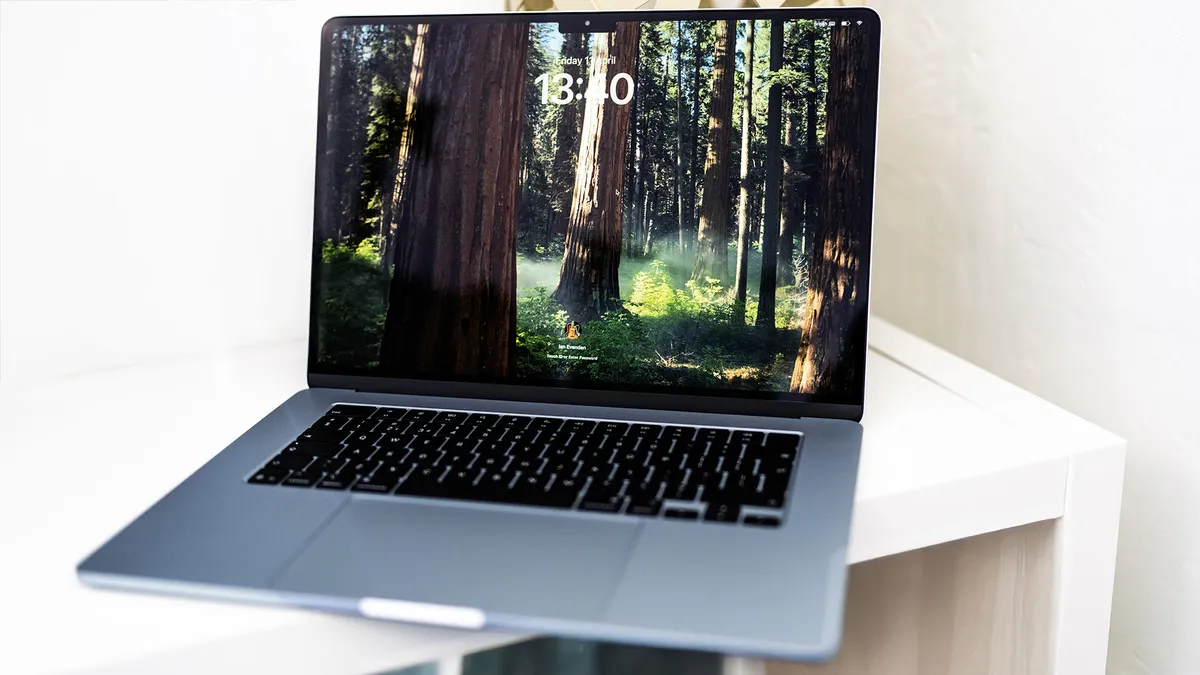


15-second review: The latest and greatest of Apple's MacBook Air laptops, this M4 version offers power to spare; not quite at the level of the Pros, but more than enough for programming. It wowed our reviewer with what was quite simply a delightfully smooth laptop experience, and the fact that Apple managed not to jack up the price means that it still represents solid value. Bottom line: it's difficult to imagine a programming scenario where the MacBook Air M4 would fall short.
Price: Despite the improvements to its RAM and the new chip, Apple has actually priced this one slightly under the previous M3 version, starting at $1,199 / £1,199. That's for the base model though – if you want to upgrade with extra storage or RAM, the price climbs quite vertiginously (an extra $200 to go up to 512GB storage is, to put it mildly, a bit cheeky).
Design: While the 13-inch version also has a lot to recommend it (and, spoilers, also makes this list), the far superior display of the larger MacBook Air means it's our pick here. Even with the larger screen, this laptop retains the paper-thin and feather-light design that the MacBook Air machines are known for. That means you get the best of both worlds: an expansive 15-inch screen that is perfect for chugging through code, and a lightweight chassis that can easily be popped into a backpack when it's time to travel. You don't get the nano-textured display, however – that's reserved for the MacBook Pro.
Performance: In testing, the MacBook Air M4 put in a solid performance against our CPU benchmarks, especially impressive given that it's passively cooled. It'll certainly chew through any coding tasks you care to give it, with enough power left over for gaming afterwards. In graphical terms, it's not quite as impressive, lagging behind dedicated gaming PCs – though the comparison is a little unfair given that aforementioned passive cooling.
Battery: MacBook Air models have had excellent battery life for a good few generations now, with Apple regularly claiming that the laptops can manage 18 hours. It didn't quite measure up to this for us, but put in a very impressive performance nonetheless (Apple reports that the M4 chip boasts improved efficiencies that help eke out more power). It'll do a full day's intense coding and then some.
"The combination of Apple’s thin and light laptop and the M4 processor leads to a machine that’s only just behind the low-end MacBook Pro, and which has had a price-drop too."
Best last-gen MacBook for programming


15-second review: Most coders don't actually need the very latest MacBook, and the last generation offers much better value. The 13.6-inch display is the same size as the M2 model but with improved efficiency. Like its predecessor, it lacks fans, which means silent operation but potential throttling under extreme loads. For the vast majority of programming tasks, however, it has power to spare, making it a smart choice for developers who want a balanced machine.
Price: The M3 MacBook Air starts at $1,099/$1,099 for the base model with 8GB RAM, though Apple now offers a 16GB configuration that's well worth considering for development work. This pricing positions it nicely between the budget M2 model and the more expensive M4 machines, offering a compelling middle ground.
Design: The design is identical to the M2 Air, which is no bad thing. You get the same thin and light chassis, measuring just 11mm thick and weighing 2.7 pounds, making it highly portable. The 13.6-inch Liquid Retina display has thin bezels and a notch for the webcam, and the laptop is available in the same four colors: Midnight, Starlight, Silver, and Space Gray. Build quality is excellent, with an all-aluminum construction that feels premium.
Performance: The M3 chip is where this model shines. In benchmarks, it posts impressive single-core scores that rival much more powerful desktop processors, making it snappy for everyday coding tasks. The eight-core CPU (split between performance and efficiency cores) handles multiple IDEs, Docker containers, and local servers without breaking a sweat. The passive cooling means it's completely silent, though it will throttle if pushed hard for extended periods. For web development, mobile app development, and most programming workflows, it's more than capable.
Battery: Like the M2 model, battery life is exceptional. Apple claims up to 18 hours, and while real-world usage varies, you can expect 15+ hours of typical development work. This means you can leave the charger at home for all-day coding sessions.
Read more: Apple MacBook Air M3 (2024) review
"The M3 Air remains an extremely good way to get excellent portability, battery life, and processing capabilities all in one package."
The best MacBook for programming with a bigger screen


15-second review: If you need a MacBook that can handle much more than programming and you also want the largest screen you can get on a MacBook, the MacBook Pro 16-inch M4 (2024) could be the best choice for you. It's essentially the same as the 14-inch model currently topping our list, but with more screen real estate, and with a choice of a Pro or Max chip (with corresponding price increase).
Price: This MacBook's larger display means its always going to be more costly than the 14-inch MacBook Pro. You don't have to pay a fortune for one, as they start at $2,499 / £2,499, but they can cost up to $7,000 / £7,000 for the highest-specced configurations.
Design: This edition of the MacBook Pro has a 16-inch display, which gives you plenty of space for lines of code. That makes it a good choice if the 14-inch MacBook Pro's display just feels to cramped for your work. The flat-edged design of the all-metal chassis, meanwhile, feels like it will last a lifetime.
Performance: Since it's only available with the Pro or Max chip rather than the base M4, the amount of power provided is overkill for programming alone, but it will be welcomed by anyone who also does video editing or 3D work.
Battery: Apple says that you should get around 14 hours of web browsing from a charge, but we've seen more like 22 hours for basic online work.
Read more: MacBook Pro 16-inch (M4 Pro, 2024) review

"The 2024 MacBook Pro M4 Pro 16" is a powerful laptop for any use case. This particular model strikes the balance of cost vs performance just right, and could even replace a desktop workstation for many users."
How to choose the best MacBook for programming
Choosing the best MacBook for programming is really a case of defining your priorities. All MacBooks have more than enough power for programming and good screens for working in varying conditions. It therefore comes down to size, price, and whether you want enough power for more demanding tasks.
Overall, we recommend MacBook Airs as the best MacBooks for programming because they're cheaper, lighter and still have more than enough power. We chose the latest 15-inch MacBook Air (M3) as our top pick since we found the larger screen more comfortable to code on in our tests. However, if portability is a major priority for you, you might prefer the 13-inch M3 MacBook Air, or the 14-inch M3 MacBook Pro. MacBook Pros do have brighter screens than the Airs, and that can be an advantage if you're working outside in bright light.
How we tested the best MacBooks for programming
We tested all of our picks of the best MacBooks for programming hands on as part of our full reviews of each product (see the link in the description of each product). When we reviewed each laptop, we performed a series of benchmark tests in order to evaluate their performance, display brightness and accuracy and battery life.
Our reviewers also used them over a period of at least two weeks, testing them for a wide range of uses. As well as using them for programming, our reviewers used them from general office programs, browsing, entertainment, photo editing and video editing in order to decide which of our buying guides they might fit. We also took into consideration customer reviews. To choose the best MacBooks for programming, we considered display size and quality, ergonomics, particularly the comfort of the keyboards, battery life (important if you often program from a cafe as well as from your home or office) and also price.
FAQs
Which MacBook should I use for coding?
The answer depends on what your needs are: do you want a large screen to see more lines of code? Do you want the most powerful Mac to run through operations faster and more efficiently? Ultimately, you can’t go wrong with the MacBook Pro 14 (M4, 2024), our number one pick with its brilliant blend of power and portability. But the MacBook Pro 16 (M4 Pro, 2024) is the perfect alternative if you need a larger display.
Is 16GB RAM enough for programming?
In most cases, 16GB of RAM should be plenty for coding workloads. If you’re doing some serious multitasking or building a massive app, you could find yourself needing more, though. Assess your needs and how much strain you’re going to be putting on the MacBook – the heavier your demands, the more memory you’ll need.
Is a 13-inch MacBook too small for coding?
I wouldn’t say it’s too small for coding, but you’ll definitely notice the benefits if you get a MacBook with a larger display, such as the 15-inch MacBook Air or the 16-inch MacBook Pro. It’s still absolutely possible to code on a 13-inch MacBook, you just have to make do with seeing less of your work on-screen.
Is a MacBook good for programming?
I think MacBooks are great laptops for programming. They have bright, crisp retina displays that show type clearly, they're powerful and they have good battery life – important if you're coding on the go. MacBooks now come in a good range of sizes, from the cheaper 13-inch MacBook Pro and Air to the larger and more powerful 14- and 16-inch MacBook Pros and now even a 15-inch MacBook Air so there's plenty of choice.
Is a MacBook Pro or MacBook Air best for programming?
It used to be that I'd easily recommend a MacBook Pro over a MacBook Air for programming because of the larger screen and retina display, which is great if you have the font for your programming set small.
But in recent years, the differences between the MacBook Pro and Air have become less clear-cut. MacBook Airs now have retina displays and Apple's own silicone (either the M1 or M2 chip), and there's even now a 15-inch MacBook Air for those that prefer a larger screen.
This means that I'd only recommend paying more for a MacBook Pro (and even more for a M Pro-chipped model) if you'll be using your MacBook for other, more graphically demanding tasks as well. Programming alone does not require the amount of power delivered by the M Pro chips, but you may want to consider one of these if you're also doing other types of work. A cheaper MacBook Air is also a great idea if you're after a MacBook for college.
Should I get an M3 or M4 MacBook for coding?
Both the M3 and M4 chips will serve you well for programming. The M4 offers better efficiency and performance gains, particularly if you’re compiling large projects or running multiple virtual machines. But for most coder, an M3 MacBook will still deliver excellent performance. So unless you’re working on extremely demanding projects, I'd say you don’t need to rush to the newest chip; though of course, it’s always nice to have that extra future-proofing.
