Our Verdict
When the MacBook Air was the bottom rung on Apple’s laptop ladder, it was an easy recommendation. Now that the upstart MacBook Neo has snuck in below it, providing surprising performance from its iPhone processor, the Air looks like a trickier proposition. However, given that the performance it provides is much closer to the Macbook Pro than to the Neo, it’s still a relevant purchase for creatives.
For
- Good performance for the price
- Slimmest MacBook
- Usual excellent screen
Against
- No longer the cheapest MacBook
- 32GB max RAM
- Screen only 60Hz
Why you can trust Creative Bloq Our expert reviewers spend hours testing and comparing products and services so you can choose the best for you. Find out more about how we test.
The MacBook Air currently sits in a strange sort of limbo. If you want a low-cost Mac, there's the MacBook Neo. If you want a more capable machine, there's the Macbook Pro, which really isn’t that much bigger. So who is the MacBook Air for in 2026? Could it be a new portable laptop of choice for graphic designers?
The answer seems to be a simple one: those for whom the Neo is too little, and the Pro too much. The base-model Pro costs a lot more than the Air, and all it really brings to the party is a cooling fan - this means it’s got a bit more grunt when you’re pushing it hard, but the main draw of the MacBook Pro now seems to be that you can add things to it, potentially creating something like the monstrous M5 Max model reviewed recently. The Air, which comes in 13-inch and 15-inch variations, slots neatly into the MacBook lineup and performs well, too.
Key specifications
CPU: |
Apple M5 (10 cores) |
NPU: |
Apple Neural Engine |
Graphics: |
Integrated (10 cores) |
Memory: |
16GB unified |
Storage: |
1TB SSD |
Screen size: |
13in |
Screen type: |
Liquid Retina (LED-backlit IPS) |
Resolution: |
2560x1664 |
Refresh rate: |
60Hz |
Colour gamut (measured): |
93% P3 |
Brightness (measured): |
450 nits |
Ports: |
2x Thunderbolt 4, 1x MagSafe 3, 1x 3.5mm audio |
Wireless connectivity: |
Wi-Fi 7, Bluetooth 6 |
Dimensions: |
11 x 304 x 215mm |
Weight: |
1.23kg |
Design, build and display

• Slimmest MacBook model
• Looks the same as all the others
The MacBook Air sent to the Creative Bloq Testing Lab is 13 inches and uses the Sky Blue colour scheme. The Airs aren’t as colour saturated as the Neos, with the options featuring a golden Starlight alongside the blue, black and silver choices, but they look great. The wedge-shaped design is long gone from the MacBook range, and it resembles a slightly smaller MacBook Pro. As the name isn’t written anywhere on the laptop’s body, you’ll need to be very aware of the different Macs’ relative thicknesses to tell it apart from the MacBook Neo, especially if they’re both in silver.
Despite the appearance of the Neo, the Air is still the thinnest Mac, though there isn’t much in it. The two 13-inch laptops even weigh the same (both are heavier than the featherweight Geekom GeekBook Pro X14) and have very similar screens, so the battle of the ultraportables is going to come down to price as much as computing power needs.
Design score: 4/5
Features

• Thunderbolt 4
• Supports two external screens
The MacBook Air’s feature-set is much more like that of the MacBook Pro than the MacBook Neo. It gets a backlit keyboard, a 12MP webcam with Center Stage tech, a Force Touch trackpad, MagSafe charging and Thunderbolt 4 instead of the Neo’s mismatched USB solution.
This makes it a slightly more versatile laptop, as your Thunderbolt-compatible fast storage will run at a much faster transfer rate if it can, while you can use two external monitors against the single extra screen supported by the Neo, but most of the added features are geared toward quality of life.
The Liquid Retina display is big enough and bright enough to be used in most lighting conditions, though it’s worth noting that the nano-texture anti-reflective display coating offered on the MacBook Pro isn’t available on the Air. Not being an OLED, it’s not a particularly reflective screen even without it, but if you’re working near strong lighting you may pick up some interference that way. Like the screens on top-end MacBooks it’s tailored to the P3 colour gamut, and it makes a fantastic home for streaming video as well as design projects.
Apple’s keyboards came in for a lot of criticism during the butterfly switch era, but that’s been over for years now. Its current keyboards are extremely nice to type on, with just enough depth to the keypresses, and the new Air has a slightly cleaner look over Macs of old by removing the wording from keys such as Caps Lock, leaving them with just a symbol. Unlike the Neo, every model of Air has a fingerprint reader for unlocking the Mac, but like all the other MacBooks you get easy all-day battery life.
Feature score: 4/5
Benchmark scores

We test every one of our laptops using the same benchmarking software suite to give you a thorough overview of its suitability for creatives of all disciplines and levels. This includes:
• Geekbench: Tests the CPU for single-core and multi-core power, and the GPU for the system's potential for gaming, image processing, or video editing. Geekbench AI tests the CPU and GPU on a variety of AI-powered and AI-boosted tasks.
• Cinebench: Tests the CPU and GPU's ability to run Cinema 4D and Redshift.
Test |
MacBook Air M5 |
MacBook Pro M5 |
Geekom GeekBook Pro 14 (Intel Core Ultra 9 185H) |
Geekbench 6 single-core |
4,158 |
4,310 |
2,371 |
Geekbench 6 multi-core |
17,091 |
17,897 |
12,031 |
Geekbench 6 GPU |
47,721 |
48,665 |
26,609 |
Geekbench AI CPU single precision |
5,534 |
5,318 |
2,909 |
Cinebench 2024 single-core |
197 |
198 |
86 |
Cinebench 2024 multi-core |
734 |
1,104 |
488 |
Performance

• Usual superb M5 performance
• Falls behind in video tasks
What we’ve seen from MacBook Airs in the past is a level of performance that comes close to the lowest end of the MacBook Pro line while still leaving enough of a gap to justify buying into the more expensive model if you feel you need it. A lot of this comes down to the laptop’s thermal envelope, which is extended in the Pro thanks to the presence of a cooling fan.
The passively cooled Air can’t work quite as hard without getting its CPU too hot. This shows when you compare it to the M5 MacBook Pro’s test results: the M5 and M5 Max hold the top two spots in the Geekbench 6 single-core ratings, while the Air comes in third ahead of the iPad Pro M5. There is nothing to touch Apple’s chips for single-core performance right now, and the top nine places are some kind of Mac, with the plucky little Neo beating the M3 in this test.
Things are different when you start comparing multi-core performance, where the likes of the Core Ultra 9 make their presence felt due to the presence of more physical cores on their silicon.
The Air M5 produces a similar result here as the ASUS ProArt PX13 GoPro Edition, a laptop that costs almost three times as much as the MacBook Air. It’s also just 4.6% behind the MacBook Pro with M5.
The Geekbench 6 GPU results put it within two percent of the Pro, but well down the rankings generally in the company of something like the Nvidia RTX 4060 of the ASUS V16. That’s not a bad result for an integrated graphics solution, but using the denoise function in Adobe Camera Raw, for example, takes longer than it does on a machine with a more powerful GPU.
In Photoshop, the Air more than doubles the scores of the Neo, while being only 14% behind the M5 MacBook Pro. Interestingly, it beats an older MacBook Pro with an M3 Max processor which would have cost at least $/£3,299 back in 2023.
When dealing with raw video in Adobe Premiere, however, it noticeably falls behind, providing just 52% of the score delivered by the M5 in the MacBook Pro. That’s still better than a lot of Windows laptops, but video content creators may want to step up a level.
Performance score: 4/5

Price
While it costs more than the MacBook Neo, the MacBook Air’s starting price of £1,099/$1,099 is pretty reasonable for what you get. There's a small processor upgrade available, to a 10-core GPU, and you’ll get this for ‘free’ if you boost the RAM to 24GB or the storage to 1TB. As it is, the base model is perfectly adequate, as 16GB of RAM and a 512GB SSD make a nice pairing, though the RAM tops out at 32GB, pushing power users toward the MacBook Pro.
Value score: 4/5
Who is it for?
• Students and travellers
A thin and light laptop that performs as well as this will always be attractive to a creative audience. It’s bound to lose sales to the new MacBook Neo, but the MacBook Air can’t really be called the middle-ground in the MacBook range: it’s a low-end MacBook Pro in all but name. If the MacBook Pro seems like too much for your needs, the MacBook Air is compelling.
Attributes |
Notes |
Rating |
|---|---|---|
Design: |
Apple's thinnest laptop. |
4/5 |
Features: |
Thunderbolt 4 and fingerprint security. |
4/5 |
Performance: |
Very close behind the MacBook Pro. |
4/5 |
Value: |
No longer the cheapest MacBook. |
4/5 |

Buy it if...
- You want a really portable Mac
- The MacBook Pro is out of financial reach
- You use Photoshop more than Premiere
Don't buy it if...
- You process a lot of video
- You need more than 32GB of RAM
- The MacBook Neo will do what you need
Also consider
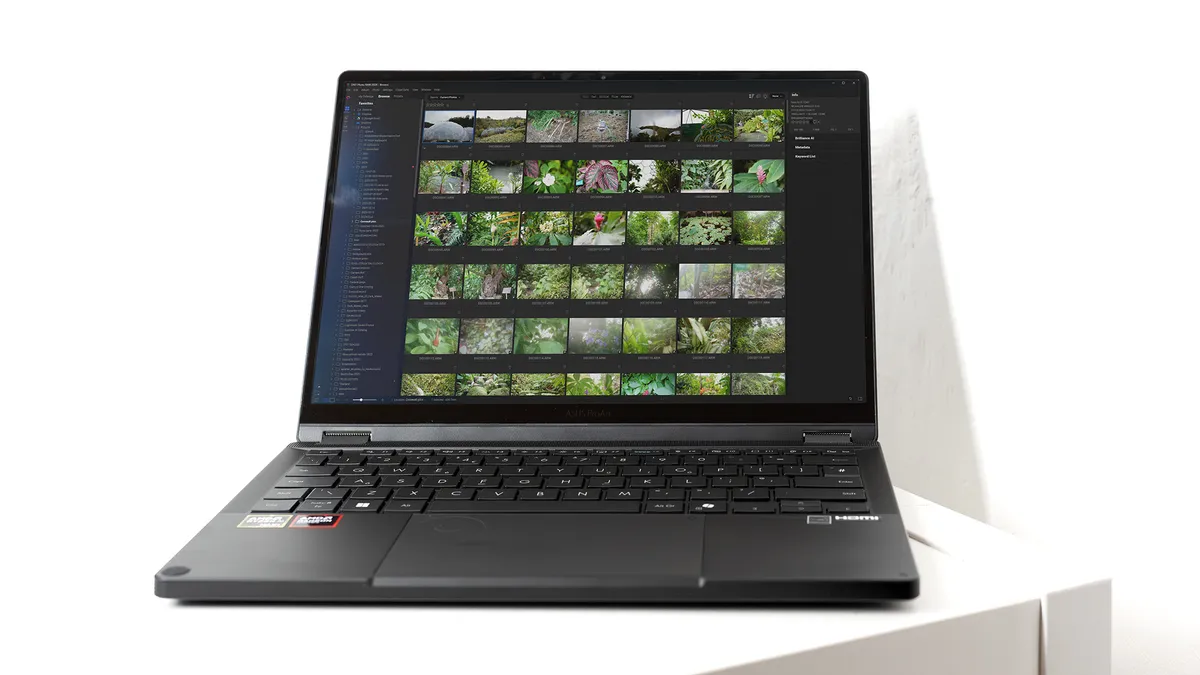
A pricey laptop with a lot of RAM and processor cores that can blast through photo and video work. Released in partnership with GoPro, it's a bit of a niche product but one that certainly gets the job done.

The go-to laptop for creatives is a wonderful thing to use, but is undercut by the Air in terms of price. If you want more power, memory or storage, then this should be your top choice.

Everything an ambitious creative professional could hope for. It pairs up to 64GB of RAM with a 50-series graphics card to provide fantastically smooth operation even during the heaviest graphic loads,
out of 10
When the MacBook Air was the bottom rung on Apple’s laptop ladder, it was an easy recommendation. Now that the upstart MacBook Neo has snuck in below it, providing surprising performance from its iPhone processor, the Air looks like a trickier proposition. However, given that the performance it provides is much closer to the Macbook Pro than to the Neo, it’s still a relevant purchase for creatives.