Creative Bloq Verdict
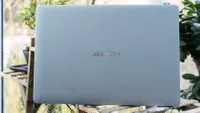
Sometimes you buy a laptop based on its size and weight, and the Geekom GeekBook X14 Pro impresses by weighing in at a smidge under a kilo but still managing to pack a Core Ultra 9 processor. It's not all good news, but for lovers of ultrabooks, Geekom's laptop has a lot going for it.
Reasons to buy
- +
Impressively thin and light
- +
Really good screen
- +
Plenty of RAM and storage
Reasons to avoid
- -
Last-gen CPU
- -
Integrated graphics
- -
Pricing could be keener
Why you can trust Creative Bloq Our expert reviewers spend hours testing and comparing products and services so you can choose the best for you. Find out more about how we test.
Thin and light are two words that you’ll often see used in relation to laptops, as manufacturers try to position theirs as the thinnest and lightest of them all in an attempt to get you to part with your money. There's not that much that differentiates portable PCs - they all tend to use the same few chips and the same kinds of screens - so physical size is something they can capitalise on to make their product stand out.
Enter the GeekBook X14 Pro from mini-PC specialist Geekom (makers of the impressive A9 Max, among others). It’s an extremely light all-metal laptop that rivals the ASUS Zenbook A14 for slimness and, unlike Asus’ slender effort, packs an Ultra 9 Intel processor instead of a Snapdragon chip. Is that enough to make it one of the best laptops for Photoshop, though? I got it in to find out.
Key specifications
CPU: |
Intel Core Ultra 9 185H |
NPU: |
Intel AI Boost |
Graphics: |
Intel Arc integrated |
Memory: |
32GB LPDDR5 |
Storage: |
2TB SSD |
Screen size: |
14in |
Screen type: |
OLED |
Resolution: |
2880 x 1800 |
Refresh rate: |
120Hz |
Colour gamut (measured): |
99% P3 |
Brightness (measured): |
415 nits |
Ports: |
1 x HDMI 2.0, 2 x USB 4.0, 1 x USB-A 3.2 Gen1, 3.5mm audio |
Wireless connectivity: |
Wi-Fi 6E, Bluetooth 5.4 |
Dimensions: |
17 x 312 x 215mm |
Weight: |
998g (2.2lbs) |
Design, build and display

• All-metal chassis
• Very light
The magnesium alloy body of the Geekbook X14 Pro is warm to the touch rather than the cold feel of aluminium, and this is one of the things that stands out about it as you slide it out of the box. The other is the notice that you’re expected to plug it into its charger the first time you switch it on - it charges over USB-C, and the 65W block supplied is very compact to match the laptop, but has a two-prong US-style plug on it. It’s worth checking if you can use it, or whether you have a compatible charger - we found it was happy to charge from a Thunderbolt dock.
Once you’ve got it set up, the Geekbook proves to be easy to live with. It’s certainly light, and the compact frame means it’s perfect for slipping into bags, you’ll barely notice it’s there. One thing to watch out for is the screen hinge if you’re in the habit of holding it in your palm, as it’s possible to pinch your skin when you lift the screen, but this is probably down to cack-handed handling by someone who should know better and won’t be an issue for many.
Being metal-framed it’s stiff, and can be held by its corner and passed around without succumbing to any flex, which can prevent the trackpad from working on designs with more bendiness inherent in them.
Design score: 4/5
Features

• USB4
• Fingerprint reader
Perhaps the Geekbook’s most interesting feature is the decision to use a fingerprint reader rather than Windows Hello face recognition for biometric security. While Hello is fine most of the time, it’s noticeable how slow it can be, both in warming up the camera for a security check and in actually recognising you. Geekom’s fingerprint reader, by contrast, is instant, and this speeds up the process of getting to the desktop from a cold start. It’s a great way to do it, and shows why Apple sticks to fingerprints for its MacBooks.
Elsewhere, you get a pair of USB4 ports, a USB Type-A that’s perfect for a wireless keyboard dongle, and an HDMI to hook up to an external display. It’s not the largest number of ports we’ve seen on a laptop, but it covers most eventualities and fits how we use our laptops - reserve one Type-C for charging and the other for an external SSD or camera connection, and you’ve got everything you need with nothing wasted or redundant. You can always use a dock if you need more.
There's no Ethernet, but networking is taken care of by Wi-Fi 6E, and there's a physical switch to pull a shutter across the webcam if you need privacy. The camera is a 1080p model with two mics, and it has an LED next to it to show when it’s active.
Being a 14-inch laptop, the keyboard and trackpad don’t have much room to breathe. This isn’t a problem for the keys, which eschew the numpad to provide something MacBook-like with a plain white backlight. They don’t have much in the way of travel distance, but it’s not a bad board to type on. The trackpad suffers from space, being quite small, but worse is that it doesn’t seem to click properly. The functionality is there, and it’s possible to hold it down after selecting multiple files to drop them into a waiting app, but without the slight dip there's little feedback about what you’re doing. Otherwise, it seems accurate and responsive, and might just take a bit of getting used to.
Feature score: 3/5
Benchmark scores

We test every one of our laptops using the same benchmarking software suite to give you a thorough overview of its suitability for creatives of all disciplines and levels. This includes:
• Geekbench: Tests the CPU for single-core and multi-core power, and the GPU for the system's potential for gaming, image processing, or video editing. Geekbench AI tests the CPU and GPU on a variety of AI-powered and AI-boosted tasks.
• Cinebench: Tests the CPU and GPU's ability to run Cinema 4D and Redshift.
• UL Procyon: Uses UL Solutions' Procyon software suite to test the system's ability for AI image generation in Stable Diffusion, its Microsoft Office performance and its battery life in a looping video test.
• Topaz Video AI: We use Topaz Video AI to test the system's ability to upscale video and convert video to slow-motion.
• PugetBench for Creators: We use the PugetBench for Creators benchmarking suite to test the system's ability to run several key tasks in Photoshop and Adobe Premiere Pro, as well as its performance when encoding/transcoding video.
• ON1 Resize AI: Tests the system's ability to resize 5 photos to 200% in a batch process. We take the total time taken to resize the images and divide by 5.
Performance

• Decent CPU performance
• Integrated GPU scores poorly
The first generation of Core Ultra processors, Meteor Lake, was a step away from Intel’s i-series of chips, and we’re talking in the past tense here because the third-gen chips are on the horizon and Geekom has, at CES 2026, announced new PCs with second-gen processors.
The Ultra 9 185H isn’t a bad chip, however, and its status as the elder statesman of the Core Ultra line may mean you’ll be able to pick up the Geekbook X14 Pro for a lower price once its newer replacement appears. It has 16 cores for a total of 22 simultaneous software threads, and Geekom has backed it here with 32GB of DDR5 RAM and a 2TB SSD, which makes for an effective package for a wide variety of tasks as long as you’re not too concerned about being on the bleeding edge.
What it can’t do, and this is true of all laptops that don’t have a discrete GPU chip probably made by Nvidia inside, is throw enormous amounts of 3D graphics about. It’s not great at AI applications such as Topaz Video AI or On1 Resize AI either: it will complete the work, but take a much longer time doing it than something with a GPU.
Working in 2D and without on-device AI calculations going on, the performance from the Geekbook is fine, almost snappy. The fan inside kicks in when you’re working it hard, but it makes a soft rushing noise rather than the kind of racket you’d expect from a gaming laptop.
While it benefits from the extra processing cores that lift it above something like the Acer Swift 3, the Geekbook can’t quite keep up with the M4 chip in the latest MacBook Air (at the time of writing, there’ll be an M5 model along any moment), losing out to it in the demanding Cinebench 2024 rendering test as well as the Pugetbench benchmarks that test a machine’s capability with Photoshop and Premiere. In Photoshop, the Geekbook is perfectly capable, though decidedly mid-table, while for Premiere (which loves GPUs) it’s among the bottom entries.
The OLED screen is one of the laptop’s stand-out features, and it’s an excellent display, able to show 99% of the P3 colour gamut, 95% of Adobe RGB, and 100% of SRGB with a maximum brightness of 415 nits. That actually makes it slightly better than the display on the latest MacBook Pro M5, which is a great result for the Geekbook.
Performance score: 3/5

Price
With an RRP of $1,249 (about £935) the Geekbook costs more than the cheapest 15in M4 MacBook Air, which looks like a problem. However, once you boost Apple’s machine up to match the Geekbook’s 32GB of RAM and 2TB SSD, it suddenly starts to look a bit more reasonably priced. The similarly thin and light Asus Zenbook A14, which comes with a shiny new Snapdragon X2 processor and 32GB of RAM but a 1TB SSD, costs £1,399, meaning if it’s a particularly light laptop you’re looking for, Geekom’s might be the one to look at, though this will depend on how the models with the second-gen Core Ultra chips are priced.
Value score: 3.5/5
However, we are able to offer a special discount on the machine via Amazon and Geekom's official site:
Who is it for?
• Travelling creatives
If the weight and girth of a laptop is what really matters to you, then the Geekbook is worth looking into. It manages to fit an Ultra 9 processor and plenty of RAM and storage into a frame weighing less than a kilo, and if you’re carrying it around all day, that’s going to make a difference.
Attributes |
Notes |
Rating |
|---|---|---|
Design: |
Exceptionally thin and light |
4/5 |
Features: |
Just enough ports, fingerprint reader |
3/5 |
Performance: |
A good CPU let down by its graphics performance. |
3/5 |
Value: |
Good spec for the price. |
3/5 |

Buy it if...
- Thinness and lightness matter
- You're not looking for a gaming laptop
- You think fingerprint readers are better than facial recognition
Don't buy it if...
- Graphics peformance or video effects matter
- You're looking for something really cheap
- Or a Mac
Also consider

The combination of Apple’s thin and light laptop and the M4 processor leads to a machine that’s only just behind the low-end MacBook Pro, and which has had a price-drop too. Highly recommended.

The ASUS Zenbook A14 is so close to being a MacBook Air that it’s even possible to see the resemblance between the names A14 and Air, and most of the time it puts on an impressive showing.

Microsoft's latest tablet/laptop hybrid, the Surface Pro 12, doesn't have a strong GPU, but it is a good machine for all-day use, especially for those who will be using it more as a tablet than a laptop.