Our Verdict
The Acer Swift Go 14 AI is a versatile, mid-range laptop that prioritises portability and display quality over raw creative power. While its 120Hz OLED screen and extensive port selection are impressive for the price, its performance is best suited for multitasking and light photo editing rather than heavy video or 3D rendering. It serves as a practical all-rounder for students and mobile content creators who want Copilot+ AI features and a lightweight design without the premium flagship cost.
For
- OLED Display
- Excellent port selection
- Portable and lightweight
- Outstanding battery
Against
- Mid-range build quality
- Some thermal fan noise during demanding tasks
Why you can trust Creative Bloq Our expert reviewers spend hours testing and comparing products and services so you can choose the best for you. Find out more about how we test.
Having reviewed more Acer Swift laptops than I could shake a stick at, including the premium flagship Swift 14 AI and the unbelievably light Swift Edge 14 AI review, I was keen to get my hands on the high-value alternative in the range, the Swift Go 14 AI.
I knew the Copilot+ PC would be limited in terms of performance, choosing instead to prioritise features and battery life instead of raw power and premium build quality. But that doesn't mean it should be condemned to the scrap heap.
3D artists, power-hungry video editors, and through-the-night gaming enthusiasts will prefer the MSI Stealth 16 AI Studio A1V or one of the other best laptops for video editing, but if you want reasonable AI performance without a super high price tag, then the Swift Go 14 AI could be just what you need.
Key specifications
CPU: |
Intel Core Ultra 7 |
Graphics: |
Intel Arc 140V (16GB) |
Memory: |
32GB |
Storage: |
1TB |
Screen size: |
14-inch |
Screen type: |
OLED |
Resolution: |
1920 x 1200px |
Refresh rate: |
120Hz |
Colour gamut: |
100% DCI-P3, VESA DisplayHDR True Black 500 |
Brightness: |
500 nits |
Ports: |
2x USB-C, 2x USB-A, 1x HDMI 2.1, 1x microSD Card Reader, 1x 3.5mm |
Wireless connectivity: |
WiFi7, Bluetooth |
Dimensions: |
312.4 x 227.4 x 15.95 mm (12.3 x 8.95 x 0.63 inches) |
Weight: |
1.24 kg (2.73 lbs) |

Design, build and display
• Compact build with lightweight materials
• Fancy light-up trackpad
The Swift Go 14 AI features a metallic-finish chassis constructed primarily from anodised aluminium, which covers the lid, keyboard, and bottom panel. The material choice keeps the weight down to 1.24kg, but at the cost of more premium durability. Given that I was throwing this in and out of my bag, I was a little concerned that I would damage it, especially the thin and warpable display panel.
The chassis is pretty boring compared to the OceanGlass touchpad, which is engineered to provide a smooth, glass-like tactile experience. This multi-control touchpad illuminates to provide context-sensitive access to media functions when it detects music or video playback.
Specific commands include play, pause, and volume adjustment, allowing users to manage media without using the keyboard's function row. It's a well-implemented feature that isn't particularly necessary, but I did find myself using it regularly.
Compared to the Acer Swift Edge 14 AI, which is one of the few sub-1kg laptops around, the Swift Go 14 AI is designed with a slightly thicker chassis, allowing for better airflow and a more robust cooling system. As a result, it can maintain higher thermal design power for longer periods, which means that if you're performing heavy multitasking or intensive creative tasks, the Go is less likely to throttle the CPU.
In terms of sustainability, Acer incorporates 21% post-consumer recycled (PCR) plastic throughout the device, including crafting the trackpad from recycled ocean-bound plastic. They also utilise 100% recyclable paper packaging, which boosts their credentials.
Design score: 4/5

Features
• AI power for Copilot+ and light creative tasks
• A surprisingly broad port selection
The Swift Go 14 AI is built with AI in mind. This centres around the Intel Core Ultra 7 processor that houses a dedicated Neural Processing Unit (NPU) for accelerating local AI tasks. That means the Copilot+ suite of features, which includes Live Captions for real-time translation, Cocreator for image generation, and Windows Studio Effects for video call effects, can be implemented without draining the primary CPU. These AI features will help enhance your day-to-day productivity and provide an extra boost when AI masking in Lightroom or removing a background in Premiere.
In terms of display and audio, the Go 14 AI boasts a 14-inch, 1920 x 1200 pixel resolution display with a smooth 120Hz refresh rate. This includes 100% DCI-P3 colour accuracy and VESA DisplayHDR True Black 500 for professional-grade photographers and videographers.
The 16:10 aspect ratio of the display reflects a broad trend towards offering more vertical real estate for navigating the web and working on documents. It's also helpful when working on vertical content for social media, although you might prefer one of the best tablets instead.
Despite its slim design, Acer has done a fantastic job of maintaining a wide and practical port selection that caters to both legacy and modern peripherals. It features two USB4 Type-C ports which support high-speed data transfer, power delivery for charging, and DisplayPort for external monitors. These are complemented by two USB 3.2 Gen 1 Type-A ports for traditional accessories, a microSD card slot for expandable storage or photo transfers, and a 3.5mm headphone jack. This is all rounded off with a HDMI port for external displays.
Feature score: 4.5/5


Benchmark scores
We test every one of our laptops using the same benchmarking software suite to give you a thorough overview of its suitability for creatives of all disciplines and levels. This includes:
• Geekbench: Tests the CPU for single-core and multi-core power, and the GPU for the system's potential for gaming, image processing, or video editing. Geekbench AI tests the CPU and GPU on a variety of AI-powered and AI-boosted tasks.
• Cinebench: Tests the CPU and GPU's ability to run 3D software such as Cinema 4D and Redshift.
• UL Procyon: Uses UL Solutions' Procyon software suite to test the system's ability for AI image generation in Stable Diffusion, its Microsoft Office performance and its battery life in a looping video test.
• Topaz Video AI: We use Topaz Video AI to test the system's ability to upscale video and convert video to slow-motion.
• PugetBench for Creators: We use the PugetBench for Creators benchmarking suite to test the system's ability to run several key tasks in Photoshop and Adobe Premiere Pro, as well as its performance when encoding/transcoding video.
• ON1 Resize AI: Tests the system's ability to resize 5 photos to 200% in a batch process. We take the total time taken to resize the images and divide by 5.

Performance
• A mid-range laptop that keeps Copilot+ running smoothly
• Fine for low-demand creative applications but don't throw too much at it
The Swift Go 14 AI benchmark tests show that the mid-range laptop is a capable daily workhorse that excels in efficiency but remains strictly for light-to-moderate creative work. That puts it on par with the MSI Modern 15 F13MG. I found it to be reliable when performing multi-threaded productivity and using web-based applications but was distinctly lacking when I turned my attention to video editing, as confirmed in the PugetBench Premiere Pro test.
From a general AI productivity perspective, the Swift Go 14 AI is capable of casual AI enhancements and background tasks but lacks the sustained multi-core muscle that serious creatives need for rendering or complex visual FX work. In that regard you could compare it to the ASUS V16. If all you want is live captions and a background blur for your video calls, then no problem. Anything more, from an AI perspective, and you'll start to experience some creaking.
That's backed up by the Procyon Stable Diffusion, Topaz Video AI, and ON1 Resize tests that I ran. With AI resizing, image generation, and the like, the Swift Go 14 AI struggled to perform. This is proof that just because a laptop has 'AI' in the name doesn't mean it's designed to do a lot of heavy lifting in demanding AI workflows. It could be argued that the AI label is little more than a brand gimmick focused on Copilot+ rather than anything more.
It's important for us not to be too harsh on the Go 14 AI. It's not pretending to be an all-singing and dancing creativity powerhouse. It's designed for anyone who does a little bit of everything, including photo edits, website design, project management, and social media curation. And in that regard, it actually performs admirably.
A portable build must always be paired with excellent battery performance; otherwise, how portable is it really? Thankfully, the Go 14 AI excels in this area, reaching nearly 15 hours during our constant video playback test. The amount of juice you eke out of it will be reduced during more intensive tasks, but either way, you're sure to easily get a full day's work out of this machine.
Performance score: 4/5

Price
The specific model I tested featured the Intel Core Ultra 7 CPU, with 32GB RAM and a 1TB SSD. This retails for £1,299 / $1,299, although it's frequently discounted down to a more affordable £999 / $1,199. That's not a bad price given the amount of RAM.
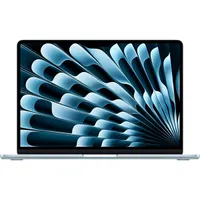
The laptop's closest competition comes from the ASUS Zenbook 14, although, at this price, many will be tempted to settle for reduced RAM and less storage and go for the latest MacBook Air (2025). That said, to put things in perspective, if you want a MacBook Air with the same spec as the Swift Go 14 AI that I tested, then you'll be paying upwards of £1,799 / $1,999.
Value score: 4/5
Who is it for?
• Mobile content creators, students, and anyone working with web apps a lot
The Swift Go 14 AI is essentially the Swiss army knife for content creators who need portability, not high-end power. 3D artists and professional video editors will need a high-end studio workstation, whereas the Swift Go 14 AI is for digital nomads, photographers, and content creators who need to edit, publish, and manage their work from anywhere.
Attributes |
Notes |
Rating |
|---|---|---|
Design: |
A light-up trackpad leads the way on this portable laptop that is as durable as the price tag will allow. |
4/5 |
Features: |
AI-centric features with an impressive set of ports for a laptop. |
4/5 |
Performance: |
Great performance for light creative tasks as intended, but don't push it too hard. |
4.5/5 |
Value: |
Reasonably priced but it's up against some stiff competition. |
4/5 |
Buy it if...
- You're a generalist who only performs light creative tasks
- You need a laptop with a colour-accurate OLED display
- You want a tidy one-cable USB-C setup
Don't buy it if...
- You're a high-end creative professional who often maxes out your laptop's hardware
- You need a premium build quality that will last a decade.
- You want a glare-free display
Also consider