Full disclosure: I've been using the 11-inch M2 iPad Pro for years now, and as the top-of-the-line Apple tablet (albeit an older model), I was unsure it could be beaten by the iPad Air M4. I also had doubts about the, frankly, massive size of the 13-inch iPad Air – isn't it too big to be truly portable?
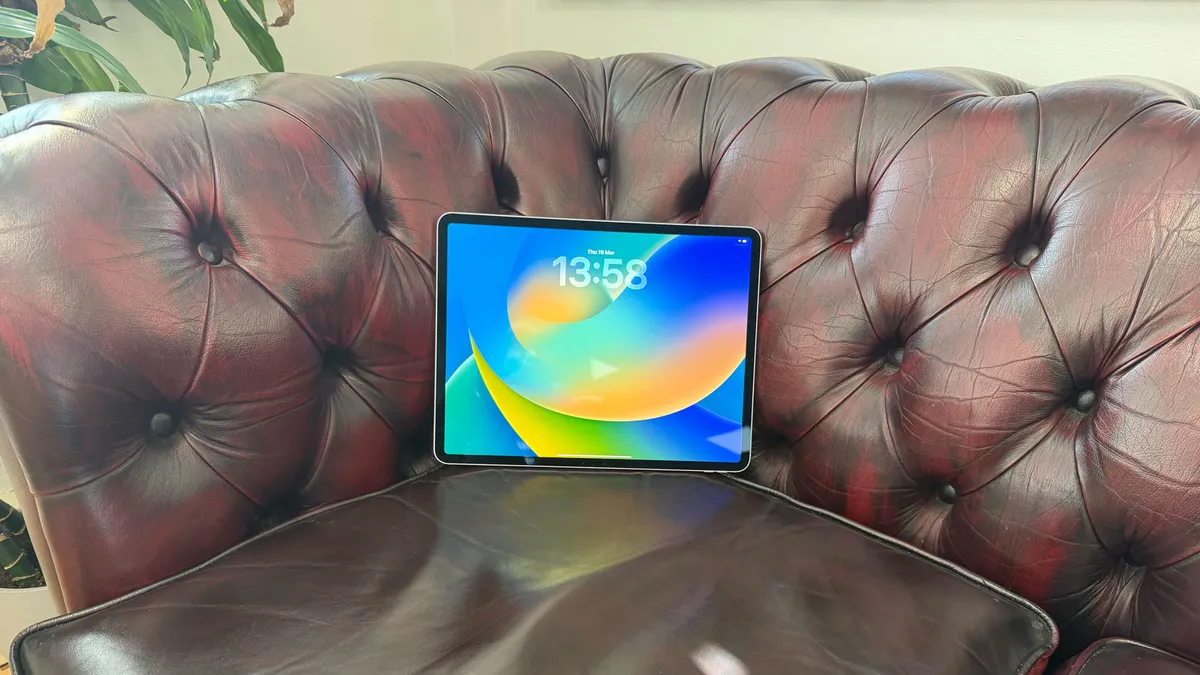
I tested the 13-inch model, which is a dream for digital artists – with its ample display space perfect for running digital art apps like Procreate. And actually, while the tablet is huge, it is still light enough to feel portable (though weirdly it's heavier than my M2-chipped iPad Pro, which doesn't seem right from a branding perspective - Air is light, right?).
Just to get all of my niggles out there straight away, I was also somewhat underwhelmed by the idea of another iPad with the same build and design as previous iterations – even though I"m sure it'll head straight to the top of our iPad for drawing guide, my overall feeling is: how excited can we be by a tablet design at this point?

But well done Apple, you've done it again. My doubts were trampled on pretty much as soon as I opened the box. I couldn't think anything but 'why fix what isn't broken?'. The M4 model is as sleek as ever – and the purple hue is, frankly, delightful. It feels and looks stunning, all sparkle, shine and rounded edges.
So, the internals? If you're upgrading from the M3 chip, I'm not saying this is a worthwhile upgrade. But if you are on anything older – even even if you are on an M2 Pro, there is potential for a better experience on the iPad Air M4 – with the only caveat being the reduced refresh rate (which does make things a little more choppy in use than the Pro).
Here are 5 features that I think make this a worthwhile upgrade.
01. Noticeable power boost and a jump to 12GB RAM
This seems obvious, but if you're into heavier video editing or use a lot of AI tools, then the M4 chip will be noticeably faster and more powerful – without lag or stuttering when managing heavy taskloads. Apple says it'll be 20-30% faster, and I can believe it after editing video in Premiere.
Most importantly, though, is the jump to 12GB RAM as standard in the iPad Air M4. Given previous Airs were capped at 8GB, this will have a noticeable effect on your workflow. When cycling through apps using Stage Manager, it was smooth and zippy.
02. Apple Pencil Pro

If you're on an older iPad model, you might not have Apple Pencil Pro compatibility. While this was available on the iPad Air M3 and M3, it wasn't compatible with previous models, and this stylus is where the uptick in performance for digital artists really sits. We loved the Apple Pencil Pro when we tested it, and though I haven't used it with this iPad, the artist-centred gestures are a fantastic addition to your workflow, saving time and enabling more fluidity in your creation process.
03. The camera is on the long edge – FINALLY

This is actually marvellous news. If you've ever tried to do a Facetime or virtual meeting on your iPad, you'll know of the weird angle issues that cause you to look as if you're looking off to the side. The only way around it before was to have your iPad vertically propped up, which isn't how most cases or stands work. But Apple has finally moved the camera to the long edge so the problem is solved.
But what if you're trying to film or take photo vertically? I hear you ask. My answer would be – the camera is not good enough for photography or videography to be the main concern here. No-one is using an iPad as a primary camera so solving the aforementioned problem was definitely the best thing here.
04. Pro-level graphics

This iteration of the iPad Air is the closest we've got to pro-level graphics, with the M4 chip supporting hardware-accelerated ray-tracing (great for realistic lighting and textures in gaming or other graphics), and dynamic caching, which increases performance for 3D design apps like Shapr3D or Octane. For multi-disciplinary artists or creatives dipping their toes into 3D, this makes the Air a truly powerful choice even over the Pro – especially at this price point.
05. Brighter display on 13-inch
The display has upgraded from 500 to 600 nits on the larger screen. While this is a boost rather than anything revolutionary, it makes a real difference to the LCD screen when outside, and goes some way to negating the compromise made with choosing this device over the Pro, whcih has a tandem OLED screen. You can still tell the difference between the two, but the Air will be more than good enough for most people.
So overall I have to say, yes, I love this iPad. And I'll be using it over the Pro immediately.
Want more thoughts on new Apple tech? See our first impressions on the MacBook Air M5.
Find today's best iPad Air M4 prices below: