Our Verdict
This is a review of the ASUS ProArt P14 rather than of the RTX Spark platform as a whole, but despite that the new PC chips seem to show a lot of promise. The P14 throws up some excellent scores in testing, is well built and beautifully thin and light, and will last all day on a charge. It suffers from the problem all first-gen hardware has, app compatibility, and also from the high prices plaguing all laptops; but there is definite promise here, and at least one of those problems can be fixed with a few software patches.
For
- The birth of a new platform
- Designed for local AI use
- Optimised Adobe apps already available
Against
- The birth of a new platform
- Rather expensive
- Some apps need updates
Why you can trust Creative Bloq Our expert reviewers spend hours testing and comparing products and services so you can choose the best for you. Find out more about how we test.
Laptops with new processors in them are always exciting, as we find out how well they can perform in creative apps. Nvidia’s RTX Spark combines a Grace CPU - in this case 20 Arm cores, though an 18-core version is also available - with a big GPU from the Blackwell generation (aka the GeForce 5000-series). Given how well the Arm-based Snapdragon CPUs have performed in the past, and how we’ve lamented that they’re not being paired with the kind of GPUs that could make creative apps sing, this would appear to be the answer to our prayers.
However, Nvidia isn’t aiming its new system directly at creatives, nor at gamers, but squarely at AI development, particularly the running of agents. Happily, this has the side effect of making RTX Spark machines useful for creative purposes, especially as AI tools are creeping into our apps (see our initial Blender testing), and there are other things to like about them too, including excellent battery life and bright OLED screens.
RTX Spark laptops run Windows 11, so software compatibility shouldn’t be too much of a problem. Let’s see how this one stacks up and if it's heading to the best laptops for game development list.
Key specifications
CPU: |
Nvidia RTX Spark N1X (20 core) |
Graphics: |
Nvidia Blackwell RTX GPU (6,144 CUDA cores) |
Memory: |
32GB (9400MT/s) |
Storage: |
1TB SSD, SD card reader |
Screen size: |
14in |
Screen type: |
Lumina Pro OLED touchscreen |
Resolution: |
2880 x 1800 |
Refresh rate: |
120Hz |
Colour gamut (measured): |
97% P3 |
Brightness (measured): |
460 nits |
Ports: |
1x USB 3.2 Gen 2 Type-A, 3x USB4, 1x HDMI 2.1, 1x 3.5mm audio |
Wireless connectivity: |
Wi-Fi 7, Bluetooth 5.4 |
Dimensions: |
310 x 22 x 16mm |
Weight: |
1.48kg |
Design, build and display

• Lightweight metal shell
• Bright, punchy screen
As the smaller of the two ProArt laptops available at the launch of the RTX Spark chips, (the other being the P16) the ProArt P14 is a compact and lightweight machine, the sort of thing dished out to remote workers the world over. It’s got a very nicely engineered shell, with speakers either side of the keyboard and ProArt branding rather than ASUS logos everywhere.
Place it next to a MacBook Pro 14, and it becomes clear who this new laptop is aimed at. ASUS is targeting a professional demographic here, with a metal finish that feels great under your fingers and a low-profile, lightweight build. It has a lighter, magnesium-esque look about it rather than Apple’s Space Grey, and the keyboard feels like it has slightly more depth than the Mac’s, for a satisfying feeling while typing.
The OLED touchscreen is magnificently bright, as we’ve come to expect from ASUS devices, and the colours are punchy. Having a 120hz maximum refresh rate means everything feels very smooth, and the colour response displaying 97% of the DCI-P3 colour gamut using the display’s built-in profile, along with 100% of sRGB and 94% of Adobe RGB. It puts out a maximum SDR brightness of 640 nits, which is excellent, and over all it’s a good choice for colour grading or print design, as long as 14 inches corner to corner is big enough for you.
Design score: 4/5
Features

• Lots of fast ports
• All-day battery
With a trio of USB4 ports and a full-size HDMI, the ProArt P14 is made to connect to all kinds of peripherals and monitors. You’ll be able to dump camera footage onto its SSD through the SD card slot or via a cable connection, though a 1TB SSD is the only build to order option here apart from boosting the RAM from 24GB to 32GB. The RTX Spark platform uses a unified memory architecture, where one RAM pool is shared between the CPU and GPU, rather than having two allocations as is the norm with Nvidia GPUs paired with AMD or Intel CPUs. This means you’ll need to calculate your RAM needs when you buy, and it supports up to 128GB of the currently very expensive stuff. More is, of course, always better.
The fan in the ProArt P14 came on when it was updating software and not being pushed remotely hard (we’d locked it into Performance mode to get the best results from testing, which might have something to do with it), and it’s possible software support could be as big an issue for the new platform as cooling is. The Windows on Arm ecosystem is larger now than when the first Snapdragon chips launched, but not perfect, and Microsoft’s Prism translation layer, which allows older apps to run on the new chips, has an overhead in terms of processor cycles and can slow things down. It’s better to run optimised software, and there is a lot of it out there, especially if you’re using it for AI work, where the apps are all fairly new.
If you don’t like the fans you can put it in Whisper mode, which is where we found the best battery life. It’ll go all day (8.5 hours) if you’re just editing text documents, watching videos and browsing the web, and if you leave it playing a video you can get more than 11 hours out of it. Naturally it drops more quickly when you’re making it work harder, and some of our AI benchmarks took several percent off the battery in about 15 minutes.
Feature score: 4/5
Benchmark scores

We test every one of our laptops using the same benchmarking software suite to give you a thorough overview of its suitability for creatives of all disciplines and levels. This includes:
• Geekbench: Tests the CPU for single-core and multi-core power, and the GPU for the system's potential for gaming, image processing, or video editing. Geekbench AI tests the CPU and GPU on a variety of AI-powered and AI-boosted tasks.
• Cinebench: Tests the CPU and GPU's ability to run Cinema 4D and Redshift.
• UL Procyon: Uses UL Solutions' Procyon software suite to test the system's ability for AI image generation in Stable Diffusion, its Microsoft Office performance and its battery life in a looping video test.
• Topaz Video AI: We use Topaz Video AI to test the system's ability to upscale video and convert video to slow-motion.
• PugetBench for Creators: We use the PugetBench for Creators benchmarking suite to test the system's ability to run several key tasks in Photoshop and Adobe Premiere Pro, as well as its performance when encoding/transcoding video.
• ON1 Resize AI: Tests the system's ability to resize 5 photos to 200% in a batch process. We take the total time taken to resize the images and divide by 5.
Performance

• Good for AI use
• Holds up in games and creative apps
For the N1X, Nvidia has created a 20-core CPU on what it calls its Grace microarchitecture. Grace has been around for a bit as a server platform, but this is the first time we’ve seen it in a consumer product. In this configuration, you get ten Cortex-X925 cores - for high single-threaded performance - along with ten more Cortex-A725 cores that are a bit more power efficient but still potent enough to make up the majority of the cores in Google’s Tensor G5 smartphone chip.
This is then joined by a Blackwell GPU with 6,144 CUDA cores, a figure that sits somewhere between the laptop versions of the RTX 5070 and 5080 GPUs. This all sits on the NVLink-C2C interconnect, which has 600 GB/s of bidirectional bandwidth, enough to keep all the bits talking to each other more quickly than a standard PCIe connection. The whole SoC has a TGP of 85W, rather less than some RTX 5080-equipped gaming laptops which can go as high as 175W, and pointing toward quieter operation and a longer battery life.
In tests, it pays off. While gaming isn’t the ProArt 14’s forte, it can manage 60FPS in Cyberpunk 2077 (ray-tracing ultra) at the screen’s native resolution if you enable Nvidia tricks like DLSS and frame-gen, something that puts it in the same ballpark as an RTX 5070 laptop GPU. The new GPU in the Spark wasn’t supported in Cinebench at the time of our testing, and that was also true of many of our other standard tests. Adobe is already trotting out optimised versions of its apps for the architecture, with betas of Photoshop and Premiere available that will take advantage of its potential. In the 32GB configuration we’ve got here, 12GB is allocated to the GPU by default, but you can change this in the ProArt Creator Hub.
As Nvidia is pushing the AI capabilities of the Spark so hard, it made sense to try some AI benchmarks. Creative Bloq has been running Geekbench AI for a while now, but we also turned to MLPerf to get a tokens per second figure, running the Llama 3.1 8 Billion Instruction LLM benchmark on a few different computers using the most appropriate framework for the processor.

The obvious winner here is the RTX 5080 desktop card, which has a TGP of 350W so jolly well should be better than laptops running at 85W or less. The ProArt P14 slots in nicely as the best laptop in this test, producing more than twice the tokens per second of Apple’s M5 (the vanilla non-Max or Ultra version), and this workout also proves Nvidia’s claims that the system’s performance is the same whether it’s plugged in or running on battery: with only two points’ difference between the scores, the difference is negligible.
In Topaz Video AI, the P14 sits with the lower-end gaming laptops, coming up just behind the RTX 5050-equipped Lenovo LOQ 15i Gen 10 and ASUS TUF Gaming A16. This could be explained by the software not being optimised for the RTX Spark. In ON1 Resize, which uses machine learning to up-res image files, it sits just behind the Acer Predator Triton (RTX 5070).
Performance score: 4/5

Price
The prices of some of the new RTX Spark laptops are enough to make you gasp. Not only do they have a new SoC architecture inside them, but often a lot of RAM too. The ASUS ProArt P14 starts at £2,699.99 or $2,599 for the version with 24GB of RAM, and hops up to £3,199.99/$3,099.99 if you choose the 32GB upgrade. That’s MacBook Pro money, and you can get a 14in M5 model with 32GB of RAM for less.
Value score: 2/5
Who is it for?
• AI agents
This is a laptop, and indeed a whole platform, designed around the emergent field of the locally-run AI agent. Nvidia thinks it’s going to change the way we interact with our PCs, and for some it will be important to be in on this from the start. For anyone looking for something to edit video on, then while this is a fine laptop, it’s too new and expensive for many creative uses that don’t involve AI.
Attributes |
Notes |
Rating |
|---|---|---|
Design: |
Excellent thin and light metal chassis. |
4/5 |
Features: |
Gorgeous OLED screen, lots of ports too. |
3/5 |
Performance: |
Good for AI, but you can get more creative punch for less. |
3/5 |
Value: |
Terribly expensive, especially if you add more RAM. |
2/5 |

Buy it if...
- You’re running a team of AI agents
- You like to have the newest thing
- You’re in the market for a slim and light laptop
Don't buy it if...
- You can’t stretch to the cost
- You need even more CPU or GPU grunt
- AI doesn’t matter to you
Also consider
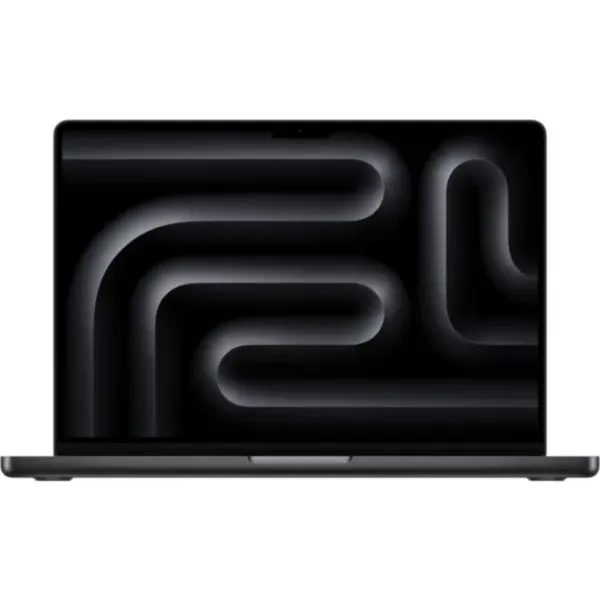
With this MacBook Pro, Apple has squeezed the kind of power you’d expect from a desktop Mac Pro in a tower case into a 14-inch laptop, and backed it up with plenty of RAM. It’s extremely expensive, but is probably the best professional laptop you can get right now.

While it may be a gaming laptop, there's no denying that the 2026 Razer Blade 18 is one of the most powerful portable machines you can buy, and that means it can blitz through creative work as easily as it can render spaceships. The price is high, but the speed is higher.

A phenomenal laptop that makes more sense for productivity and creative apps than it does for the gamers it’s ostensibly aimed at. However, it does this at an enormous price.