Since going freelance in 2016, I've burned through a number of laptops. I started on Chromebooks, then graduated to Windows. But when my last one died as I was travelling last year, I stumbled on an M1 MacBook Air (2020). The minute I started using it, everything just felt... right. I've been using it for the last 12 months and honestly, I don't think I could live without it.
As the name suggests, it's super-light, so I can take it anywhere. The wedge-shaped aluminium chassis is classy and chic. The Retina display is full and vibrant. And while the fan-less M1 chip isn't the newest on the market, it's always felt slick, fast and responsive no matter what I do – not to mention silent in running. Oh, and the 18-hour battery life? It's a fantastic option for pros, and also one of the best laptops for students of all time.
That said I don't do much VFX, 3D modelling or video editing, otherwise I'd probably go for something more powerful (this model has just 8GB of RAM). But if you don't either, I reckon you can't go far wrong with this very lovely laptop.
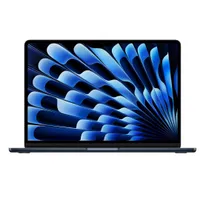
Why this price hits the sweet spot
At $566, the Macbook M1 Air (2020) undercuts competing Windows ultrabooks by a significant margin, while delivering performance that still impresses in 2025. The M1 chip's 8-core CPU continues to hold its own against current mid-range processors, and the integrated 7-core GPU handles light photo editing, graphic design work and even casual 4K video editing without breaking a sweat.
The display deserves special mention, too. P3 wide colour gamut support was once exclusive to MacBook Pros, making this particularly valuable for photographers and designers who need accurate representation. The 2560 x 1600 Retina resolution delivers crisp text and detailed images, while True Tone technology automatically adjusts colour temperature based on ambient lighting.
Is it powerful enough for you?
Let's be clear about limitations: 8GB of unified memory is the Achilles' heel here. While Apple's memory management is efficient, running multiple creative apps simultaneously will test its limits. Heavy Photoshop users juggling dozens of layers, or video editors working with complex timelines and effects, will hit performance walls. This isn't a professional workstation replacement.
The 256GB storage fills quickly with media projects, and with only two Thunderbolt 3 ports, you'll need adapters for SD cards and standard USB peripherals. Also the design, while timeless, is unchanged from 2018. That means there's no MagSafe charging, no additional ports, and bezels that look dated compared to 2025's slim-bezel competitors.
Here's the thing, though: for $566, if these compromises aren't deal makers, they're well worth making. As a student laptop for note-taking and essays with occasional creative projects, a couch-computing device that happens to run Final Cut Pro competently, or maybe even a secondary machine for on-location shoots, the M1 Air delivers exceptional value.
The fanless operation means it stays silent during Zoom calls, and that 18-hour battery life genuinely delivers all-day computing without hunting for outlets. And compared to similarly-priced Windows alternatives, you're getting Apple's ecosystem integration, a more premium build quality, and software support that'll extend years into the future. In short, this is Apple's most affordable entry point into macOS, and at this price, it's an absolute bargain.