The Apple Prime Day deals over at Amazon are a great chance to get an iPad at the kind of price we used to see before Apple's big hike in June. But what about a stylus?
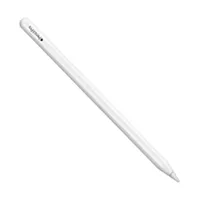
Amazon has some decent Apple Pencil deals too, including $30 off Apple Pencil Pro. But depending on what you use your tablet for, you might not need an Apple Pencil at all. One of the best Apple Pencil alternatives might be perfectly adequate, and right now there are cheap tablet styluses around at prices as low as $15.
Read our Apple Pencil comparison guide if you're not sure which Apple Pencil works with your tablet. If you're tempted by a Prime Day deal but you're not a member, you can sign up for a 30-day free Prime trial.
Apple Pencil deals
Apple Pencil alternatives
Do Apple Pencil alternatives work?
Yes, Apple Pencil alternatives work. In fact, for a really budget alternative to help you out in a fix, you can even make a stylus with just four household items.
That said, whether an alternatives is a good option for you will depend on what you want to use it for. If you're a professional or aspiring digital artist who's invested hundreds of dollars in a recent iPad Pro or iPad Air, I'd really recommend stretching to buy the Apple Pencil Pro.
The Apple Pencil alts above all have palm rejection and most have tilt sensitivity, but they don't provide pressure sensitivity, which is very beneficial for drawing and painting, though less so for note taking. As well as a better drawing experience, the Pencil Pro's plentiful customisation shortcut controls can really speed up your workflow, allowing you to change brushes and settings much more quickly.
If, however, you only want an iPad stylus for clicking on menu buttons to speed up browsing and to avoid messy fingerprints on your screen, just get the $15 Jamjake or Metapen stylus above. You really don't need anything more sophisticated than that.
If you're somewhere in the middle – say you're not a big artist, but you'd like to do some sketching and also note-taking, then I'd consider the Logitech Crayon. It's cheaper than the Apple Pencil and doesn't provide pressure sensitivity, but it has the Apple seal of approval and it's beautifully designed.
Below, you'll find the lowest Apple Pencil prices in your region.